Dave is a marketing expert with 15 years experience in the tech and SaaS world. He specializes in educating IT and channel audiences, with a focus on security, privacy, compliance, and marketing technology. With a talent for storytelling and a deep understanding of the industry, Dave transforms complex IT topics into clear, engaging, and impactful narratives.
Exchange email signature management: Preparing for SE and beyond

Key takeaway
Exchange 2016 and 2019 servers still run, but they've had no security updates since Microsoft ended support on October 14, 2025. Outlook 2016 and 2019 lost support the same day.
Exchange Server Subscription Edition (SE) is the supported on-premises version, with a new licensing and update model.
Exchange SE doesn't add a new way to manage email signatures, so Transport Rules, scripts, and Group Policy templates keep their old limits.
Signature Manager Exchange Edition, which Exclaimer discontinued in September 2024, gets no support or updates for Exchange SE.
Managing email signatures in Exclaimer's cloud solution keeps template and policy changes out of the upgrade project.
Are Exchange 2016 and 2019 still supported?
Microsoft ended support for Exchange 2016, Exchange 2019, Outlook 2016, and Outlook 2019 on October 14, 2025. Existing servers still run, but Exchange 2016 and 2019 no longer get security updates, bug fixes, time zone updates, or Microsoft support. Microsoft's paid Extended Security Updates program for both versions was scheduled to end with October 2026, and Microsoft said it wouldn't extend it.
Exchange Server Subscription Edition (SE) became generally available on July 1, 2025. The first Exchange SE release matches Exchange 2019 cumulative update (CU) 15 apart from the product name and build number. Microsoft services Exchange SE under the Modern Lifecycle Policy, so support has no fixed end date while you keep up with updates. Microsoft plans two CUs a year.
Does Exchange SE change how email signatures work?
Exchange SE, generally available since July 1, 2025, still adds organization-wide email signatures the way Exchange 2019 does, with Transport Rules that append a disclaimer or HTML block to messages.
Microsoft's documentation for Exchange SE lists the same limits as for earlier versions, including email signatures that don't display in users' Sent Items folders.
Which Exchange versions upgrade in place to Exchange SE?
An in-place upgrade to Exchange SE starts from Exchange 2019 cumulative update (CU) 14 or CU15. Every other starting point takes a different route.
Starting point | Path to Exchange SE |
|---|---|
Exchange 2019 CU14 or CU15 | In-place upgrade |
Exchange 2016 CU23 | No in-place upgrade. Microsoft supports a legacy upgrade straight to Exchange SE, meaning new SE servers alongside the old ones and a mailbox move. Microsoft recommends this over stopping at Exchange 2019 first |
Exchange 2016 CU22 or earlier | Update to CU23 first, then follow the CU23 path |
Exchange 2013 | Remove before upgrading. Exchange 2019 CU15 and the first Exchange SE release block coexistence with Exchange 2013 |
The Exchange team's upgrade paths post, updated October 27, 2026, and Microsoft Learn's upgrade guide both list these routes. Exchange SE runs on Windows Server 2019, 2022, and 2025.
What protocol changes is Microsoft planning for Exchange SE?
Microsoft is retiring several older protocols and pulling support for older Exchange versions in stages, tied to Exchange SE cumulative updates (CUs). Dates have moved before, so treat the status column as Microsoft's plan.
Change | Status |
|---|---|
Kerberos replaces NT LAN Manager (NTLM) for server-to-server authentication | Planned for SE CU1 |
Exchange Admin API (REST) added, with Remote PowerShell deprecated later | Planned for SE CU1 |
Outlook Anywhere removed in favor of MAPI over HTTP | Delayed, no firm release |
Coexistence with Exchange 2016 and 2019 blocked | Planned for SE CU3 |
The first three rows come from Microsoft's Exchange Server roadmap, last updated in June 2025. The coexistence row comes from the Exchange team's upgrade post, updated October 27, 2026. That post lists SE CU1 for the second half of 2026 and SE CU3 for 2027. Microsoft Learn's upgrade page still says CU2 for the coexistence block, so follow the newer Exchange team post.
Tip
Any script that pushes email signatures through Remote PowerShell needs rewriting before that deprecation lands. Tools that rely on NTLM or Outlook Anywhere need the same check.
How is Exchange SE licensed, and what does it cost?
Exchange SE licensing works like Exchange 2019 with one addition. On top of server licenses and client access licenses (CALs), you need an active subscription. That means either cloud subscription licenses for all users and devices that access the server, such as Microsoft 365 E3 or E5, or server licenses and CALs with Software Assurance.
Microsoft also raised prices for on-premises server products in 2025, and the CAL suites rose more than the server did.
Product | Increase | Effective |
|---|---|---|
Exchange Server (standalone) | 10% | July 2025 |
Core CAL Suite | 15% | August 1, 2025 |
Enterprise CAL Suite | 20% | August 1, 2025 |
In a hybrid setup, Exchange SE still provides a free license for recipient management through the Hybrid Configuration Wizard. Getting updates for that free license requires Software Assurance or a qualifying cloud subscription. A server that hosts mailboxes, or runs as an Edge Transport or SMTP relay server, needs a full Exchange license.
Are Outlook 2016, 2019, and Office LTSC 2021 still supported?
Outlook 2016 and 2019 left support on October 14, 2025. Office Long Term Servicing Channel (LTSC) 2021 support ended on October 13, 2026. Microsoft recommends Microsoft 365 Apps or Office LTSC 2024 for organizations that can't move to the cloud.
Client-side email signature methods depend on the Outlook version. Group Policy templates, desktop scripts, and add-ins all need testing when the client changes. Exclaimer discontinued Signature Manager Outlook Edition in September 2024.
How do most IT teams manage email signatures?
In Exclaimer's State of Business Email 2025 report, which surveyed 4,009 IT professionals in the UK, US, Germany, and Australia, 80% still rely on manual methods or user self-service for email signatures. Only 18% use a centralized email signature management platform.
Early versions depended on client-side scripting
Before server-side options existed, email signatures lived on the client. Scripts ran on each machine, updates happened by hand, and nothing enforced a central policy.
Transport Rules introduced central control with limits
Transport Rules give IT central control by appending a disclaimer or block of HTML to outgoing mail. For the setup steps, see our guide to adding an email signature in Exchange. Microsoft's documentation lists where they fall short:
Email signatures don't display in users' Sent Items folders. The sender never sees the text Exchange adds, so a mistake can reach recipients before anyone notices.
Hosted images can show as blocked because Outlook and Outlook on the web block external web content by default.
User data comes from the sender's Active Directory account, and a rule can't skip a line when a variable has no value. A blank attribute leaves a blank line in the email signature.
"A common complaint with transport rule disclaimer signatures is that with replies and such, the signature will continue to get applied each time, but at the bottom of the email chain. You can avoid this by using an exception to examine if the disclaimer text is already applied."
Source: Conversational Microsoft 365 Email Signatures (sponsored by Exclaimer)
Why organizations adopted third-party tools
Karl Bagci, Director of IT and Information Security at Exclaimer, says email signature management early in his career was Transport Rules and a Word template everyone could update.
"That works for a small team, but it doesn't scale. Every change becomes a ticket, and it's death by a thousand paper cuts, lots of small five-minute jobs that add up fast."
Source: How IT and HR Can Improve the Employee Experience With Email Signatures (Exclaimer webinar)
Exclaimer released the first version of its email signature software in the UK in 2001.
Why do hybrid Exchange environments create more points of failure for email signatures?
In a hybrid setup, IT coordinates policy across Exchange Online and on-premises servers. The same email signature logic can end up in four places:
Exchange admin center on-premises
Microsoft 365 mail flow policies
Group Policy settings that configure signatures on local machines
PowerShell scripts that handle exceptions
Each copy can drift. Transport Rules behave differently on each side, and disclaimers go missing from internal mail or replies. Exchange SE keeps all four in place, and each cumulative update is a reason to retest the ones that touch mail flow.
Is Exclaimer Signature Manager Exchange Edition supported on Exchange SE?
Exclaimer discontinued Signature Manager Exchange Edition and Outlook Edition in September 2024. The Exchange Edition was built for legacy on-premises Exchange.
As a discontinued product, Signature Manager Exchange Edition gets no support and no updates for changes in Microsoft's architecture or servicing model.
Using Exclaimer Signature Manager on-premises?
There's no technical support, and compatibility with Exchange SE isn't guaranteed. To get support and a more advanced email signature management experience, migrate to Exclaimer's cloud solution.
How do you move email signatures off Transport Rules?
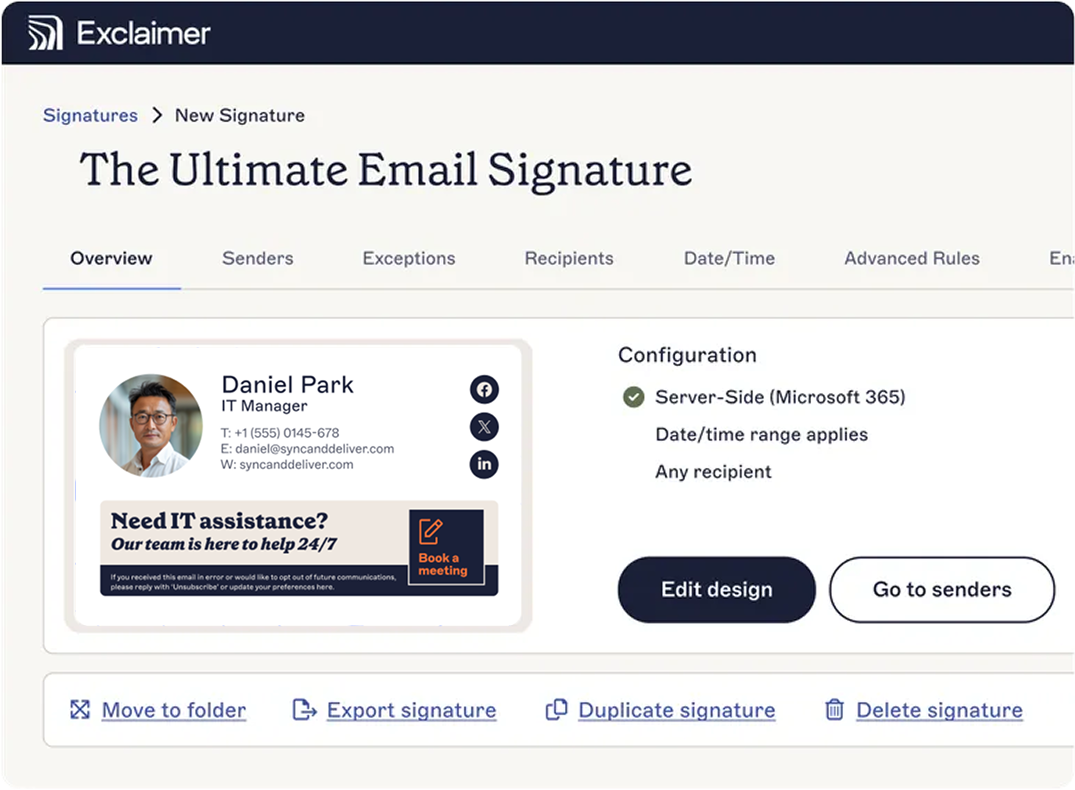
Exclaimer's cloud solution applies email signatures without Transport Rules or local policy enforcement. With on-premises Exchange, the cloud solution uses an Exclaimer Exchange Transport Agent installed on your Exchange servers.
Exclaimer's Exchange SE webinar says the cloud solution works across Exchange Online, Exchange SE, and hybrid setups. The cloud solution applies email signatures server-side or client-side, depending on configuration, and syncs user attributes from Microsoft Entra ID, so email signatures reflect current directory data.
Transport Rules and scripts | Exclaimer's cloud solution |
|---|---|
Rules live in Exchange and scripts live on machines or servers, so IT maintains each one separately | One web portal for templates and rules, whichever Exchange setup you run |
| Email signatures don't show in the sender's Sent Items folder | Email signature preview while composing in Outlook |
User data comes from the sender's on-premises Active Directory account | Templates built from Microsoft Entra ID attributes, with directory sync |
The cloud solution also moves four jobs out of Exchange:
Target templates by department, region, or email domain without editing multiple policies
Give non-IT teams access to branding updates through role-based delegation, with admin controls intact
Schedule banner campaigns without touching Exchange configuration
Apply legal disclaimers by rule, so employees can't edit or remove them
Deploy Exclaimer's cloud solution before an Exchange SE rollout or a Microsoft 365 migration, and mailbox moves and client transitions happen without rebuilding email signature rules. Plan to install the transport agent on any new on-premises Exchange server.
Does the email signature decision change between Exchange SE and Exchange Online?
Exclaimer's Exchange SE webinar says Exclaimer's cloud solution manages email signatures from the same place on Exchange Online, Exchange SE, and hybrid setups. The choice between Exchange SE and Exchange Online comes down to who runs the infrastructure.
Exchange SE (on-premises) | Exchange Online (cloud) | |
|---|---|---|
Infrastructure | Managed by you | Managed by Microsoft |
Updates | You install each cumulative update | Microsoft applies updates |
Where mailboxes live | Your servers | Microsoft datacenters |
Email signature management | Exclaimer | Exclaimer |
Microsoft's end-of-support guidance for Exchange 2016 and 2019 lists regulatory requirements, data residency, and settings the cloud can't meet as reasons to stay on-premises. The guidance calls migration to Microsoft 365 the simplest route off both versions.
For a cloud move, see our guide to migrating Exchange to Microsoft 365.
What should you check to keep email signatures working through the Exchange SE move?
List every method that applies email signatures today, including Transport Rules, scripts, Group Policy templates, and add-ins.
Check each against your Exchange and Outlook versions. Exchange 2016, Exchange 2019, Outlook 2016, and Outlook 2019 all lost Microsoft support on October 14, 2025. Ask each vendor whether its product supports Exchange SE, and replace any tool built for an unsupported version.
Rewrite scripts that push email signatures through Remote PowerShell. Microsoft's Exchange Server roadmap, last updated in June 2025, plans to add the Exchange Admin API in Exchange SE cumulative update (CU) 1 and to deprecate Remote PowerShell later.
After every CU, test mail flow, including internal mail and replies.
Tell stakeholders about cutover windows, so a missing email signature during the move isn't a surprise.
For a longer version, see Exclaimer's Exchange SE and email signature migration checklist.
Why shouldn't email signature management depend on the Exchange version?
Microsoft plans two cumulative updates a year for Exchange SE, and each one is a reason to retest anything that touches mail flow. Exclaimer's cloud solution keeps email signature templates and policy in one place, outside Exchange, so a cumulative update doesn't send IT back to rework Transport Rules or scripts. IT governs brand and legal consistency from that one place.
Exclaimer's server-side deployment applies email signatures to mail from any device or email client, apart from a few exceptions such as encrypted messages.
See how Exclaimer manages email signatures for Exchange