by James Wayne
Workday RaaS is now supported in Exclaimer
3 June 2026
0 min read
Customers can now connect Workday to Exclaimer using Reports as a Service (RaaS), giving administrators a second way to bring HRIS data into email signatures and meeting themes.
When we launched our Workday integration earlier this year, the setup involved a single configuration path: connect Exclaimer to Workday using an Integration System User (ISU), authenticate, and start syncing employee data into signatures and meeting themes.
While this approach works well for many teams, we understand that Workday configurations vary, and some administrators prefer not to utilize a direct ISU connection. Rather, they may prefer to publish employee data through a custom Workday report, due to how their internal data governance or existing integration patterns are structured.
Exclaimer always strives to provide solutions that meet teams where they work, and as such, we're happy to announce the release of Workday RaaS as a second supported configuration method.
How Workday RaaS works
Reports as a Service, or RaaS, is a Workday feature that publishes a custom report as a secure web service. Administrators define exactly which employee fields the report contains, then share it for use by other systems like Exclaimer.
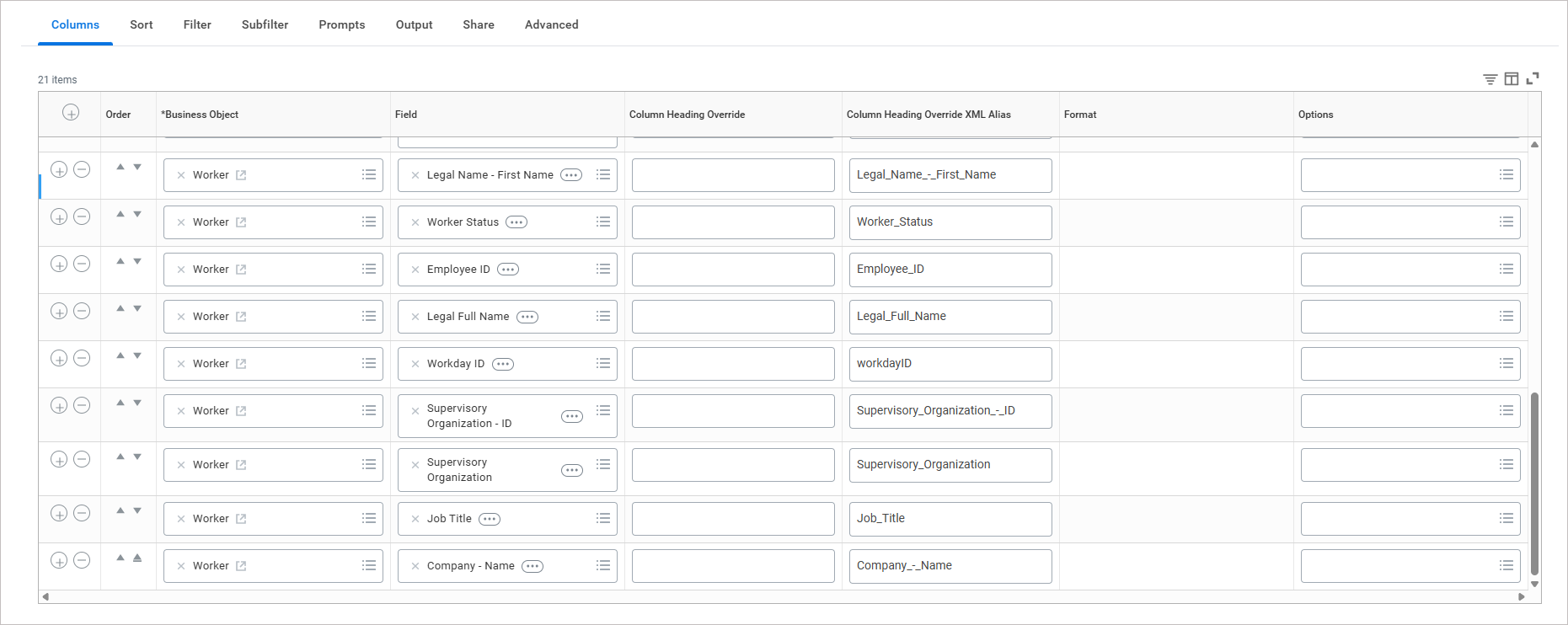
For Exclaimer, that means:
Your Workday administrator builds a custom report containing the employee fields you want to share (including names, job titles, departments, and contact details)
Exclaimer connects to that report via our data aggregation partner
Updates to those fields in Workday flow into Exclaimer automatically
Regardless of which method your team chooses, the outcome is the same. HR-managed employee data populates email signatures and meeting themes without manual updates or directory workarounds.
Choosing between the two
Both integration options sync the same kind of data and produce the same outcome. The right choice depends on how your Workday environment is configured.
The standard ISU-based connection is the simpler path and works well in most setups. Workday RaaS suits teams that want granular control over exactly what's shared, or teams that already rely on Workday reports as part of their integration strategy.
If you're not sure which method fits your setup, our support team can walk you and your Workday admin through the options.
Get started with Workday RaaS
Already an Exclaimer customer? Workday RaaS is available now in your Pro subscription. In Exclaimer settings, go to Sender Management, open the Enable HRIS access section, and select Workday RaaS as your provider.
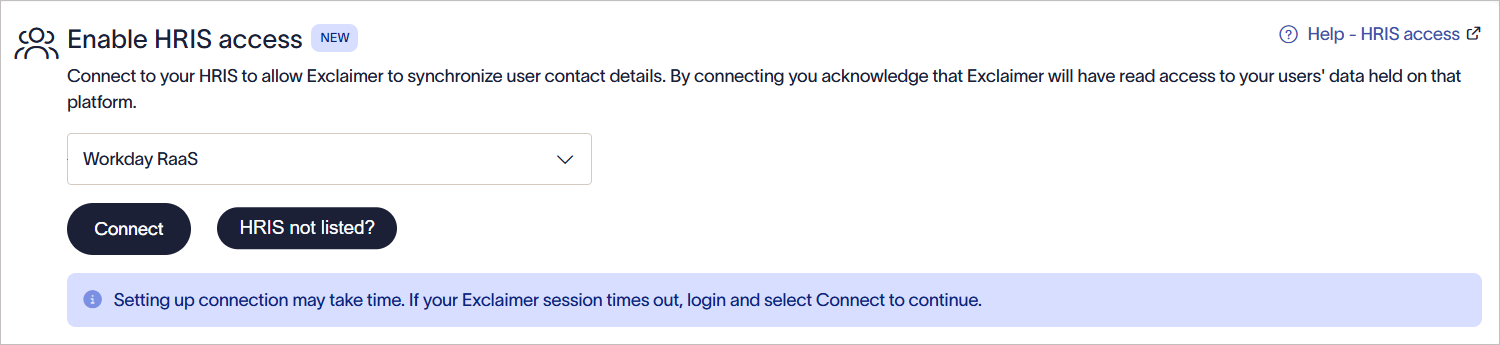
For full setup instructions, including the Workday configuration, see our Workday RaaS setup guide.
New to Exclaimer? Start your free trial to see what Workday integration can do for your team.