by Dave Willis
How to keep email signatures consistent after a rebrand
8 May 2026
0 min read
TL;DR
Email signature rebranding fails when you rely on different departments or individuals to update their own signatures.
Missing signatures, incorrect logos, and outdated disclaimers put your organization’s reputation at risk and can lead to legal or financial harm.
A reliable rollout follows six steps: audit existing signatures, design the new template, map every variant, choose a deployment method, run a pilot, and deploy at scale.
Native tools in Microsoft 365, Google Workspace, and Exchange can't handle multi-variant rollouts, conditional logic, or consistent mobile rendering on their own.
Server-side deployment is the best approach at scale: it applies the new template automatically to every outgoing email, regardless of device of email client.
Governance keeps the rebrand consistent after launch and prevents the next refresh from being a fire drill.
Email signature rebranding at a glance |
|
You've launched the new logo, refreshed the website, and updated the social profiles. Then someone forwards you an internal email and there it is in the signature: the old wordmark, the wrong tagline, and a color scheme that hasn't existed since the rebrand kicked off.
Email signatures are often forgotten or relegated to the backburner during a rebrand. Yet they’re one of your highest-visibility surfaces—and getting them right is critical.
This guide walks through why email signature rebranding stalls, the consistency failures that quietly undermine a brand refresh, and a step-by-step framework for rolling out new signatures across every employee, device, and platform.
Why email signatures are where rebrands stall
Most rebrand rollout plans treat email signatures as a footnote. The website, social channels, and printed collateral get the project-management attention, while signatures get a brand-team email asking everyone to “please update your signature with the new logo by Friday.”
That approach rarely works at scale. Each employee may send dozens of emails a day, often from multiple devices. When the new brand goes live, that can mean hundreds or thousands of email signatures going out the door with the old identity attached.
To external recipients—customers, prospects, partners, regulators—that inconsistency reads as carelessness at best and operational dysfunction at worst.
Without centralized email signature management, there's no way to update every employee's signature at the same time, no way to verify the update happened, and no way to enforce consistency when someone joins or switches roles.
Key takeaway: Email signatures are high-visibility brand touchpoints that require centralized control—not individual employee action—to update consistently at scale.
Common email signature consistency failures after a rebrand
Several specific failure modes show up in nearly every rebrand:
Employees never update at all. Plenty of people miss the announcement, ignore it, or set the new template up incorrectly. Without an audit trail, the brand team has no idea who's compliant.
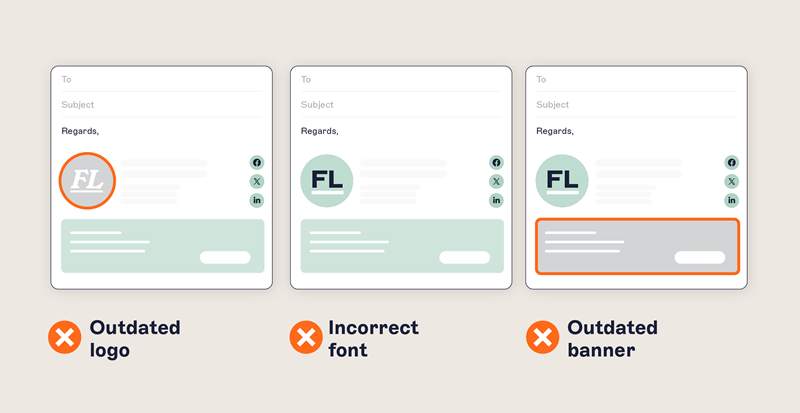
Employees break the design. Users who do try to update may paste the new template into Outlook and lose the formatting, swap the corporate font for whatever's installed locally, or remove the new tagline because it “didn't fit.”
Mobile signatures are forgotten. A signature built in Outlook for Windows rarely renders the same way on an iPhone’s Mail app, and almost nobody updates the mobile signature their phone uses by default.
Old logos persist in image-based elements. Social media icons in email signatures and promotional banners are the most-overlooked elements in a rebrand—they're often hosted at fixed URLs that quietly keep serving the old image.
Legal disclaimers don't get refreshed. A name change or merger usually requires updated entity references, but disclaimers are stored separately from signature templates and are easy to miss.
Subsidiaries and regions go their own way. Departments and regional offices frequently maintain local signature variations, and a rebrand multiplies the inconsistency unless the rollout is coordinated centrally.
Each of these is fixable in isolation. But they recur because a lack of centralized control all but guarantees inconsistency at scale.
Key takeaway: Signature failures stem from decentralized control—centralized management eliminates employee non-compliance, design breakage, and regional fragmentation.
Check out the Rugby Football League's rebrand to see how a sprawling organization can pull things back into alignment with the right tooling.
Best practices for email signature rebranding: A step-by-step rollout framework
A clean rollout follows the same six steps regardless of company size.
Audit what's currently in use. Before changing anything, get a snapshot of the signatures employees are actually using today by pulling samples by department, region, and seniority level.
Design the new email signature template against the rebrand guidelines. Lock in the visual design—logo placement, brand colors, typography, spacing—and define which fields are mandatory versus optional, keeping the layout to roughly seven lines or fewer.
Map every variant you'll need. Document each variant (sales calendar links, legal disclaimers, GDPR text) against the rule that triggers it so the rollout is predictable rather than ad hoc.
Choose your deployment method. Server-side deployment applies the new template automatically to every outgoing email, regardless of the device—manual updates and IT fixes won't produce consistent results.
Pilot before full rollout. Push the new template to a single department first, send test emails internally and externally across desktop, web, and mobile clients, and confirm rendering across Outlook, Gmail, and Apple Mail.
Cut over and decommission the old template. Schedule the full rollout for a specific date and time, and remove the old template entirely so it can't accidentally come back through a copied-and-pasted signature six months later.
Key takeaway: Follow a six-step framework—audit, design, map variants, deploy server-side, pilot, then cut over—to ensure a predictable, consistent rollout.
Managing signatures across Microsoft 365, Google Workspace, and Exchange
Most organizations send email through one of three back-ends, and each presents its own constraints during a rebrand.
What is server-side email signature deployment? Server-side deployment is a method where email signatures are applied automatically by the mail server as messages leave the organization, rather than relying on settings configured on individual employee devices. This ensures every outgoing email carries the correct, up-to-date signature regardless of which device or email client the sender uses. |
Capability | Microsoft 365 | Google Workspace | Exchange (On-Premises) |
|---|---|---|---|
Native signature rules | Basic transport rules | Admin console footer | Transport rules |
Replaces user signatures | Partial | No (appends below) | Partial |
Conditional logic | Limited | None | Limited |
Mobile rendering control | No | No | No |
Multi-variant support | Manual setup required | Not supported | Manual setup required |
Centralized image hosting | No | No | No |
Third-party integration needed for scale | Yes | Yes | Yes |
Microsoft 365
Native Microsoft 365 supports a basic transport-rule signature applied at the server. However, these rules are rigid, don’t scale well, and can break in complex IT environments, creating ongoing maintenance work.
For most rebrands, native tooling isn't expressive enough—our guide to email signature management in Outlook and Microsoft 365 covers the practical limits and how to extend them.
Google Workspace
Google Workspace lets admins set a default footer through the admin console, but it's appended below the user's own signature rather than replacing it. That's a problem during a rebrand because it doesn't stop employees from using their old self-built signature above the new footer.
Microsoft Exchange
On-premises and hybrid Exchange environments have similar transport-rule constraints. For organizations still running Exchange Server, signature governance often requires a third-party layer to handle conditional logic, image hosting, and mobile rendering.
In each case, the goal is the same: apply the new signature server-side so it doesn't depend on what individual employees do on their devices. Exclaimer integrates with Microsoft 365, Google Workspace, and Microsoft Exchange, bringing centralized email signature management to all three.
Key takeaway: Native tools in all three major platforms lack the flexibility for multi-variant, mobile-consistent signature deployment—server-side solutions fill the gap.
Governance and compliance for professional email signatures
The rebrand isn't really finished until the signature governance is finished. Otherwise, you'll be doing this again the next time a job title pattern changes or a new disclaimer requirement comes through.
A practical governance model has four parts:
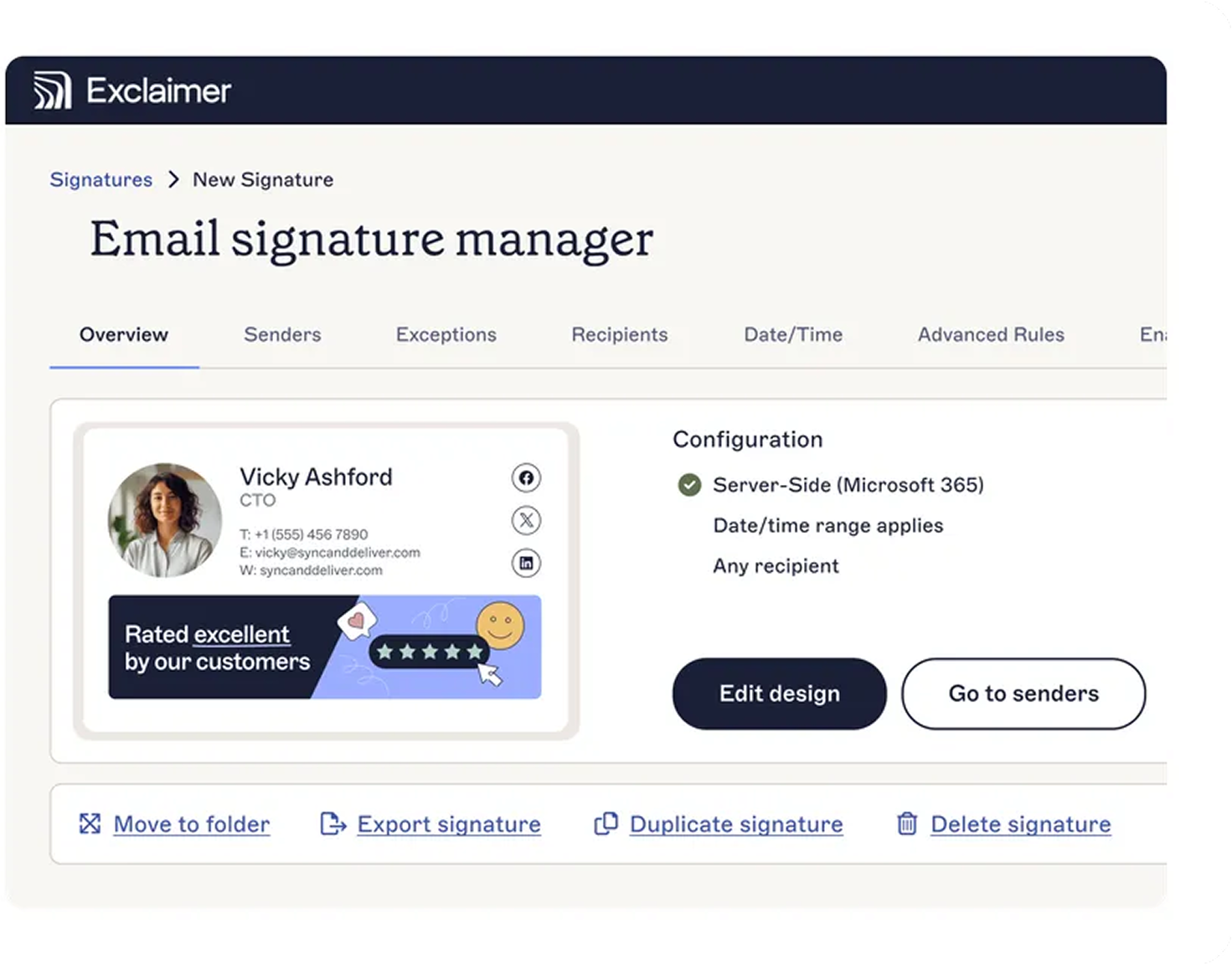
A single source of truth for the signature templates (versioned, with change history)
Role-based permissions so marketing can update banners and visual elements while legal and compliance own the disclaimer text
An automated link to your directory so contact details update when employees are onboarded, leave, or change roles
An audit log that captures who changed what and when. In regulated industries—finance, healthcare, legal—it’s critical to demonstrate that disclaimers were applied consistently across all outgoing messages.
For IT teams making the business case internally, the time recovered from manual updates and repetitive ticket handling adds up fast. Our breakdown of email signature costs for IT teams walks through how to quantify it.
Key takeaway: Governance requires versioned templates, role-based permissions, directory sync, and audit logs to maintain compliance and prevent future fire drills.
Keep your rebrand consistent with centralized email signature management
Email signature rebranding fails when it depends on hundreds of employees doing the right thing on every device. It works when one platform applies the new template server-side, automatically, to every email—and lets the brand team update it again when something else changes.
That's what Exclaimer is built to do. Centralized template management, directory sync, role-based permissions, and full multi-platform coverage across Microsoft 365, Google Workspace, and Exchange mean the rebrand goes live everywhere at once and stays consistent afterward.
Book a demo to see how Exclaimer handles your next rebrand from start to finish.