Naimh is a seasoned marketer of 12 years, including in SaaS and tech. She’s an expert at simplifying complex technology concepts, bridging the gap between IT and marketing. Naimh specializes in turning tech speak into actionable insights, helping marketers get the most out of their tools and technology.
Why you should use Christmas email signatures

Key takeaway
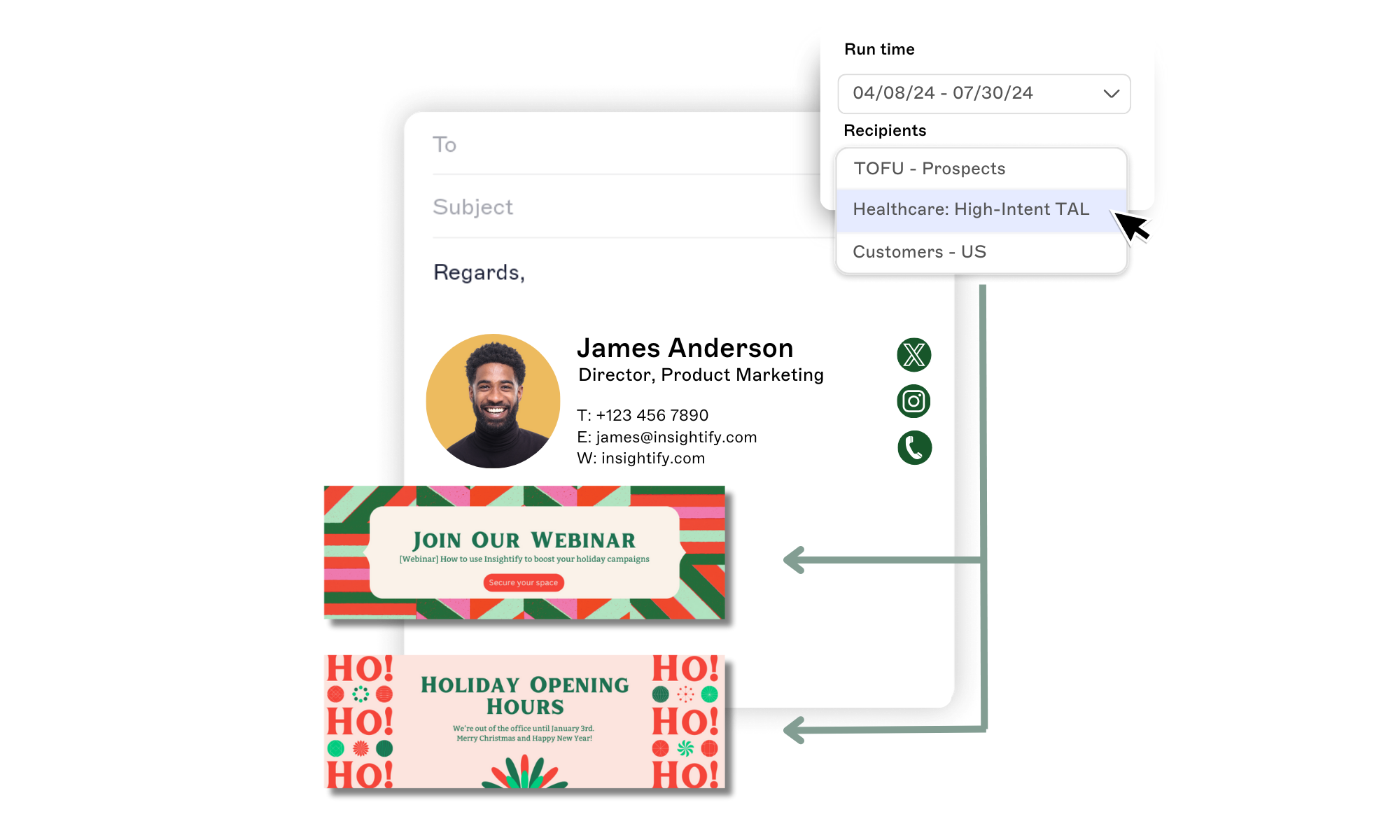
Add a one-line greeting and a banner with your holiday hours or an offer below your usual email signature, then set an end date so it comes down in January.
Keep your logo, colors, and layout. Change just the banner and the greeting, and add a tracked link to see who clicks.
Updating email signatures by hand leaves gaps. Scheduling centrally, as Exclaimer's cloud solution does, starts and stops the change on set dates for the senders you choose.
"We've all seen banners that are months or years out of date: still promoting a December sale in March or an event from 2019." That line is from Email Signatures for Dummies, the guide Exclaimer wrote with Wiley. A Christmas banner ends up the same way when nobody schedules its removal.
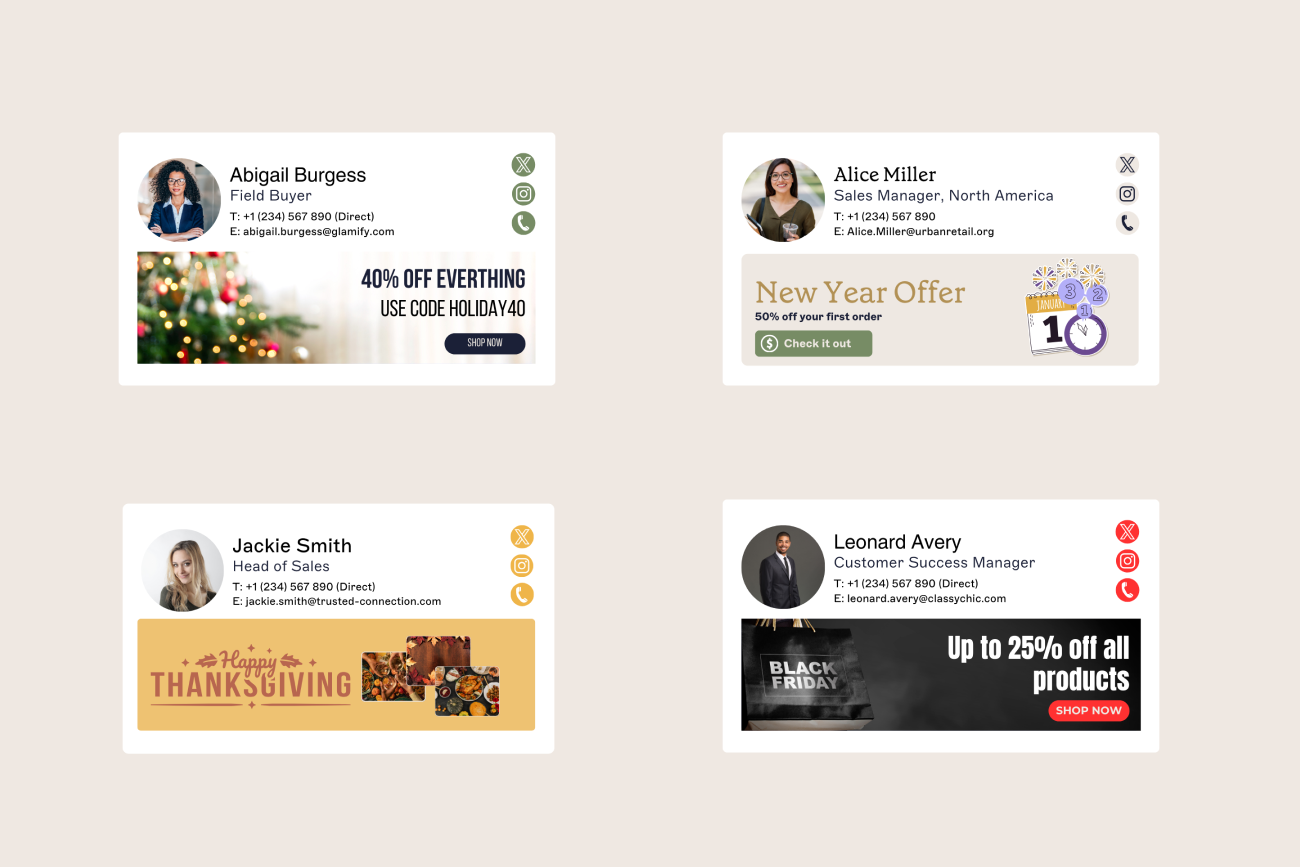
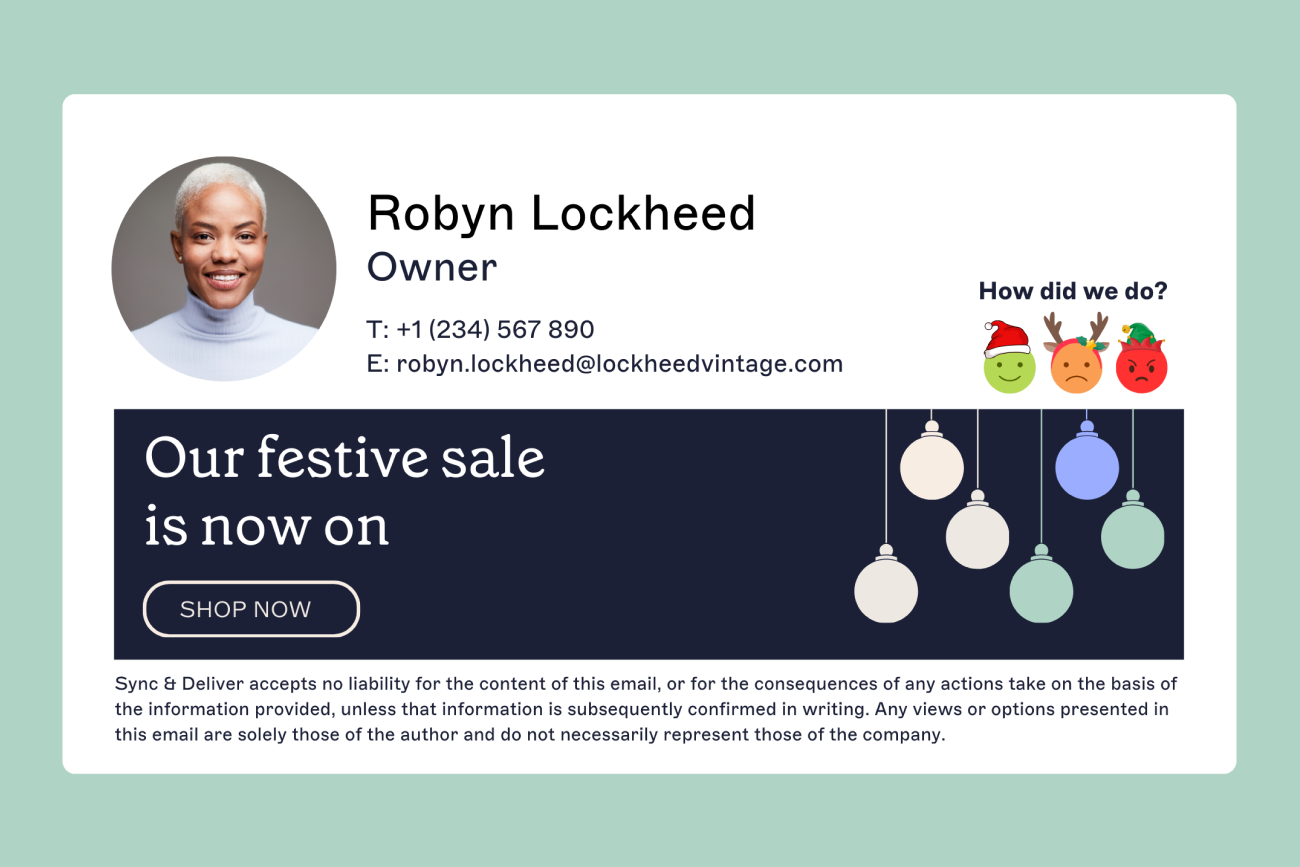
Adding festive elements or holiday-themed messages can make your communications more engaging and personable, helping to strengthen client relationships and spread holiday cheer. Plus, a well-crafted Christmas signature can leave a lasting impression and set the tone for a positive start to the New Year.
Why should you update your email signature for Christmas?
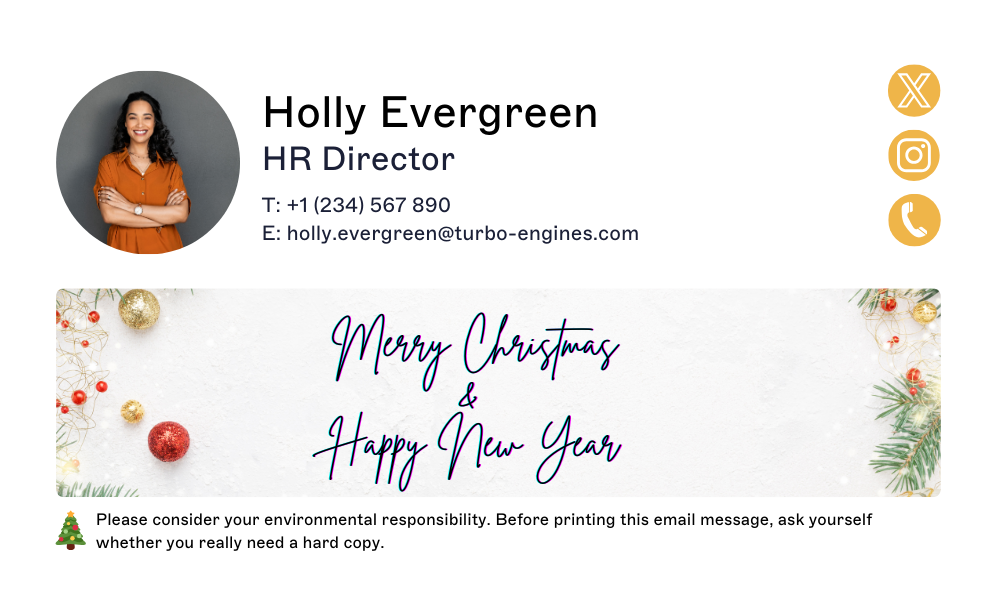
A Christmas greeting in the email signature reaches customers and partners you only email now and then, without a separate message to each. Use "Happy Holidays" if your contacts celebrate different things, and consider a Hanukkah or Diwali version if your company marks them. Your approved colors and logo in a fixed layout keep every festive email signature recognizable as yours.
What should a Christmas email sign-off say?
Pick the line that matches who's reading.
Audience | Sign-off |
|---|---|
Customers | "Thank you for working with us this year. Merry Christmas from everyone at Example Co." |
Customers, more formal | "Wishing you a peaceful Christmas and a good start to the new year." |
Colleagues | "Enjoy the break, and see you in the new year." |
Partners and suppliers | "It's been a good year working together. Merry Christmas, and best wishes for the new year." |
Mixed or international contacts | "Happy Holidays, and best wishes for the new year." |
Keep the greeting in the email signature to one line, below your name and title, so it doesn't push your contact details down the screen. If the sign-off already says Merry Christmas, let the banner carry the hours or the offer instead of repeating it. Spell out Christmas in anything going to customers. Xmas works for a quick note to a colleague.
Tip
If your organization has a diverse audience, use inclusive greetings like "Happy Holidays." Many brands also celebrate global festivals like Eid, Hanukkah, or Diwali, reinforcing inclusivity and reflecting your organization’s values.
What should a Christmas email signature include?
Keep the layout and change the banner
Your logo, name, title, and contact details should look the same as in November. Add a Christmas banner below them, and keep the rest short enough to read on a phone. Build the base design in the free email signature generator. Ready-made banner designs are in our Christmas email signature templates.
Put your holiday hours where customers will see them
Customer-facing teams should put closing and reopening dates in the email signature, plus an emergency contact if there is one. For example:
Jordan Example, Customer Support Lead
Example Co. | [email protected] | (555) 010-0100
Our offices close at 3 p.m. on December 24 and reopen on January 2. For urgent issues, call (555) 010-0199.
Wishing you a peaceful Christmas and a good start to the new year.
Add a tracked offer or link
A discount or a piece of year-end content can sit in the banner. Run one offer per banner so a click means one thing. Add UTM (Urchin Tracking Module) parameters to the link so clicks show up in your analytics. Open rates don't show whether anyone saw the banner, so judge it by clicks. Exclaimer reports an average customer click-through rate of 4% on email signature content.
Use different versions for different senders and recipients
Customers get the offer, and colleagues get an internal version with the staff party details. Sharon Handy, Exclaimer's VP People, calls an internal banner "a gentle, consistent prompt that comes to you" and says Exclaimer uses it for well-being campaigns and benefits enrollment reminders.
Keep a shorter version for replies so long threads stay readable.
Test on mobile and webmail before it goes live
Send test emails from Outlook and Gmail, open them on a phone, and check them in dark mode. Banners that look right on a desktop can break on mobile. And December is a poor time to find out.
Jasmine Hotham-Tunnadine, a Template Designer at Exclaimer, warns that "some mail clients may not accept animated GIFs the way you'd expect; they may just show the first frame." If your Christmas banner is animated, make sure that first frame carries the message. Our guide to animated GIFs in email signatures covers which email clients support them.
See more holiday email signature in our guide.
How do you roll out a Christmas email signature to every employee?
Exclaimer's State of Business Email 2025 research found that 80% of organizations still rely on manual methods or user self-service for email signatures, and 33% of the 4,009 IT professionals surveyed said employees ignore the guidelines. Asking everyone to paste a template into Outlook or Gmail is the simple version of that, and it gets you a mix of versions.

Jim Turner, Exclaimer's COO, says one customer told the company it "took three separate teams to roll out a single [email] signature. IT had to write the script, HR provided the content, and legal had to add the disclaimer, and it still rendered incorrectly on mobile."
When | What happens |
|---|---|
Late November | Agree on the design and wording, get sign-off, and test on mobile and webmail. |
Early December | Switch the Christmas email signature on for all senders at once. |
First working day in January | Revert to your standard email signature. |
How does Exclaimer schedule a Christmas email signature?
Exclaimer's cloud solution runs that schedule from one place for Microsoft 365 and Google Workspace. A Date/Time rule applies the Christmas email signature between the start and end dates you set, and stops applying when the end date passes. Place it above your standard email signature in the rule order.
 Our knowledge base covers how to apply a festive email signature.
Native Microsoft 365 and Google Workspace tools | Exclaimer | |
|---|---|---|
Design | No centralized design editor | Drag-and-drop designer managed from a single web portal |
Rendering | Inconsistent on mobile and webmail | Server-side deployment applies the email signature as the message routes through Exclaimer, including on mobile |
Banners | No banner or campaign capability | Scheduled Campaigns targeted by sender, recipient, department, or region |
Updates | IT required for every update | Marketing, HR, and other teams manage their own content within the permissions IT sets through role-based access control |
More detail is in Exclaimer's comparisons with the Microsoft 365 and Google Workspace native tools.
Employees can update their own pronouns and working hours in the User Data Editor, which helps when someone is away over the holidays. On the Pro plan, analytics report click-through rates for your email signatures.
Book a demo to see scheduling and Campaigns in action.