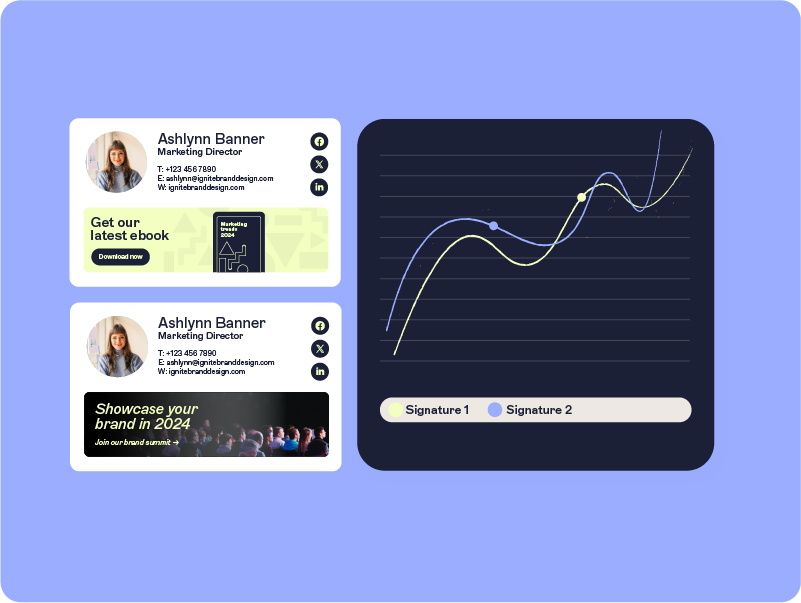
Buying Exclaimer: How to collaborate with IT to buy and set up Exclaimer

01 - Introduction
Email is your company’s most used and visible communications channel. It's used for everything from sales prospecting and onboarding to internal HR updates and customer feedback. But while the emails themselves are high value, the signatures that accompany them are often overlooked, inconsistent, and hard to manage.
Email signatures might seem like a minor detail, but when it comes to professional communication, they carry more weight than you might think. Every message your team sends is an opportunity to reinforce your brand, share essential information, and ensure compliance. And yet, managing signatures across an entire organization—especially at scale—is often a bigger IT problem than it should be.
That’s where Exclaimer comes in. It's an email signature management solution built to make centrally controlled signatures simple for IT and powerful for business. With Exclaimer, every signature is consistent, compliant, and professional—without the manual work, technical headaches, or constant back-and-forth with IT.
While Exclaimer is often implemented by IT, the buying process can start anywhere—Marketing, Sales, HR, or Customer Success—especially when those teams see the opportunity to achieve brand consistency, streamline communication, or highlight key campaigns.
Pro tip! If you’re not part of the IT team but need their support to move forward with Exclaimer, this guide will help you get them on board—and show why their early involvement is essential to a successful rollout.
In this guide, you’ll learn:
How different departments can benefit from email signature management
The critical role IT plays in implementing Exclaimer
How to get IT and internal stakeholders onboard
A 6-step plan for a smooth, company-wide rollout
When IT and business teams align early, email signatures become more than just a line at the end of a message—they become a strategic tool for communication, consistency, and connection.
Frequently asked questions by department
| IT & Technical | Security & Compliance | Marketing & Branding | Sales |
| HR & People | Customer Success | Procurement & Budget | General Admin & Operations |
02 - How different departments benefit from email signature management
Exclaimer is a powerful solution that benefits every department by simplifying email signature management. This ensures consistency and enables teams to create engaging and professional email communications.
Here’s how each business team can use Exclaimer:
Marketing: Brand consistency and campaigns
Email signatures should be seen as a key part of your branding strategy rather than just for contact details. Marketing teams need the flexibility to create and manage email signatures while maintaining control over branding and messaging.

Exclaimer helps marketing teams:
Design and update signatures: Marketers can design and update email signatures with role-based access controls (RBAC). This gives them the freedom to make changes while IT retains full control over the system.
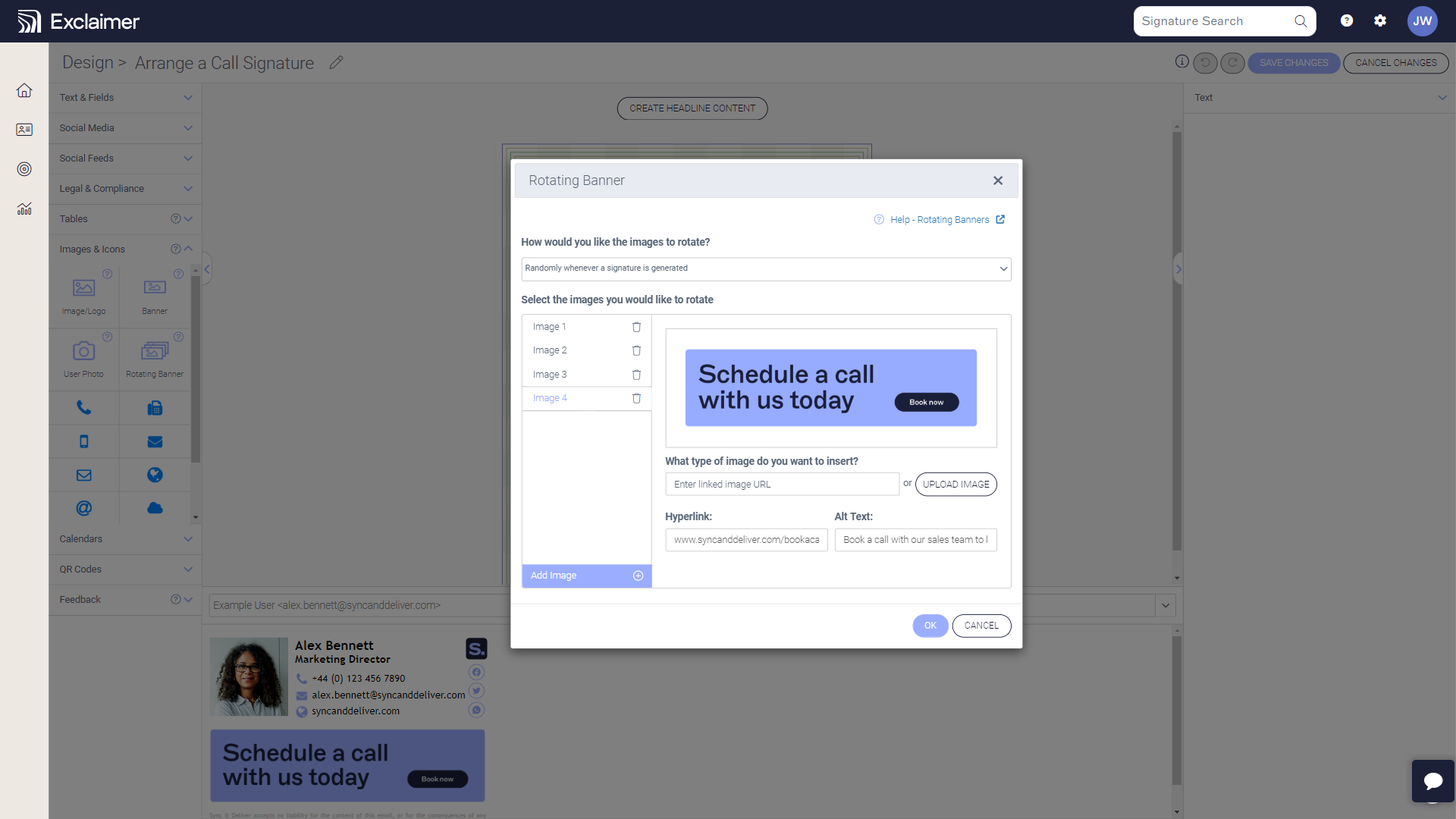
Run targeted campaigns: Run promotional campaigns or seasonal offers directly through email signatures by adding dynamic banners that engage recipients and drive conversions.
Get consistent branding: Maintain a consistent brand identity in every email by ensuring that all signatures follow pre-defined, company-wide branding guidelines.
Amplify social media: Use Social Feeds to increase visibility and engagement with clickable social media icons and social posts directly in email signatures. This actively promotes your social channels and connects with your audience.
Sales: Personalization and lead engagement
Email signatures are crucial for sales outreach and personalization, as well as providing basic contact information. Sales teams need the ability to tailor their signatures while ensuring brand consistency without extra hassle.

Exclaimer empowers sales teams to:
Personalize outreach: Sales reps can customize their signatures with names, titles, and headshots. This is all while IT maintains full system control for compliance and consistency.
Align with campaigns: Seamlessly integrate email signatures with CRM-driven campaigns or seasonal promotions. Dynamic banners reinforce messaging, engage recipients, and enhance sales efforts.
Manage signatures independently: With role-based access controls (RBAC), sales teams can create, update, and track their own signature campaigns—no IT support needed.
HR: Compliance and employee onboarding
Email signatures can also be used to streamline onboarding processes. HR can collaborate with IT to set up initial processes and turn onboarding into a frictionless experience by automating signature updates for new hires, role changes, and employee departures.
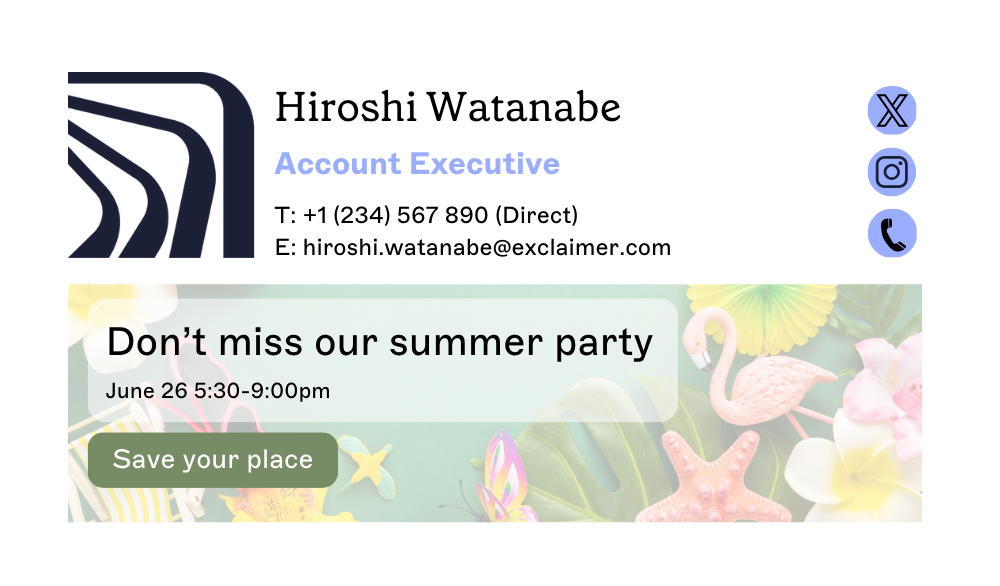
Exclaimer empowers HR teams to:
Automate onboarding processes: Automate new employee signatures by integrating with Azure Active Directory (AD) or Google Directory, removing the manual workload from HR teams. Assign specific signatures based on department or location.
Upgrade internal comms: Communicate updated policies, benefits or important HR notices with rotating signature banners. Schedule banners so they run at exactly the right time. With role-based access control (RBAC), HR can take charge of updates themselves without IT.
Keep signatures compliant: Guarantee that legal disclaimers and policy updates are consistently applied.
Customer Success (CS): Professional client communication
Email signatures are important for customer service outreach. Not only do they need to carry the correct contact information, but they also need the most up-to-date branding elements for professionalism and trust.

Exclaimer empowers CS teams to:
Keep signatures accurate and on-brand: Automated email signatures ensure that both branding and contact information are accurate at all times. This supports the professionalism and trust that’s vital for CS. All without extra work for IT or CS teams.
Upgrade internal comms: Relevant support links, escalation contacts, and company certifications in email signatures, reinforcing credibility in client interactions.
Get real-time feedback: Capture real-time customer sentiment with one-click surveys in email signatures. This provides an ongoing pulse check on customer satisfaction, affecting NPS and CSAT scores.
IT: Secure and centralize signatures
Exclaimer plays a pivotal role in IT’s world by streamlining a task that’s traditionally time-consuming and error-prone—email signature management. It frees up IT teams from repetitive admin, strengthens governance, and gives them the tools to support business-wide initiatives without sacrificing control or security.
Exclaimer empowers IT teams to:
Centralize signature management – IT can control all email signatures from one place, reducing the need for manual updates or dealing with individual user requests.
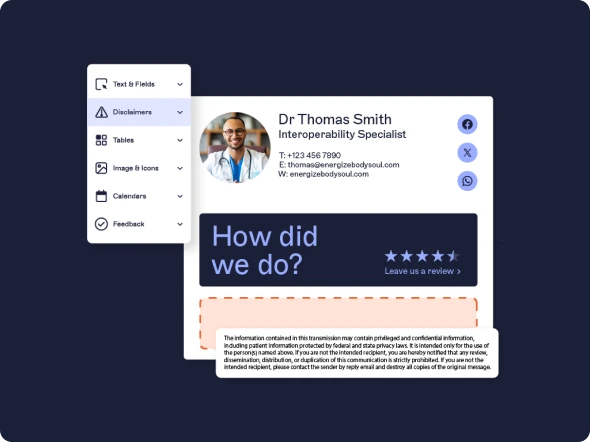
Improve compliance and security – Standardized disclaimers and brand elements help ensure legal compliance and protect company reputation across all emails.
Reduce daily admin – By working smoothly with Microsoft 365 and Google Workspace, IT has minimal disruption to existing workflows or infrastructure. No more signature-related helpdesk tickets or manual updates; IT can automate changes instantly across all users.
03 - IT’s role in implementing Exclaimer
IT plays a pivotal role in setting the foundation for a successful Exclaimer deployment. Their involvement ensures the solution is secure, compliant, and user-friendly, allowing departments to independently manage their signature needs.
Here’s a breakdown of IT’s responsibilities and how Exclaimer minimizes their workload:
1. Technical setup
IT is responsible for setting up and configuring Exclaimer to work with email platforms like Microsoft 365 and Google Workspace. Configuration takes on average 60 minutes, depending on number of users.
Once configured, Exclaimer handles the syncing and updating of signatures automatically, reducing IT’s involvement in the day-to-day management.
2. Security and compliance
IT ensures Exclaimer aligns with company security policies and regulatory standards, such as GDPR and HIPAA. They guarantee email disclaimers, configure role-based permissions to prevent unauthorized changes and maintain an audit log for accountability and security.
3. Automation and management
With Exclaimer, IT can automate email signature updates across the organization, saving both time and effort. They facilitate easy access for business teams through role-based access control (RBAC), enabling departments to independently manage email signatures without compromising security or consistency.
4. Minimal support and troubleshooting
IT acts as a bridge between business teams and Exclaimer. They collaborate with business teams by setting appropriate permissions and addressing technical requests. Regular communication ensures any integration or email signature management issues are quickly resolved. This allows business teams to confidently manage email signature updates.
04 - How to get IT and internal stakeholders onboard
Identifying Exclaimer as the right solution for your organization's email signature management is just the first step. Gaining internal support from both IT and key stakeholders across the organization is essential for smooth adoption and implementation.
1. Understand and address IT priorities
Successful implementation starts with securing buy-in from IT by directly addressing their key concerns:
Security and compliance: Emphasize Exclaimer’s robust security, built on Microsoft Azure, which meets enterprise-grade data protection and regulatory compliance standards.
Integration: Highlight Exclaimer's seamless compatibility with existing email platforms (Microsoft 365, Google Workspace) and CRM systems (Salesforce, HubSpot), simplifying IT processes.
Automation and efficiency: Demonstrate how Exclaimer automates email signature management, reducing manual workload for IT and guaranteeing consistent signatures.
User access and control: Clarify how IT maintains control via role-based permissions, allowing other departments autonomy without compromising system integrity.
2. Gather internal support from key departments
Before engaging IT, rally support from departments that will directly benefit from Exclaimer.
Clearly communicate the value Exclaimer offers to:
Marketing: Consistent branding, dynamic campaign management, and targeted messaging.
Sales: Personalized outreach, CRM integration, and improved prospect engagement.
HR: Automated onboarding and offboarding, compliance adherence, and reduced manual processes.
Customer Success: Professional client communication, embedded feedback mechanisms, and enhanced credibility.
Having multiple departments advocate for Exclaimer significantly strengthens your business case.
3. Engage IT early in the process
Don’t present Exclaimer as a finalized decision. Instead, involve IT stakeholders early so their concerns about security, compliance, integration, and management are fully addressed upfront. Early engagement allows for proactive discussions and smoother implementation.
4. Schedule a demo
Invite IT stakeholders and key internal stakeholders to a demo of Exclaimer. A live demonstration will effectively showcase:
How Exclaimer simplifies email signature automation
The security and compliance measures built into the platform
How departments can independently manage signature updates with minimal IT intervention
A demo helps stakeholders visualize the tangible benefits and clarify practical questions.
5. Clarify budget and procurement requirements
Work closely with IT and Finance to determine:
Available budgets and potential funding sources.
Procurement requirements, vendor approval processes, and necessary contractual reviews.
Clarity on budgeting and procurement simplifies and accelerates approval.
6. Pilot and proof of concept
Offer IT the option of a small-scale pilot. Demonstrating Exclaimer’s effectiveness in a controlled environment helps address any remaining IT concerns and builds confidence for broader organizational adoption.
By clearly addressing IT’s needs, securing broad departmental support, and managing practical details like demos, budgeting, and pilots, you'll significantly streamline internal approval and adoption of Exclaimer across your organization.
05 - Your 6-step plan for a smooth rollout
Now you have all your key stakeholders onboard, and you know you’d like to get started with an email signature management solution. So, what’s next? Implementation. This section outlines a practical, step-by-step rollout plan to get you up and running—quickly, smoothly, and with long-term success in mind.
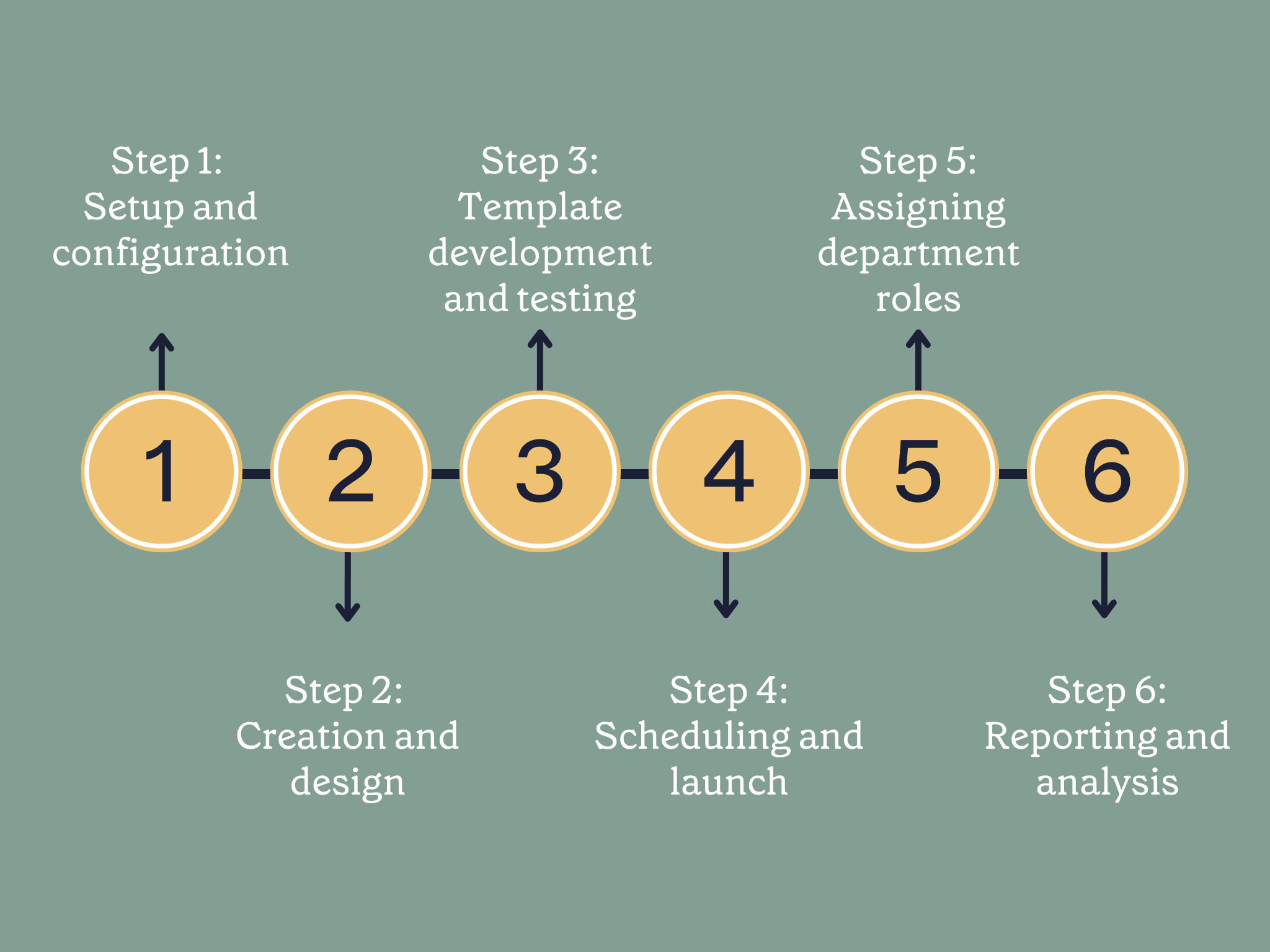
Step 1: Setup and configuration
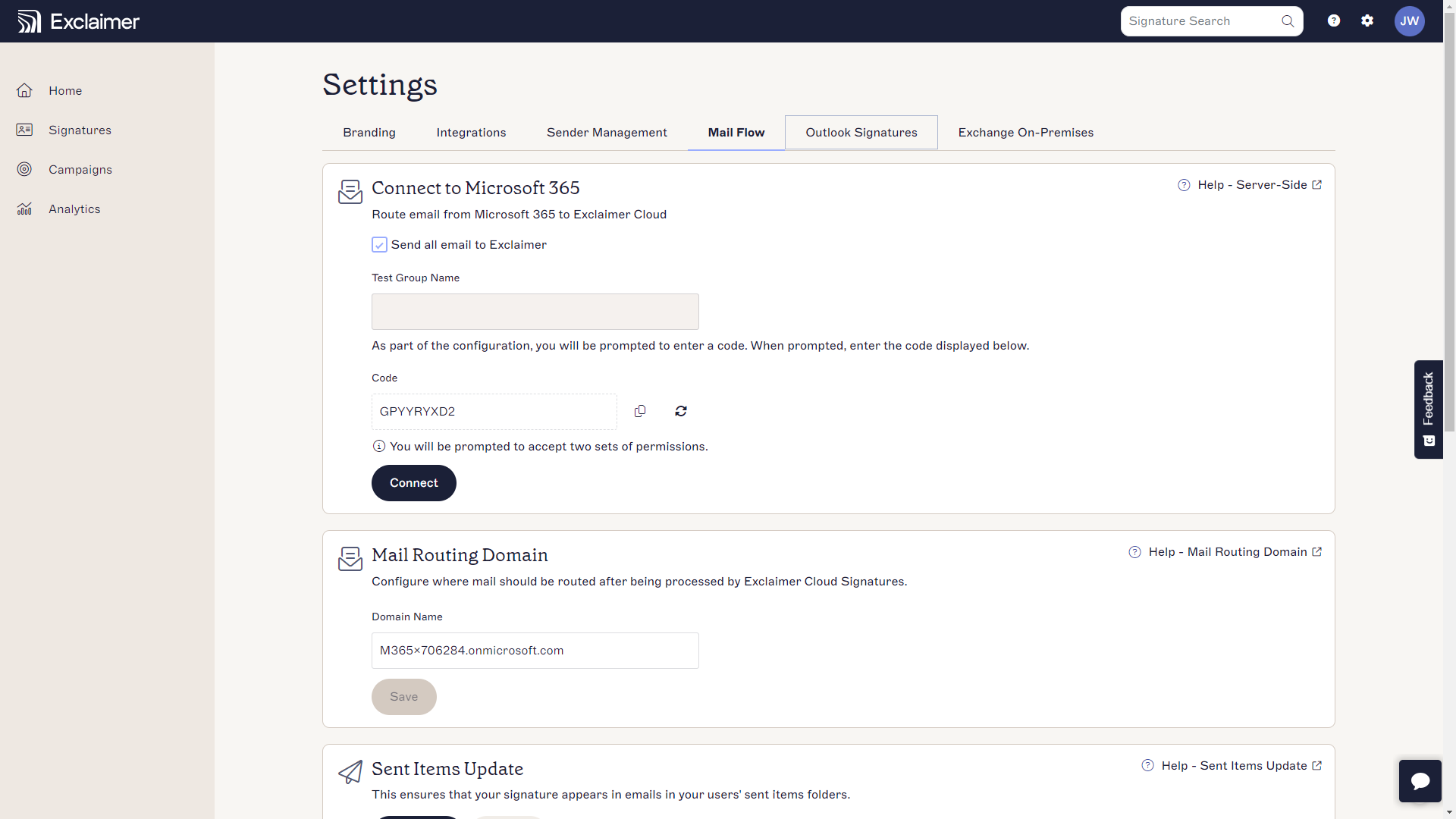
Getting started with Exclaimer is fast and straightforward. Most organizations can complete setup and testing in under an hour. Here’s what that looks like:
Integrate with your user directory: Connect to Azure AD (Active Directory) or Google Directory to automatically sync user details like name, title, and contact info.
Configure your settings: Set up your preferred defaults and administrative controls. For detailed setup guidance, visit our knowledgebase.
Step 2: Creation and design
Once the foundation is in place, it’s time to build your first email signature design. The goal is to create a signature that’s professional, on-brand, and flexible enough to support your various departments and use cases.
Here’s how:
Access the Exclaimer platform: Log in to your Exclaimer account and launch your subscription.
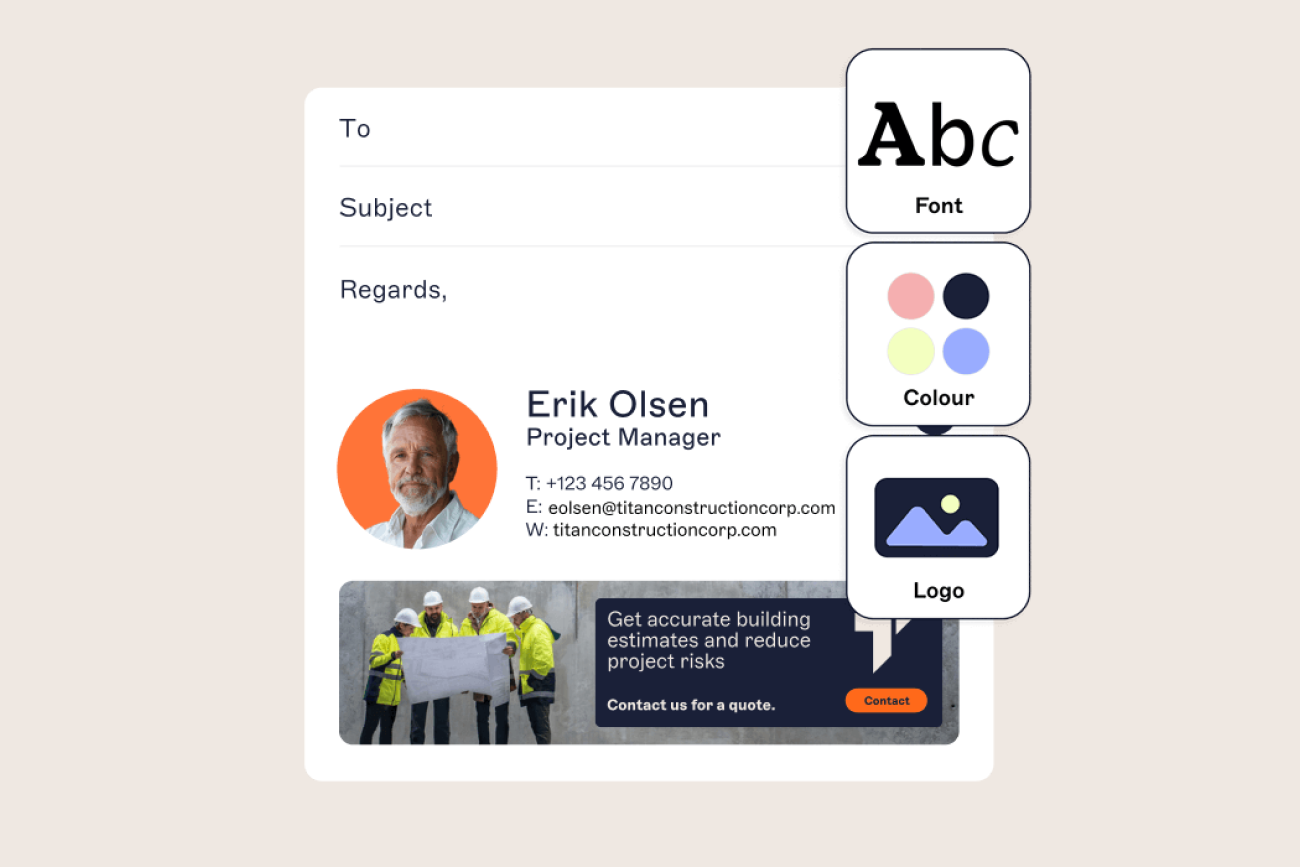
Centralize branding: Navigate to the Branding Hub to upload your logo, colors, and fonts, so that every email signature automatically follows your brand guidelines.
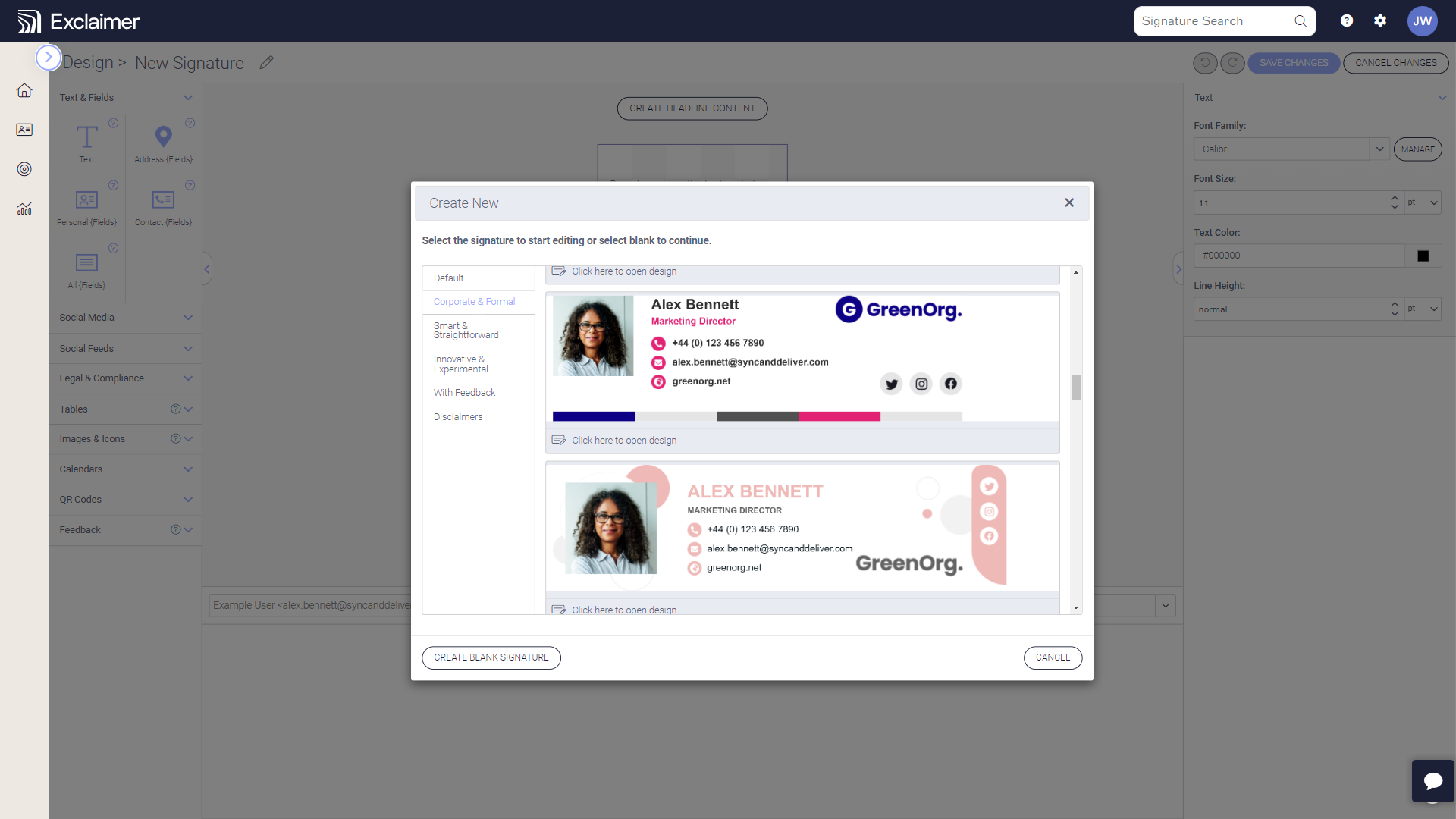
Design your signature: Use the drag-and-drop Signature Designer to build your first signature. You can choose a blank canvas or an existing template to work from.
Customize: Drag and drop elements like banners, meeting links, disclaimers, and social icons into your signature.
Preview and save: Use the Signatures Tester to ensure everything looks great across devices.
Step 3: Template development and testing
Depending on your business needs, you may want different signatures for different departments, regions, or campaigns. Now is the time to build those variations and test for quality, functionality, and compliance.
Create your templates: Create ready-to-assign templates for each team and use case.
Send test emails: Send test emails to ensure consistent rendering and formatting.
Check for compliance: Verify disclaimers meet legal and regulatory requirements.
Step 4: Scheduling and launch
With templates ready, you can begin applying them and scheduling their launch across all emails your organization sends.
Assign signatures: Once all signatures are tested and approved, apply them to the appropriate user groups.
Apply advanced targeting rules: Use Exclaimer's standard rules and advanced rules to assign different templates by department, location, or role.
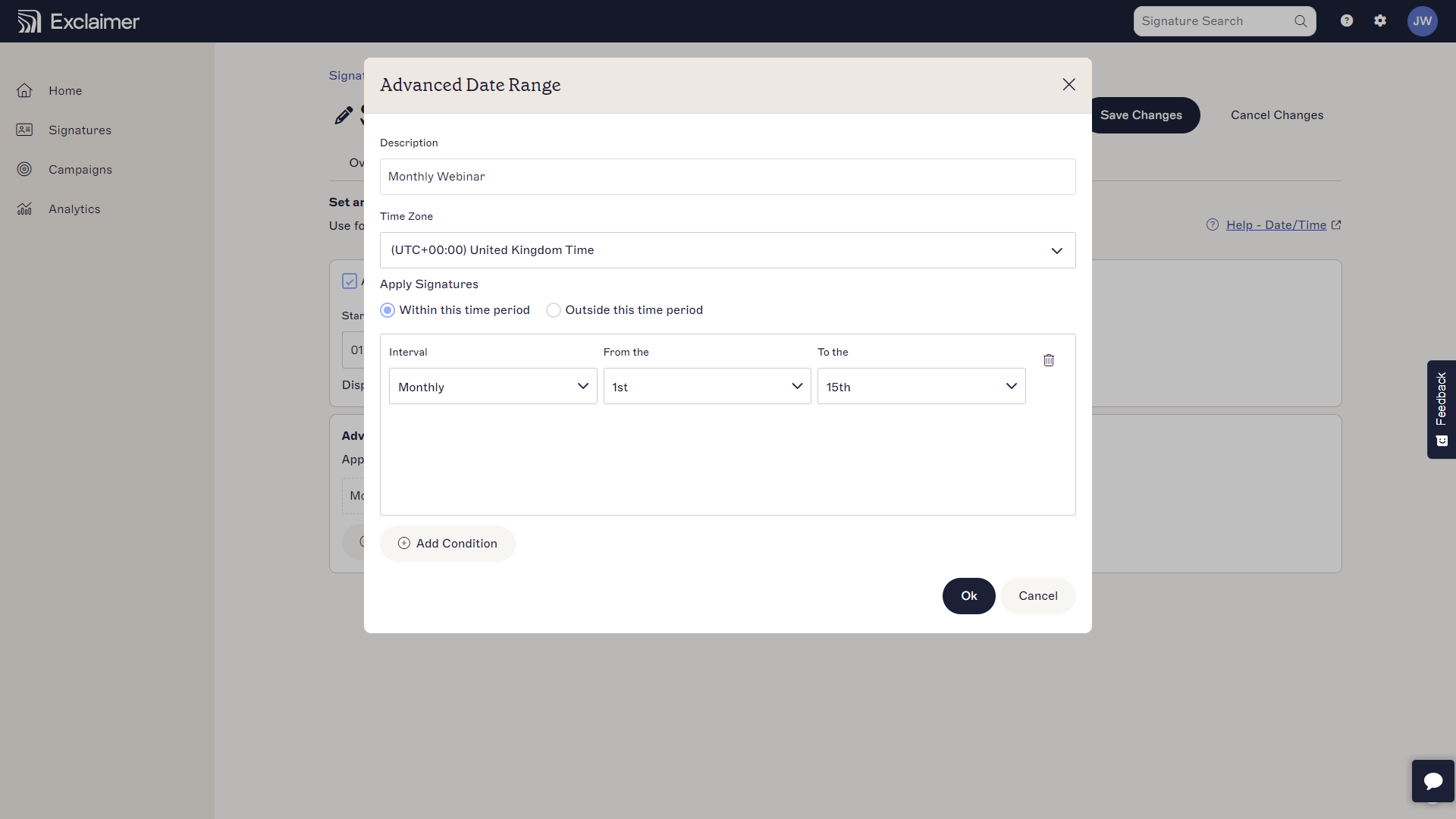
Schedule campaigns: Set start and end dates for signature templates to align with specific events or campaigns. You can also create ongoing, ‘set and forget’ signatures that stay active indefinitely.
Launch your signatures: When you’re happy, launch signatures across the organization.
Step 5: Assign department roles
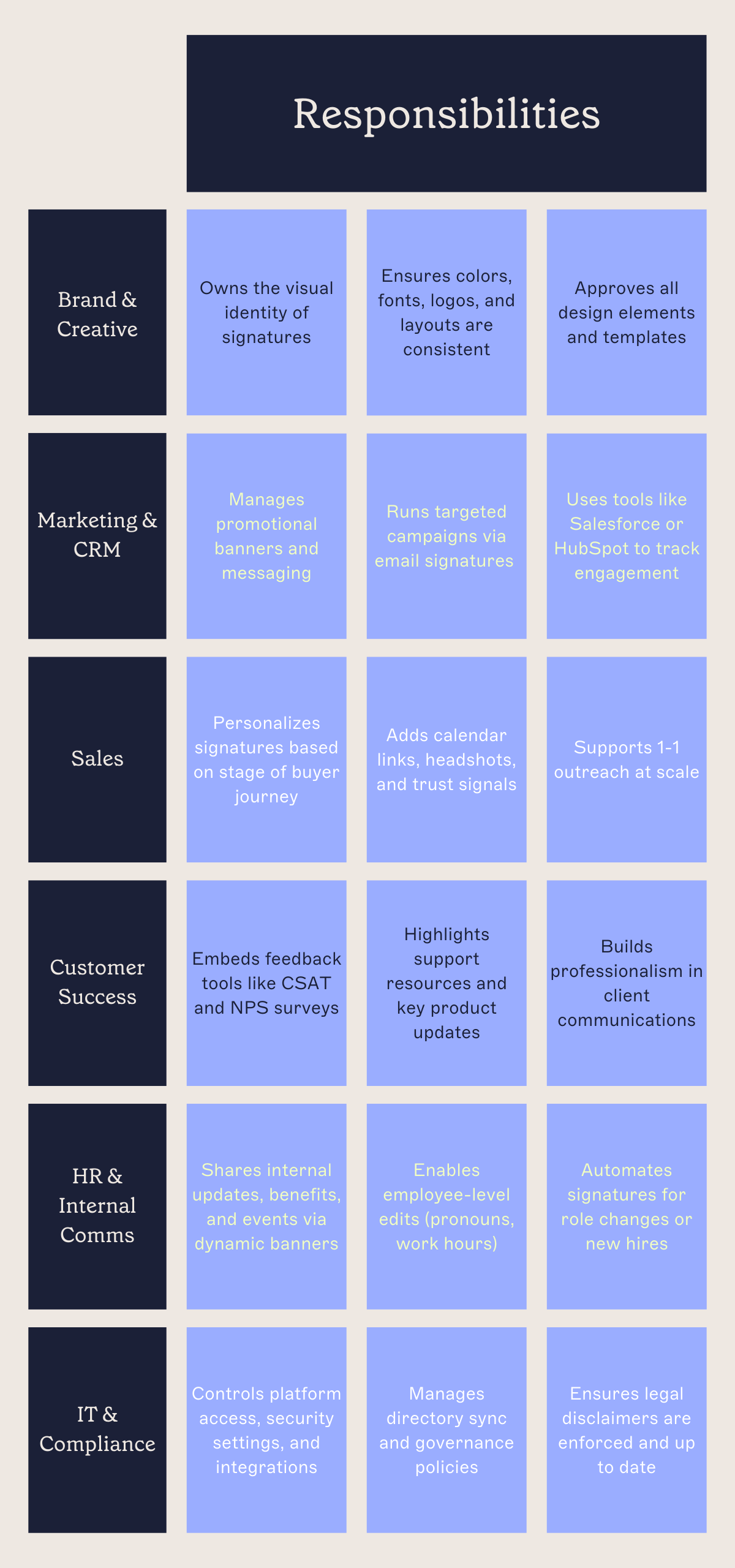
Exclaimer is designed to reduce IT workload by giving each department control over their own content—without compromising security or brand consistency. With role-based access controls (RBAC), teams can independently manage their signature content while IT retains full oversight and control.
Here’s how responsibilities are typically distributed:
Step 6: Reporting and analysis
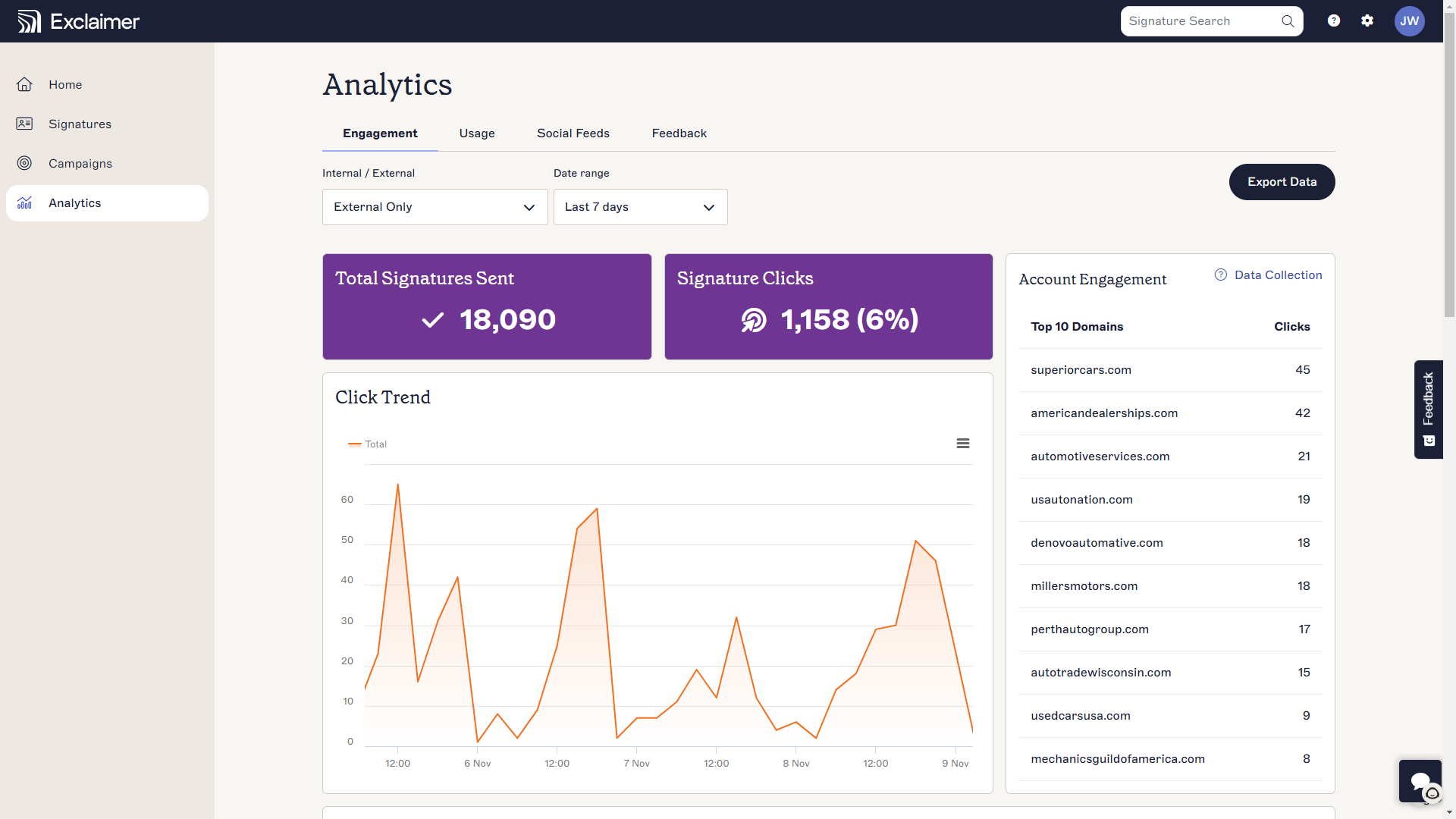
After launch, you’ll want to measure what’s working and identify opportunities to improve. Exclaimer makes it easy to access insights that help both IT and business teams continuously refine signature performance.
Monitor usage: IT can monitor usage across the platform, track delivery success, and identify technical issues
Analyze engagement: Marketing, HR, CS, or Sales can access performance analytics from banners, links, and surveys.
Refine and iterate: Using enhanced analytics, teams can optimize signature performance by testing different formats, messages, or visuals—then apply improvements at scale
06 - Key takeaways
Effective collaboration between IT and business teams is the key to a seamless Exclaimer implementation. By aligning early and setting up clear processes, organizations can quickly maximize the impact of email signature management. Keeping stakeholders engaged and continuously optimizing also ensures long-term success.
With all this in mind, here are our key takeaways for successfully buying and implementing Exclaimer:
Collaborate with all stakeholders: Successful Exclaimer implementation depends on collaboration between IT and business teams.
Get IT involved early: Engaging with IT early in the planning process will help you get their buy-in, minimize technical hurdles, and streamline adoption.
Engage with wider teams: Encourage teams to use Exclaimer’s full potential by aligning email signatures with broader business goals.
Try Exclaimer for yourself, or book a demo to learn how Exclaimer can enhance your organization’s email communication strategy.