James is an experienced product specialist with a strong background in the IT and SaaS industry. As Senior Product Marketing Manager at Exclaimer, he plays a key role in showcasing the value of centralized email signature solutions and transforming them into a powerful communication tool for organizations.
New feature: Edit signature details in Outlook
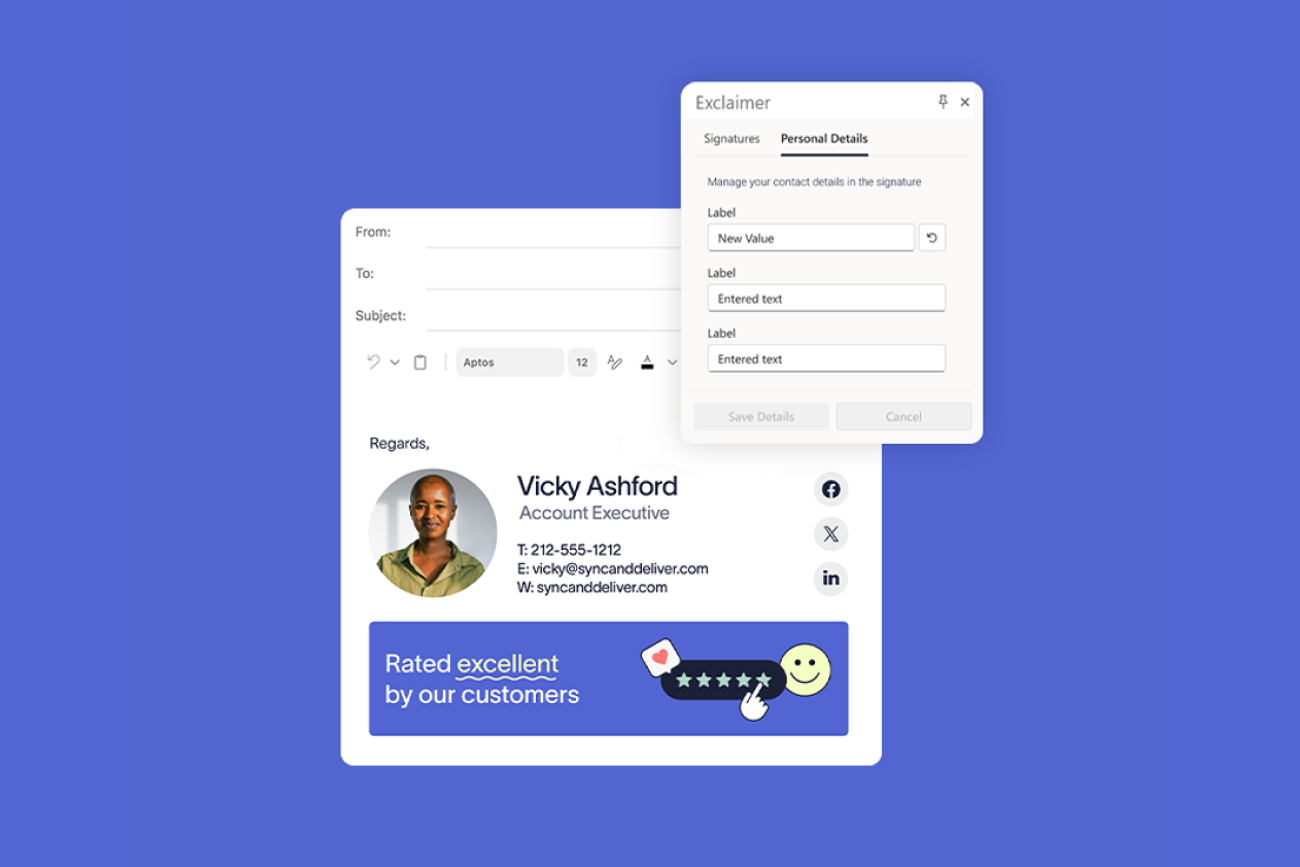
While Exclaimer syncs the standard signature fields from your directory, it’s the details that don't live in the directory that often go stale. Now, users can edit specific, admin-defined fields straight from Outlook.
Pronouns, a personal mobile number, a new accreditation, custom working hours: typically, none of these come from your directory. Until now, keeping them accurate meant sending users to the User Details Editor in a separate browser window, or making the edits yourself.
What's new
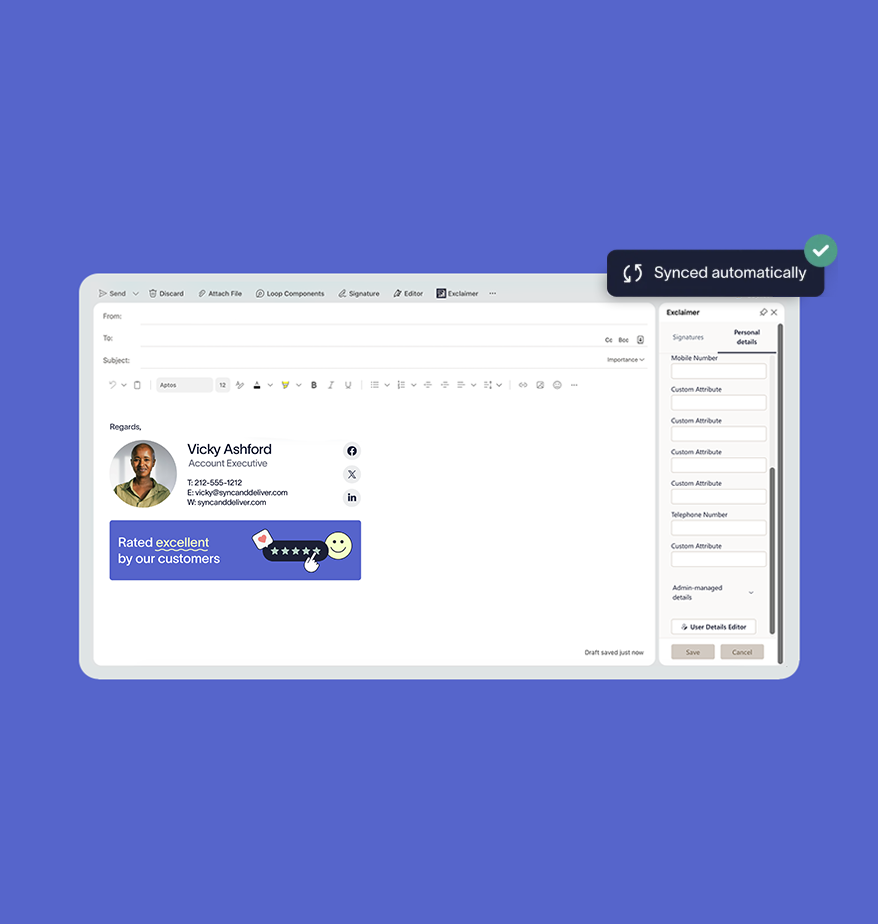
Your users can now edit their approved signature fields inside the Outlook add-in, with no need to jump between tools or raise a ticket.
The User Details Editor lets IT teams define which personal attributes can be edited by end users, and which ones remain locked down and governed by the directory. But previously, reaching the Editor required users to visit a separate web link.
With this update, editing can happen inside Outlook itself. Users see which fields you've made editable (and which are locked), and any changes they make flow straight into their email signature.
Why it matters
For teams using the Exclaimer Outlook add-in, updating personal details is easier than ever.
While the User Details Editor will still be accessible via web link, this release provides end users with an even easier and quicker way to make edits without leaving their inbox.
In the flow of work: Users update a field in the same window they write email, with no separate tab to open.
The same fields, either way: Whether someone edits in Outlook or in the browser, changes to email signature data stay consistent across devices.
Live on the next email: Any edits carry into users’ email signatures straight away, so the next message they send is already correct.
You stay in control
Opening a few fields for self-editing doesn't loosen your grip on the rest. IT decides, field by field, what's editable and what stays locked.
Self-service applies only to the fields you choose as an admin. Directory-synced details like job title and office location stay locked and authoritative, while the personal fields that are safe to self-manage become editable.
Users see exactly what they can and can't edit
Only field values change; the email signature's layout, branding, and disclaimers remain locked
Governed fields stay consistent and synced with your directory of choice
It's the same control you already have in the User Details Editor, now applied right inside Outlook.
Get started
Editing signature details in the Outlook add-in is available now for Standard and Pro customers on Microsoft 365 using our Outlook add-in.
The number of editable fields you can open up depends on your plan:
Standard includes two editable fields
Pro includes an unlimited number
To set which fields your users can edit, see our User Details Editor support article.
Not using Exclaimer yet? Start your free trial and see how email signature management keeps your details accurate and your brand consistent, without adding to your workload.