







Trusted by 80,000+ businesses worldwide
What Google Workspace does natively
Google Workspace has two built-in ways to put an email signature on outbound mail. Neither requires extra software, and for straightforward, uniform needs, either can be enough.
Per-user Gmail signatures
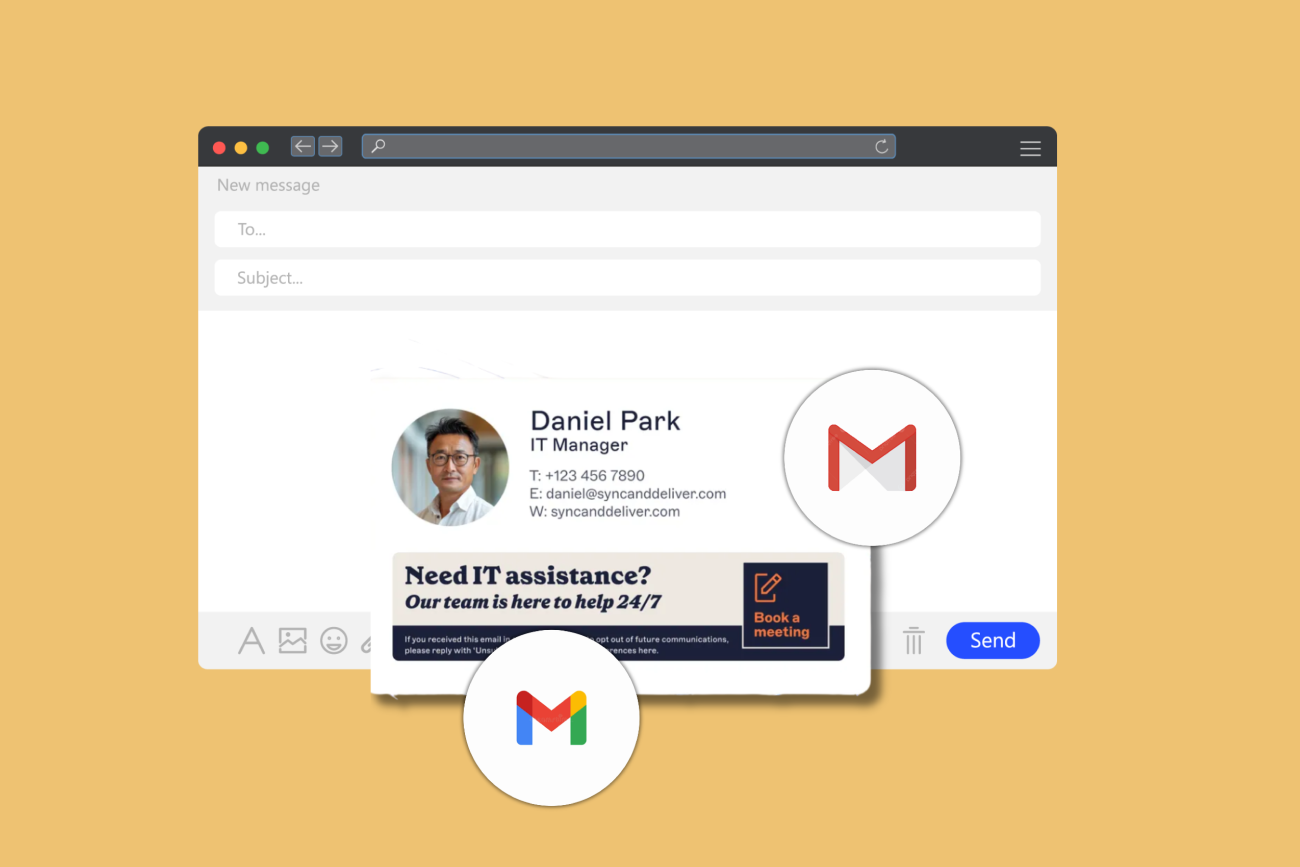
Each person creates their own email signature in Gmail settings. It appears while composing and sends with their messages. This works for individual sign-offs, but each email signature is set and edited by the user. IT has no way to set or enforce it centrally. How to add a signature in Gmail
Append Footer
A setting in the Google Admin Console that applies a standard block of text to all outbound mail for users in a given organizational unit (OU), server-side and automatically. It works for a single, uniform footer: a legal disclaimer, a standard company sign-off, with no action required from users. How to create a Google Workspace email signature
:format(webp)/)

No personalization from Google Directory
The Append Footer applies the same content to every user in an OU. It can't pull a name, job title, or phone number from Google Directory. When different teams, brands, or regions need different email signatures, each requires a separate OU with its own Append Footer to configure and maintain. The admin overhead grows with every new entity added.

Gmail signatures sit outside IT's reach
Users set their own email signature in Gmail settings regardless of what the Append Footer applies. When both are active, the Append Footer appends to the bottom of the thread on every reply while the user's Gmail signature appears in the compose window. Recipients may see both. IT has no way to prevent it or verify what was actually sent.

Most organizations are still managing email signatures manually
According to Exclaimer's State of Business Email Report, only 20% of organizations use a dedicated email signature management solution. The rest rely on employees managing their own or on IT workarounds. For Google Workspace admins working within OU constraints, that gap gets harder to close as the organization grows.
Snezhana Banks, Director of Product Management, Exclaimer"Append Footer solves a specific problem well: getting a standard disclaimer onto every outbound email from an organizational unit. It was never designed to manage personalized, role-based email signatures across a growing organization. When admins start creating OUs just to work around its limits, that's a sign they've already outgrown it."

Exclaimer vs Google Workspace native tools
 | Native Google Workspace / Gmail | |
|---|---|---|
| Set a company-wide default email signature | Yes. Designed once and applied to every Workspace user, with images and formatting intact. | Limited. Append Footer applies one template per OU with no directory personalization. |
| Push updates to every user | Yes. One edit applies to every user on the next send. | Limited. Append Footer applies one template per OU with no directory personalization. |
| Target by department, role, or location | Yes. Signature Rules assign the right email signature from any Google Directory attribute. | Limited. One Append Footer per OU; each variation requires a separate OU to maintain. |
| Stop users editing or removing it | Yes. The approved email signature is applied on send, regardless of what the user set locally. | Not built in. Users set and edit their own Gmail signature freely. |
| Append legal disclaimers to all outbound mail | Yes. Disclaimers routed by jurisdiction or business unit. | Limited. Append Footer applies the same text to everyone, with no routing by jurisdiction or business unit. |
| Manage multiple brands or domains | Yes. One console manages every domain, with separate brand sets per entity. | Limited. Each brand or domain needs its own OU and a separate Append Footer to maintain. |
| Keep email signatures consistent on mobile and in replies | Yes. Applied server-side, consistently positioned on every outbound message across all Gmail clients. | Limited. Append Footer content lands at the bottom of the thread, not under the latest reply. |
| Delegate management without admin rights | Yes. Role-based access lets marketing manage templates and campaigns without Google Workspace admin rights. | Not built in. Only admins can change the Append Footer. No signature-specific delegation exists. |
Proven at scale
Deployed through a native Google Workspace SMTP relay, with no MX record changes required
20 billion email signatures delivered a year
99.99% uptime across 14 Azure datacenters
Set a company-wide default email signature
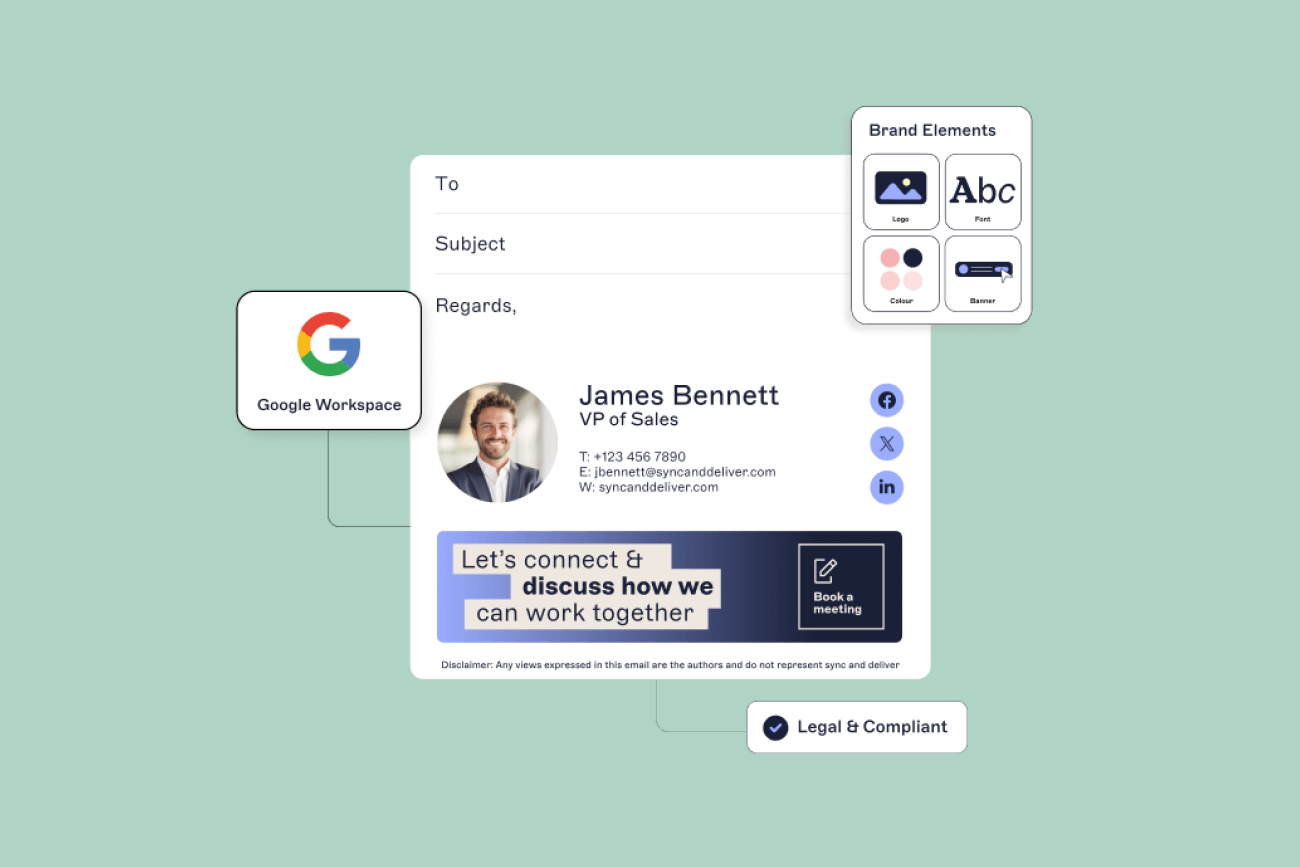
Exclaimer syncs with Google Directory and populates each user's email signature automatically with their name, job title, phone number, and any other attributes you specify.
The Append Footer can't pull from Google Directory. Every user in the OU gets the same static content regardless of their role or details.
Push email signature updates to all users
Update a template in Exclaimer once and it applies to every Workspace user on their next send.
An Append Footer edit only updates that specific OU. Organizations with multiple OUs have to update each one separately. Per-user Gmail signatures are unaffected.

Stop users editing or removing their Gmail signature
Exclaimer adds the approved email signature server-side, in transit, after the message leaves the user's Gmail client.
Per-user Gmail signatures are outside admin control. Users can set, edit, or remove them freely. When both a Gmail signature and an Append Footer are active on the same account, what the recipient sees may differ from what IT configured.

Let marketing manage email signatures without Google Workspace admin rights
Exclaimer gives marketing access to update templates, swap campaign banners, and schedule changes without needing Google Workspace admin rights.
Changing the Append Footer requires admin-level access in the Google Admin Console. There's no way to delegate that to marketing without granting broader admin rights.
How Exclaimer deploys across Google Workspace
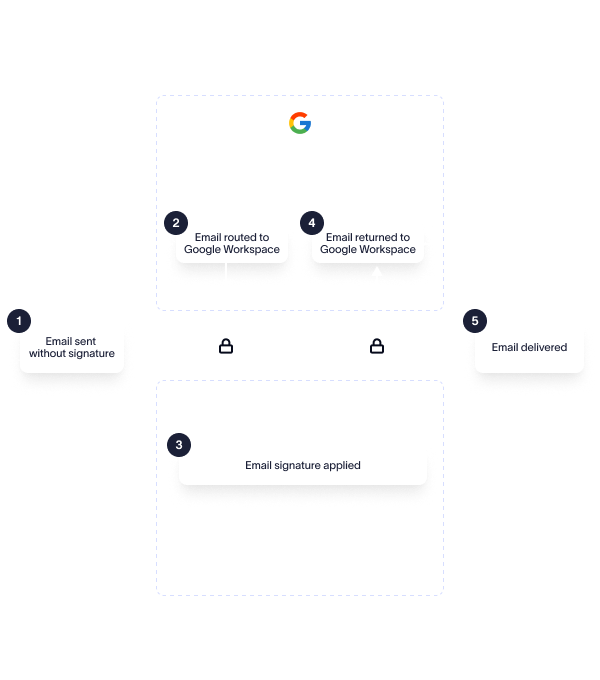
Exclaimer connects through a native Google Workspace SMTP relay. Two deployment options used together or independently.
A Gmail integration shows the assigned email signature in the compose window, giving users a preview before the message sends.
Typically run alongside Cloud deployment: compose-window visibility for users, server-side enforcement on every send.
- Learn more about Exclaimer's Sent Items update for Google Workspace
Common ways to use Exclaimer
Google Directory attributes auto-populate every user's email signature with accurate, current details
Legal and regional disclaimer routing across all Workspace domains
Role-based email signatures for sales, support, and executive teams
Multi-brand and multi-domain management from one console
:format(webp)/)
Stay compliant and on brand
Governance and compliance, applied to every send
In Google Workspace, there's no native way to lock an email signature, enforce a jurisdiction-specific disclaimer, or verify what was actually sent. Exclaimer handles all three centrally, applied automatically on every outbound message across every Workspace user.
Exclaimer is independently certified to ISO 27001, ISO 27018, and SOC 2 Type II. Security and procurement teams can request documentation through the Exclaimer Trust Portal.

Brand control, without the admin console
The Google Admin Console isn't somewhere marketing should need to go to update an email signature. With Exclaimer, they don't.
IT configures access once, and marketing handles template updates, campaign banners, and scheduled changes directly in Exclaimer. Every change applies across all Workspace users automatically. IT sets the boundaries. Marketing works within them.
What Exclaimer customers say
"Our email signature system was pretty much the Wild West before we started using Exclaimer. Exclaimer has truly made my life easier when it comes to controlling our employees' email signatures. I'm so proud of the way we can now express ourselves to the outside world and to our internal customers thanks to this solution."
Trish Metts, Documentation & Communications Specialist, Burris Logistics
2,000+
employees
3 brands
managed

"Marketers really can't underestimate the importance of having a polished and consistent signature. Exclaimer has transformed our email communications, allowing us to maintain brand consistency and enhance our marketing efforts."
Kelly Perry, Senior Digital Marketing Manager, StratusLIVE
Marketing
given full control
Onboarding
in minutes

What IT and marketing teams say

"Exclaimer is a fantastic solution for centrally managed, cloud signature deployment for a large user base."
IT Infrastructure Support Technician, Mid-Market
"Such a simple way of managing signatures. It makes applying updates to signatures fast and easy."
Technical Coordinator, Enterprise
"Everything can be managed from one central location and it's easy to make sure everything looks consistent. I manage over 200 employee signatures."
Chief Marketing Officer, Small Business
"The way it [Exclaimer] integrates with Google without the need of excessive administrative access makes deployment fast and easy."
IT Manager, Mid-Market
"Exclaimer has worked very well with our Gmail, giving everyone in our company a smart, branded signature."
Director of Marketing, Mid-Market
"My most loved thing with Exclaimer is that it allows me to centrally manage all email signatures of my company on Google Workspace from one single dashboard."
CEO, Mid-Market
"The user-friendliness of the tool for customizing signatures, adding designs, managing users is super easy. Having it integrated with Google Workspace also made it even easier."
Technology Manager, Mid-Market
Frequently asked questions
Partially. The Append Footer applies a standard footer server-side, but users can still set their own Gmail signature independently. When both are active, the thread can end up with two separate signature blocks, and IT has no control over either. Exclaimer applies the approved email signature server-side on every send, regardless of what a user has set locally.
Not natively. The Append Footer supports one template per OU. Different departments each need a separate OU, which adds admin overhead as the organization grows. Exclaimer's Signature Rules assign the right email signature from any Google Directory attribute, including department, role, or location, without requiring separate OUs.
Google Workspace has no mechanism to lock a per-user Gmail signature. Users can set, edit, or remove it freely. The only reliable approach is to apply the email signature server-side, after the message leaves the Gmail client, so local settings don't affect what the recipient receives. Exclaimer does this on every send.
Natively, each brand or domain needs its own OU with its own Append Footer to maintain separately. Exclaimer manages email signatures across multiple domains and brands from one console, with separate template sets per entity.
The Append Footer setting in the Google Admin Console lets administrators add a standard block of text to all outbound mail for users in an organizational unit. It applies the same text to everyone with no routing by jurisdiction or business unit. Whether it meets your compliance obligations is a legal question, not a technical one. Exclaimer routes disclaimers by jurisdiction or business unit and applies them automatically on every outbound message.
The Append Footer adds content to the bottom of the full email thread on every reply, not directly under the latest message. Exclaimer applies email signatures server-side, positioned under the latest reply on every outbound message, consistently across all Gmail clients including mobile.
Per-user Gmail signatures are managed in Gmail Settings under the General tab, where each user creates and edits their own. For a company-wide footer, an administrator sets an Append Footer in the Google Admin Console under Apps > Google Workspace > Gmail > Advanced settings. Neither option gives IT central visibility or control over what individual users actually send. Exclaimer manages all email signatures from one console, with updates applied automatically across every Google Workspace user.
Give Exclaimer a try
Related resources