Dave is a marketing expert with 15 years experience in the tech and SaaS world. He specializes in educating IT and channel audiences, with a focus on security, privacy, compliance, and marketing technology. With a talent for storytelling and a deep understanding of the industry, Dave transforms complex IT topics into clear, engaging, and impactful narratives.
Streamlining IT processes with automated email signatures

TL;DR
- Automating email signatures helps IT teams eliminate manual updates, reduce support tickets, and maintain brand consistency across all users and devices
- Manual management is time-consuming, error-prone, and risky—especially for organizations managing compliance or operating at scale
- Automated email signature management centralizes control, applies compliant templates automatically, and integrates with Microsoft 365 and Google Workspace
- Automation frees IT to focus on higher-value projects, improving overall IT process efficiency and security posture
- Getting started is simple: audit your process, connect your directory, define ownership, and roll out standardized, automated templates with a platform like Exclaimer
For IT teams, managing email signatures shouldn’t feel like another maintenance task on an already full plate. Yet keeping every signature consistent across devices, departments, and regions often turns into hours of manual work and troubleshooting. What should be simple—standardizing a company’s email signatures—quickly becomes an ongoing drain on time and resources.
Automating email signatures changes that. By centralizing updates through a secure, cloud-based platform, IT teams can apply standardized, compliant designs to every user in minutes. That means no scripts, no tickets, and no end-user errors. The result is less manual effort, stronger compliance, and a more polished brand presence with every send.
This article explores how automated email signatures streamline IT processes, reduce repetitive work, and help organizations maintain control without the constant firefighting.
What are automated email signatures?
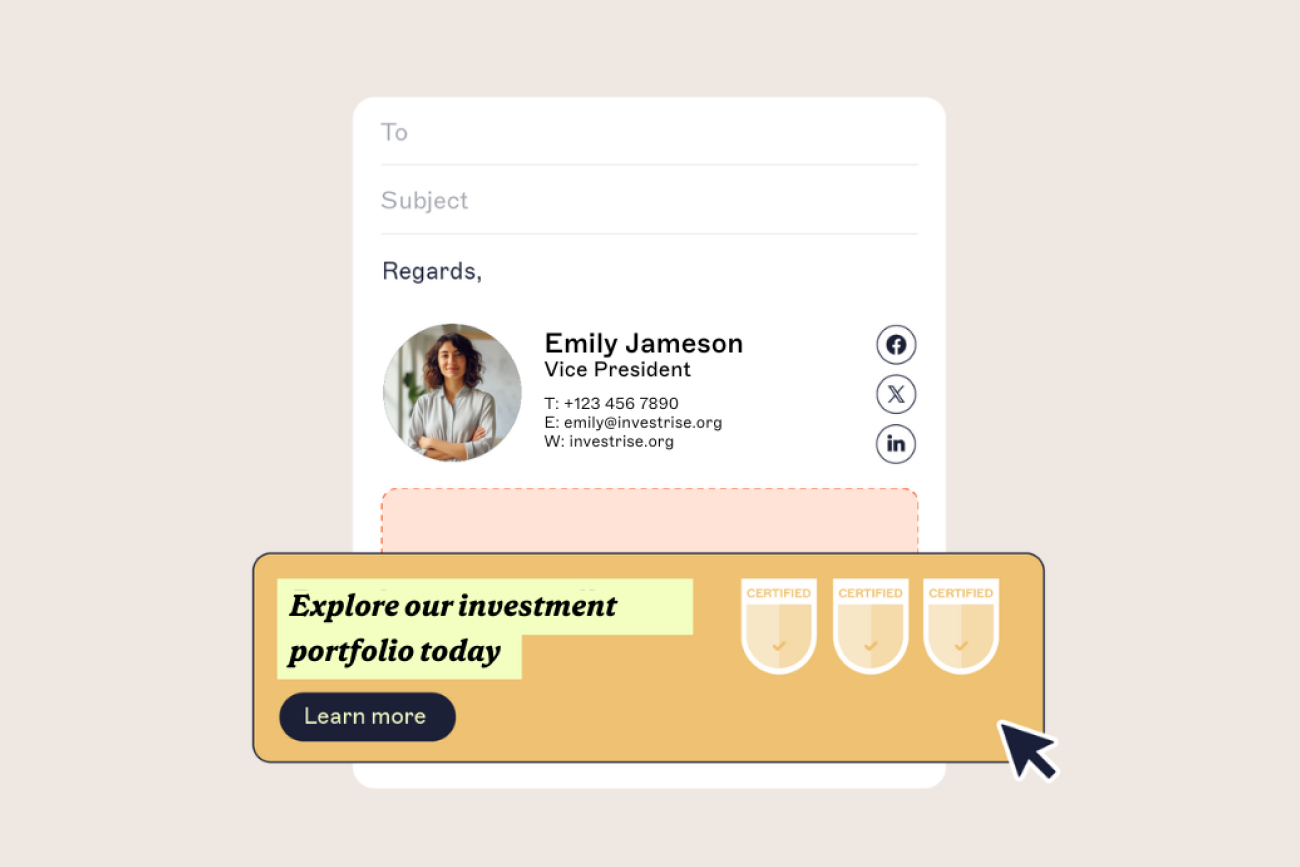
Automated email signatures are centrally managed templates that are automatically applied to every user’s outgoing email. They remove the need for manual updates, keeping branding and compliance consistent across all devices and departments.
The main issues affecting IT efficiency
IT teams face the same time pressures as every other department. However, the nature of their work makes those pressures harder to manage. Between supporting daily operations and driving long-term strategy, they’re constantly balancing competing priorities under tight constraints.
A mix of planned projects and unpredictable requests
IT departments work at both ends of the spectrum. On one side, they handle tactical, day-to-day user requests, from access resets to troubleshooting. On the other, they’re responsible for strategic initiatives like application modernization, process automation, and infrastructure upgrades.
Because much of their workload is reactive, it’s difficult to predict how many support requests will come in or how much time will be left for planned improvements.
Urgent tasks push out strategic priorities
When support tickets pile up, urgent needs often overtake important ones. IT leaders might have automation initiatives or system upgrades on their roadmap, but those projects get delayed while the team focuses on keeping users productive.
This creates a cycle where operational firefighting takes precedence over innovation, leaving little space for optimizing IT processes or automating repetitive work.
A growing learning burden
IT is a technical discipline that requires constant learning and upskilling. That’s why it’s important that IT professionals can focus some of their time on training. But this is often difficult to balance with day-to-day responsibilities. This risks IT workers failing to keep pace with market and technological changes.
This is intensified when organizations commit to internal changes without factoring in the training impact on IT. As technology becomes more powerful, everything becomes more complex to manage.
The IT burden of manual email signature management
Manually managing email signatures might seem manageable in small companies. But for mid-sized and enterprise organizations, it quickly becomes an operational drain. What looks like a simple admin task can escalate into hours of manual work, inconsistent branding, and compliance risk. This pulls IT away from higher-priority projects and adds unnecessary complexity to email governance.
That’s why automating email signatures is now considered a core IT efficiency initiative. In fact, it's on par with endpoint management or identity automation.
1. Inconsistent branding
When employees or departments control their own email signatures, brand consistency disappears. Different fonts, colors, taglines, or outdated logos start to appear in daily correspondence. This makes the company look fragmented and unprofessional.
For IT, maintaining uniform templates across thousands of users and multiple devices is nearly impossible without automation. Centralized, automated email signatures solve this by applying consistent designs organization-wide, every time an email is sent.
2. Time-consuming and error-prone
Every time an employee changes roles, contact details, or departments, IT has to update their email signature. During a rebrand or company-wide campaign, this process multiplies—often taking days or weeks.
Manual edits are repetitive, tedious, and prone to human error. A single typo or outdated link can slip through easily. For IT professionals already balancing service tickets and strategic projects, these tasks only add to the workload.
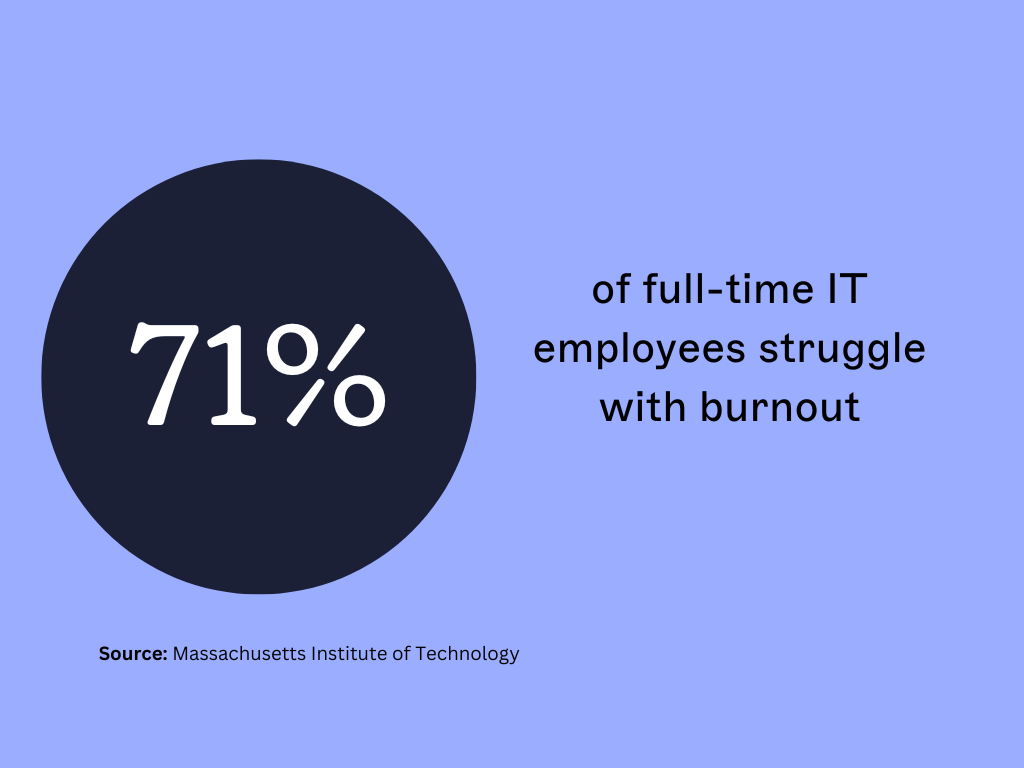
Now, imagine this happening at a time when 71% of full-time IT employees are already struggling with burnout. Automating email signatures eliminates the manual updates, freeing IT to focus on improving systems and processes instead of fixing templates.
3. Compliance risks
In regulated industries, email signatures must follow legal and industry-specific standards. Healthcare organizations, for example, must comply with HIPAA (Health Insurance Portability and Accountability Act). Similarly, financial institutions often need to include mandatory disclaimers.
Managing these details manually introduces unnecessary risk. A missed disclaimer or formatting error can result in compliance breaches and costly penalties. By automating email signature updates, IT can enforce compliant disclaimers consistently across every department, region, and device.
4. Lack of centralized control
As organizations grow and workforces become more distributed, maintaining control becomes harder. Remote employees and mobile devices add complexity, with users applying their own templates or outdated designs.
Without a centralized system, IT must constantly monitor and fix individual signatures. This is an unscalable process that wastes time and creates frustration. Automated email signature management gives IT one secure place to manage every design, update, and rule—keeping branding, compliance, and control fully aligned.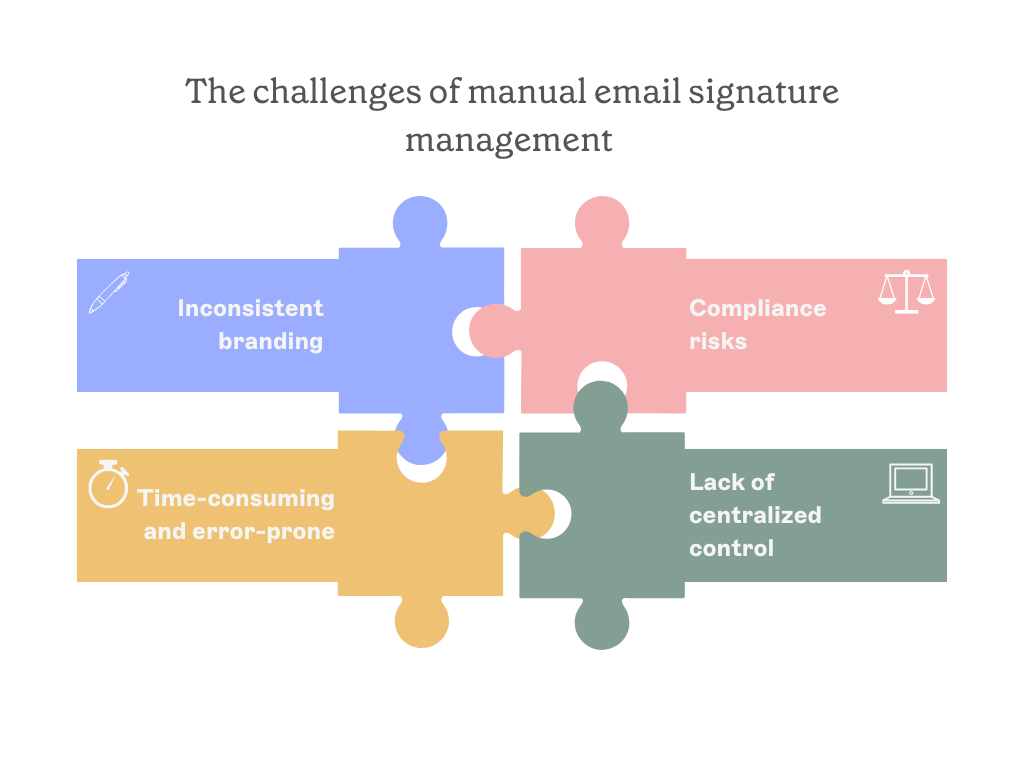
How automated email signatures streamline IT processes
For IT teams, automating email signatures is one of the simplest ways to reclaim time and reduce manual work. What once required hours of scripting, troubleshooting, and template maintenance can now be handled through a single, centralized platform.
Automation tools like Exclaimer are built to integrate directly into existing IT ecosystems, aligning with directory sync, cloud governance, and compliance workflows
1. Centralized management
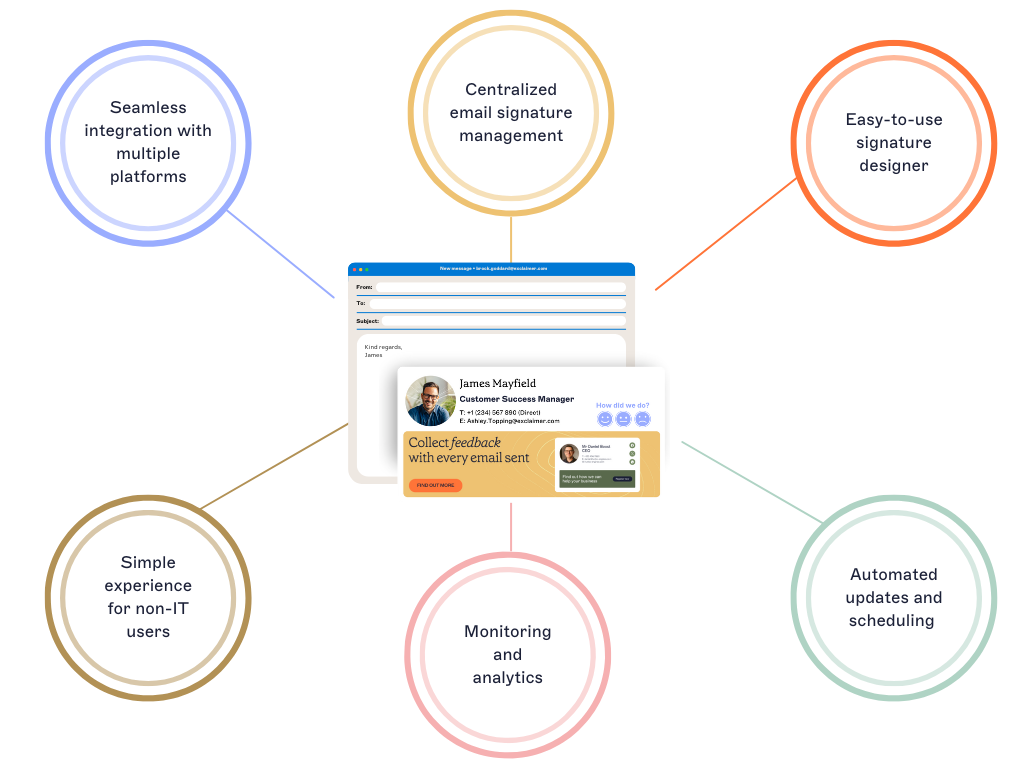
Automated email signature management gives IT one secure location to control every signature across departments, regions, and users.
Updates like a logo change or compliance disclaimer can be applied instantly. Even better, there's no need for end-user intervention or local installations. This centralized model aligns with broader IT automation practices that improve operational efficiency.
2. Reduced support tickets
Manual processes often lead to formatting errors, missing templates, or end users changing their own designs. Each issue generates another support ticket.
With automation, IT can set rules that apply the right email signature to the right person automatically. This cuts email signature-related tickets, freeing up time for more strategic IT work.
3. Compliance made simple
Regulatory compliance doesn’t have to depend on manual oversight. Automated email signatures allow IT to apply the correct legal disclaimers, regional policies, and accessibility standards with every email sent—automatically.
This not only reduces compliance risk but also provides an auditable process trail when legal or security teams need verification.
4. Seamless directory synchronization
By connecting directly to directory data from Microsoft 365 or Google Workspace, automated email signature platforms pull accurate contact information for each user.
That means job titles, phone numbers, and departments stay up to date automatically. No more manual edits or inconsistent contact fields.
5. Improved collaboration across departments
With automation in place, IT can safely delegate specific controls to teams like Marketing or Compliance. Using role-based access controls, those departments can update layouts, promotional banners, or disclaimers without disrupting IT oversight. It’s a balance of flexibility and control that helps IT scale efficiently while supporting business goals.
Automating email signatures improves how IT manages communication systems. By removing repetitive, low-value tasks, teams gain the bandwidth to focus on modernization, security, and strategic innovation.

Key business benefits of automating email signatures
Automating email signatures does more than streamline IT processes. It creates measurable business value by improving efficiency, security, and brand consistency across every email sent. It’s also a key enabler of IT process automation, driving measurable improvements in compliance control and resource optimization.
Here’s how automation delivers impact beyond the IT department:
1. Consistent branding across every device
Every email is a customer touchpoint. Automated email signature management makes sure that every employee’s emails reflect the same professional look—no matter the device, region, or email client.
With centralized control, IT can deploy updated templates instantly. And all while Marketing gains confidence that the company’s logo, colors, and messaging always look correct.
2. Stronger compliance and audit readiness
Email signatures often include legal disclaimers, privacy statements, or industry-specific messaging that must appear correctly every time.
Automating this process helps IT enforce compliance policies without manual monitoring.
Version control, access management, and reporting features make audits easier. This reduces the risk of fines or reputational damage due to non-compliance.
3. Time savings that scale
When email signatures are automated, repetitive updates disappear. IT teams no longer spend hours maintaining templates or fixing user errors.
Those reclaimed hours can instead be invested in higher-priority projects, whether it’s improving security frameworks, implementing new systems, or training staff. For large enterprises, the time savings alone can be significant.
4. Better collaboration between IT and Marketing
With role-based access controls, marketing and compliance teams can safely edit banners, campaigns, and disclaimers without waiting on IT.
This helps organizations stay agile—enabling quick updates for product launches, seasonal campaigns, or regulatory changes—while IT retains overall governance.
5. Enhanced visibility and control
Automation provides the oversight IT needs without adding administrative load. Audit trails, reporting dashboards, and centralized controls give IT full visibility into what’s being applied, where, and by whom. This transparency reduces human error and strengthens data integrity across all email systems.
Automating email signatures is a small change that delivers big results. It reduces manual workload, closes compliance gaps, and turns everyday emails into a channel that’s consistent, secure, and on-brand. This all helps make both IT and business teams work smarter.
Read our guide to email signature security best practices to see how automation strengthens data protection.
How to get started with automated email signatures
Moving from manual email signature updates to an automated system isn't complex. The right approach helps IT deploy standardized templates quickly, integrate existing directories, and maintain full control in less than an hour.
Here’s how IT teams can make the transition:
1. Audit your current process
Start by assessing how email signatures are currently managed. Identify who creates templates, how updates are rolled out, and where inconsistencies occur.
This baseline will help define the automation rules and governance model needed for a scalable solution.
2. Do your research
Compare different automated email signature solutions available based on your identified needs. Consider factors such as pricing, platform compatibility, ease of use, and customer reviews. Also think about any other features such as monitoring and analytics, that may be beneficial.
3. Define governance and ownership
Before implementing automation, clarify which teams will be responsible for branding, compliance, and approval workflows.
With role-based access controls, IT can retain overall governance while delegating template editing to trusted departments like Marketing or Compliance.
4. Integrate directory data
Connect your platform to Microsoft 365 or Google Workspace to automatically sync user information such as job titles, departments, and phone numbers.
5. Standardize design templates
Use the product's design editor to create a professional email signature template. Consider including elements like your company logo, user photos, and social media icons.
Use automation rules to apply specific layouts or disclaimers by department, region, or seniority level.
6. Test and roll out in phases
Pilot your automated email signature solution with a small group of users first. Collect feedback, validate formatting across devices, and refine any deployment rules. Once confirmed, roll it out company-wide to achieve centralized, consistent control.
7. Roll it out companywide and analyze
Once everything is in place, launch the automated email signature solution across your organization.
Regularly review the performance of your email signature templates to identify areas of improvement.
The transition to automated email signatures typically takes less than an hour with the right platform and process. Once complete, IT gains centralized visibility, consistent branding, and measurable efficiency improvements.
Examples of the most popular automated email signature platforms
With so many email signature solutions out there, it can be tough to choose the right one for your company. Here's a quick comparison of some of the top platforms to consider:
| Exclaimer | Codetwo | Wisestamp | Opensense | Letsignit | |
|---|---|---|---|---|---|
| Cloud deployment | |||||
| Drag & drop design | |||||
| Easy & intuitive UI | |||||
| Advanced scheduling | |||||
| Social feeds | |||||
| QR codes & vCards | |||||
| Photo sync | |||||
| SOC2 compliance | |||||
| One-click feedback surveys | |||||
| Sent Items updating | |||||
| Outlook Add-in | |||||
| Headline content | |||||
| Rotating banners | |||||
| CRM integrations | |||||
| Multi-recipient targeting | |||||
| Analytics dashboard | |||||
| Microsoft 365 certification |
Real-world scenarios where automation delivers value to IT teams
Automated email signatures can save IT teams time and streamline workflows. Here are some real-world scenarios where this adds value, improving efficiency and consistency across organizations.
1. Mergers and acquisitions (M&A)
When two companies merge, their different email signature designs can raise brand inconsistency questions with key stakeholders. Automation solves the challenge by delivering a unified signature template across all employees. It does this in a fraction of the time it would take for manual updates.
Even temporary mergers - such as when partners work together on a project - create similar challenges that automation can address.

2. Onboarding and offboarding employees
Every time an employee joins or leaves the company, IT admins need to update email signatures. Automation removes the need for IT teams to manually create or update signature templates.
New hires are automatically assigned signatures based on their job role and department. Similarly, when an employee leaves the company, their email signature can be easily deactivated.
3. Supporting global teams and remote workforces
Managing email signatures manually can be a challenge when employees work across multiple locations and devices. With automation, every employee gets a consistent email signature, no matter where they are or what device they use. This is particularly beneficial for remote teams, allowing real-time updates without the need for in-person coordination.
4. Adapting to regulatory changes
Navigating changing data privacy regulations is a constant challenge for IT teams. Automated email signatures ensure full compliance with the latest legal and regulatory standards, removing the need for manual updates.
This reduces the risk of errors while improving efficiency. By centralizing email signature management, IT teams can dedicate their attention to higher-priority tasks.

Conclusion: Why automation matters for IT efficiency
For most IT departments, efficiency depends on balance—between daily support tasks and long-term strategic work. Manual email signature management disrupts that balance. It takes time, invites inconsistency, and adds unnecessary complexity to an already demanding workload.
Automating email signatures restores control. It removes repetitive, low-value tasks from IT’s queue, ensures company-wide consistency, and strengthens compliance without extra oversight. Updates that once took days can now happen in minutes, applied automatically across every user, device, and platform.
More importantly, automation allows IT teams to focus on what matters most: improving security, modernizing infrastructure, and driving business innovation.
Try Exclaimer for free today or sign up for an online demo to start working smarter with automated email signatures, all in one location.