Dave is a marketing expert with 15 years experience in the tech and SaaS world. He specializes in educating IT and channel audiences, with a focus on security, privacy, compliance, and marketing technology. With a talent for storytelling and a deep understanding of the industry, Dave transforms complex IT topics into clear, engaging, and impactful narratives.
Email signature management: The complete guide
TL;DR
Email signature management is the centralized control of employee email signatures: one system applies branding, legal disclaimers, and campaign banners, instead of leaving every employee to build their own.
35% of IT leaders call managing email signatures a top drain on their time, and directory-based automation is the fix.
A compliant signature needs contact details, branding, a disclaimer matched to the recipient's jurisdiction, and consistent formatting across Outlook, Gmail, and mobile.
Native Outlook and Gmail signature settings can't enforce any of that centrally: users can edit or delete their own signatures, and neither leaves an audit trail.
The standard setup connects a dedicated platform to Microsoft Entra ID or Google Directory, applies templates and disclaimers automatically by department or region, and locks brand and compliance elements against end-user editing.
Why do IT teams need centralized email signature control?
For IT professionals, managing email signatures is rarely top of the priority list. That is until they start causing problems. Every promotion, department change, or rebrand creates another round of tickets. Employees edit their own signatures, leaving Marketing frustrated with rogue branding and Compliance worried about missing disclaimers. And when signatures aren't applied consistently across devices, IT shoulders the blame.
35% of IT leaders cite managing and updating signatures as a top email-related drain on time and productivity.
The reality is that manual processes don't scale. They leave IT teams firefighting formatting issues, chasing users, and managing repetitive updates that drain time better spent elsewhere. Worse, they create visibility gaps: you can't prove what disclaimer was applied, when it was last updated, or whether mobile senders are compliant.
That's why email signature management has become a critical IT function. A centralized email signature manager gives admins complete oversight, automates compliance, and removes the burden of manual updates.
Instead of managing signatures piecemeal, IT can enforce consistency across the entire organization, with the confidence that every message leaving the business is accurate, compliant, and on-brand.
What is email signature management?
Email signature management is the process of controlling, standardizing, and automating employee email signatures across an organization. Instead of letting individual users create their own, IT uses a centralized system to apply consistent layouts, branding, and disclaimers to every email.
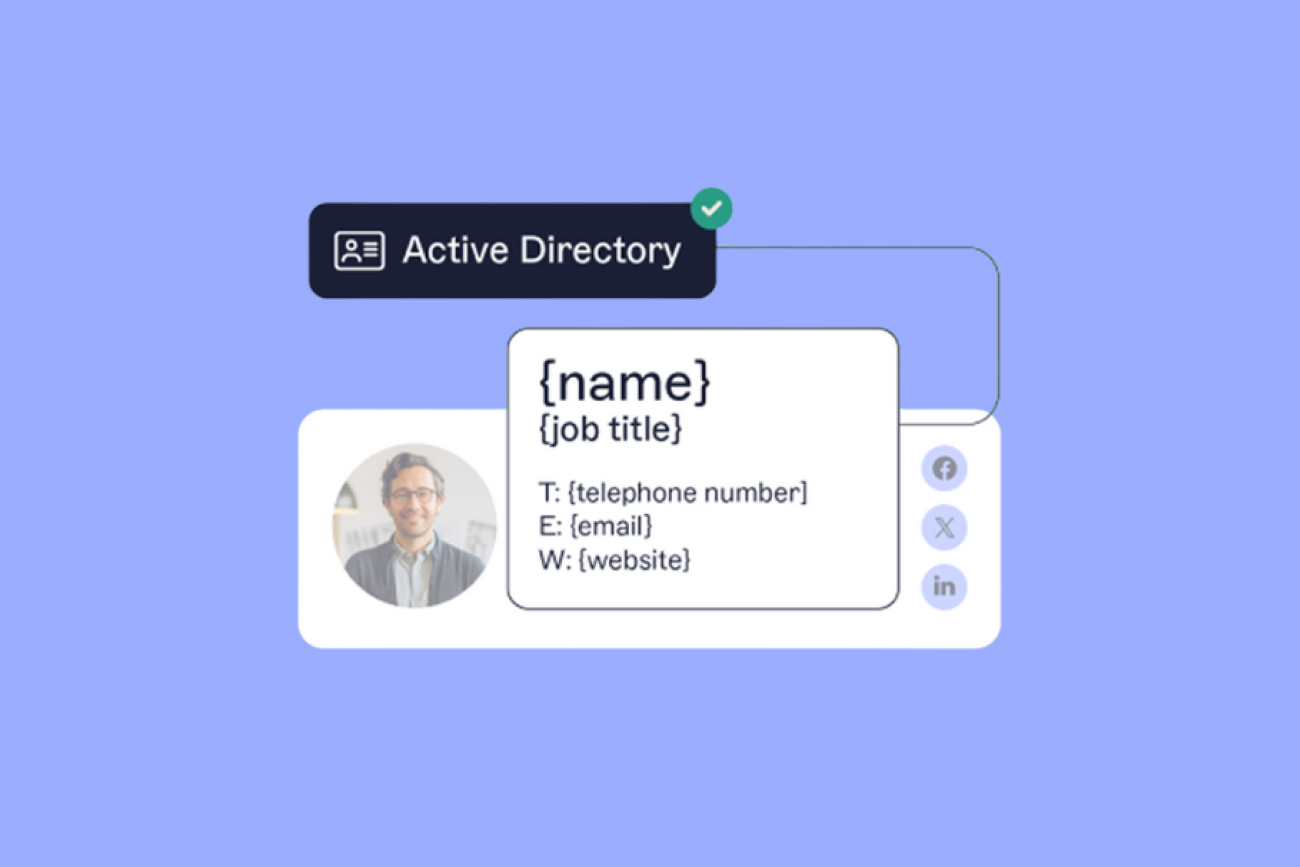
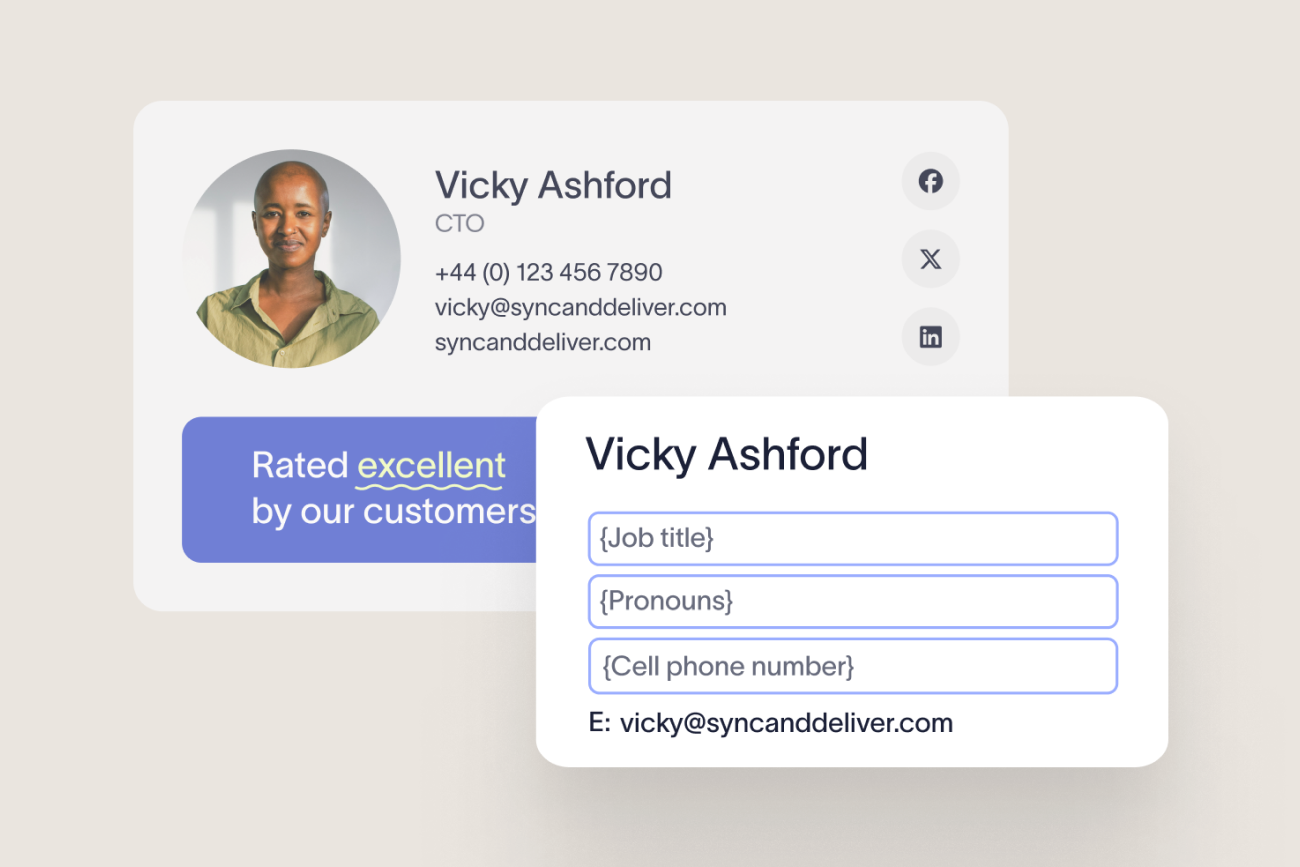
 A dedicated email signature manager connects directly to your directory services (like Microsoft Entra ID or Google Directory) so that user details are always accurate. When someone changes role, location, or contact information, their signature updates automatically without needing an IT ticket.
The platform syncs specific attributes from your directory: employee name, job title, department, phone number, office location, profile photo, and any custom fields your organization defines. In Microsoft 365 environments, this uses the Microsoft Graph API to pull attributes from Microsoft Entra ID. In Google Workspace, it uses the Directory API to pull from Google Directory.
In larger deployments, email signature management typically covers:
Template design
- Directory sync
Role-based signature rules
Legal disclaimers
- Marketing campaigns
Analytics
Role-based access controls
Cross-client rendering tests for Outlook, Gmail, Apple Mail, iOS Mail, and Android
What are the benefits of centralized email signature management?
Benefit | What centralized management does | Example |
|---|---|---|
Full oversight | IT knows exactly what signature every employee is sending, on every device | Audit log shows who logged in to the platform, and when |
Automated compliance | Disclaimers are applied by rule (by department, jurisdiction, or sender group) with no risk of end-user error | GDPR-related language applied automatically for EU recipients without manual intervention |
Consistent branding | Logos, fonts, and formats are locked to the approved template, so Marketing doesn't need to chase non-standard layouts | A brand update propagates across all departments from one change in the admin dashboard |
Reduced support load | Updates roll out in minutes, eliminating the repetitive admin work that fills IT queues | Job title changes sync from Microsoft Entra ID or Google Directory with no manual input |
Campaign reach | Every outbound email becomes a controlled marketing channel | UTM-tagged banners deployed to specific teams for webinars, demos, or product launches |
What should be included in a professional email signature?
A professional email signature goes beyond simply listing your name and contact information. It should be visually appealing, easy to read, and include all the necessary elements that reflect your brand identity.
To support effective email signature management, each signature should follow a consistent layout that works across devices and platforms.
Explore best-practice layouts in our professional email signature templates guide.
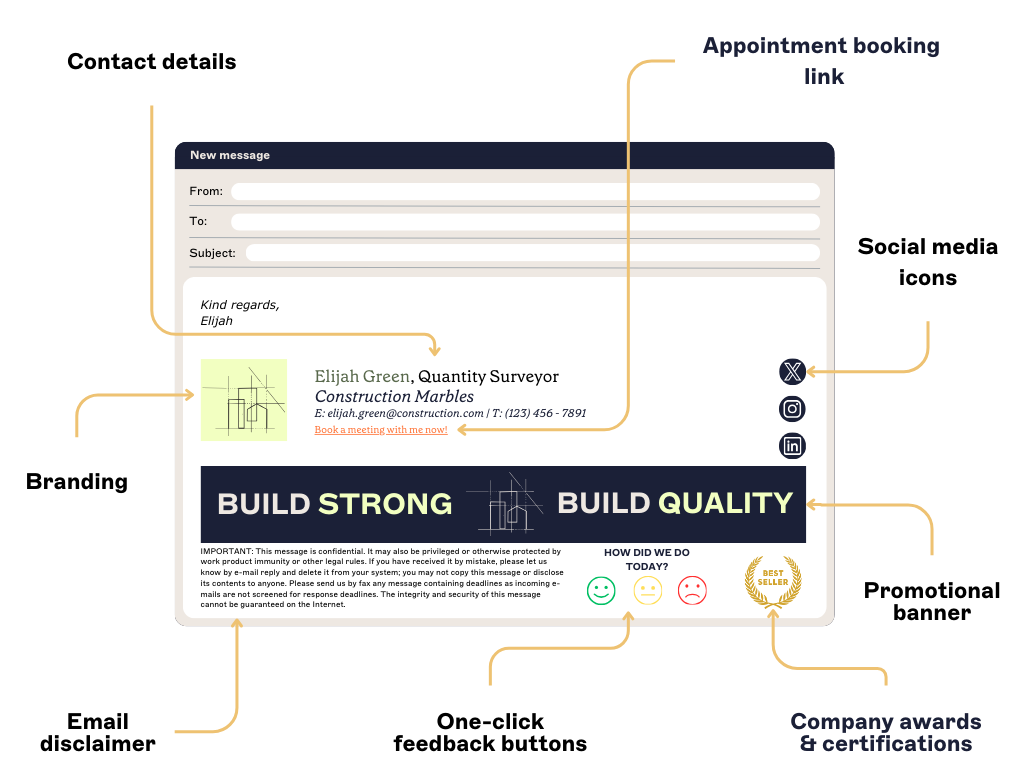
1. Contact details
All email signatures are built on the contact details. These typically include your full name, job title, phone number, email address, and company website URL.
2. Branding
Beyond basic contact details, your email signature should reflect your brand identity. Incorporating your corporate logo not only reinforces brand awareness but also serves as a valuable touchpoint for engagement.
3. Promotional banners
The middle section of your signature is the perfect location to display an email banner. This allows you to showcase new content, highlight special offers, or share testimonials.

4. Social media icons
Including social media icons in email signatures is an easy way to expand your social presence. This can help you gain new followers and increase the reach of your marketing campaigns as more people engage with your social media content.
5. Appointment booking link
Including calendar links in your email signature management strategy helps to streamline scheduling and enhance communication. By adding a calendar link to your email signature, people can easily book meetings or demos.
6. Email disclaimer
Email disclaimers serve different purposes depending on jurisdiction and message type. Common legal and regulatory contexts include:
GDPR (EU and UK): Emails to EU and UK recipients may need to reference how personal data is handled and include a link to your organization's privacy notice.
CAN-SPAM Act (US): Commercial emails must include the sender's physical business address and a clear opt-out mechanism.
HIPAA (US healthcare): Emails containing protected health information (PHI) require a confidentiality notice and instructions for recipients who receive the message in error.
Privileged and confidential communications: Organizations in legal, financial, and professional services commonly include clauses stating that email content is confidential and legally privileged.
A standard disclaimer covering confidentiality and misdirection:
This email and any attachments are confidential and intended solely for the named recipient. If received in error, notify the sender immediately and delete this message. Personal data contained in this email is processed in accordance with applicable privacy laws. For full details, see [company.com/privacy].
Key takeaway
Legal should own and approve disclaimer language. IT should deploy it centrally so end users cannot modify or remove it. Marketing shouldn't have permission to override compliance-controlled text.
7. Company awards and certifications
Corporate certifications and industry awards can add credibility to your email signature, but only when used wisely. Including individual achievements allows employees to showcase their expertise while boosting their confidence. Similarly, highlighting industry awards lets recipients know your company has been recognized for excellence.
8. One-click feedback buttons
Your email signature can also double as a feedback channel. Adding simple, one-click rating buttons linked to an email signature survey makes it easy to measure customer satisfaction (e.g., excellent, good, average, poor).
Standard email signature format
A standardized corporate email signature follows a consistent layout across all employees, departments, and devices:
[Full name] |
Format constraints
Font: Web-safe fonts only. Arial, Verdana, Helvetica, Times New Roman, or Georgia. Custom brand fonts typically fail to render in Outlook, Gmail, and Apple Mail.
Width: Keep the layout within 600 px to prevent clipping on mobile devices.
File size: Keep the total signature under 50 KB, including all images.
Images: Host all images (logos, banners, icons) on a secure external URL. Embedded images frequently render as attachments or display as broken in common email clients.
Signature types by context
Context | Format | Include | Exclude |
|---|---|---|---|
New external email | Full branded signature | Name, title, phone, website, logo, disclaimer, CTA | None |
Reply/forward | Compact (1–2 lines) | Name, title, primary contact | Logo, banner, long disclaimer |
Internal email | Plain or minimal HTML | Name, role, contact | Images, banners, social icons |
Learn more about email signature design
Guide | What it covers |
|---|---|
| How to create an HTML email signature | Build a custom HTML signature template that renders correctly in Outlook, Gmail, and Apple Mail |
| Email signature format | Recommended layout, field order, width constraints, and design rules for professional email signatures |
| Logos in email signatures | Logo sizing, hosting method, file format, and placement for consistent rendering across email clients |
| Email signature size | File size limits, image compression, and dimension guidelines to keep signatures under 50 KB |
| Email signature fonts | Web-safe font options, fallback stacks, and custom font limitations in Outlook and Gmail |
| Reply email signatures | How to configure simplified signatures for reply and forward threads |
What are the best practices for managing email signatures at scale?
To maintain a consistent and professional email signature across your organization, centralized control is essential. Typically, the IT team manages this process as they’re often the only department that has the technical ability to create uniform signatures for everyone.
 Here are nine essential best practices:
1. Create a standardized email signature template
The first step to consistency is developing a standardized email signature template for all employees.
This template should include essential contact information, as well as any required legal disclaimers or marketing banners, ensuring uniformity across your organization.
2. Make your email signature design simple and adaptive
When creating your company email signature, remember it will be viewed across different devices and platforms. It shouldn’t be too cluttered or complex.
Opt for a simple, clean design that highlights the essentials while leaving out unnecessary details or excessive graphics.
3. Confirm email signature governance and compliance
Email signature security and compliance keep signature and disclaimer data handled correctly, in line with industry regulations.
A governed email signature platform gives administrators the controls auditors expect. When evaluating platforms, look for:
Encryption in transit: TLS 1.2 or higher for all data between your identity directory and the signature platform
Encryption at rest: AES-256 or equivalent for stored templates, user attributes, and campaign assets
MFA: Required for all administrator and template publisher accounts
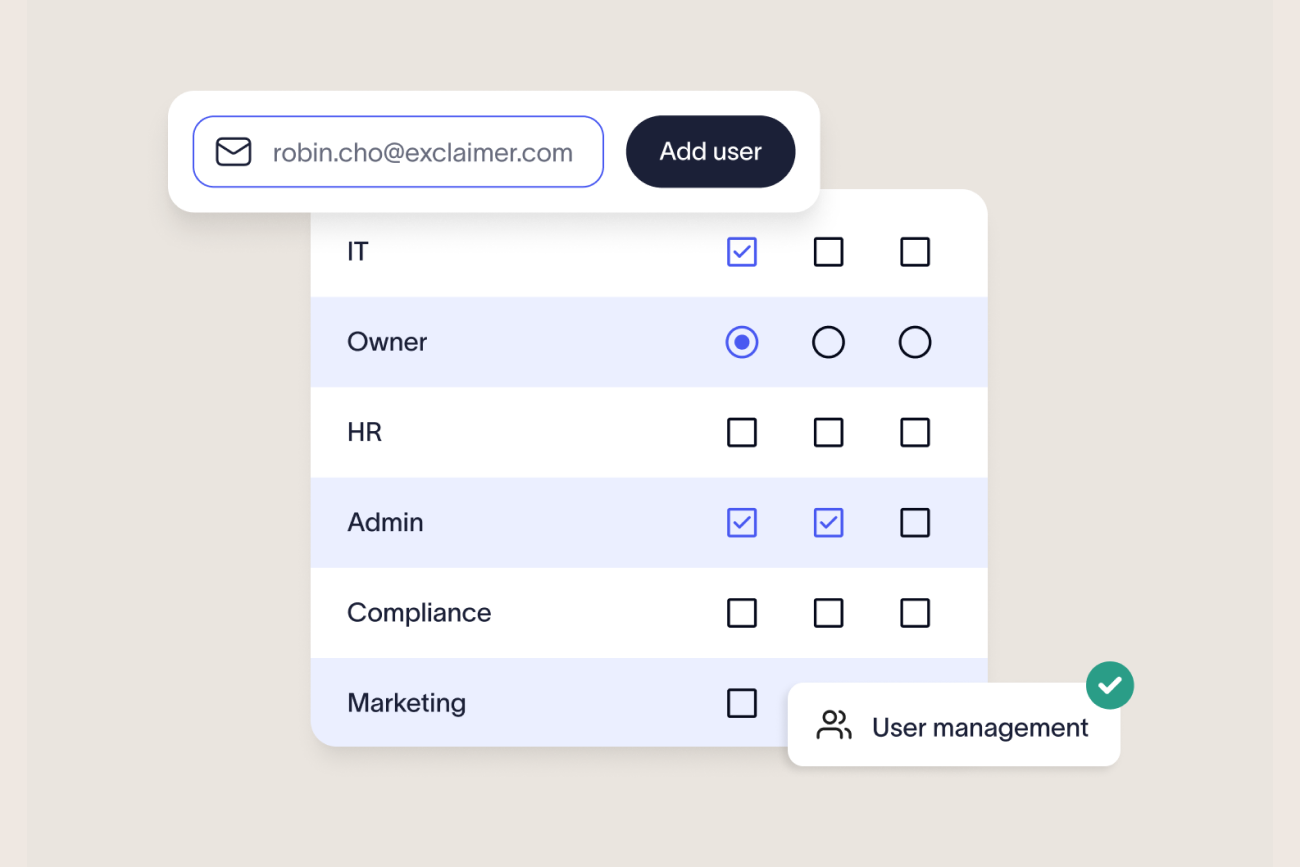
RBAC: Separate permissions for IT administrators, Marketing template editors, legal disclaimer owners, and regional administrators
Audit logging: Immutable logs of every login and access event on the platform
When reviewing vendors, request SOC 2 Type II, ISO 27001, and ISO 27018 certifications and confirm that regional data processing aligns with your GDPR or data sovereignty requirements.
4. Keep signatures simple for internal communication
For internal communication, use simple, minimalist email signatures without images, banners, or excessive design elements.
Streamlined signatures improve email load times and reduce visual clutter, making email threads cleaner and easier to follow.
5. Customize replies and forwards
Adding the same full signature to every reply or forward can make the thread messy and hard to read. For replies, use a simplified signature with just your name, job title, and contact information. This keeps it professional without overwhelming the recipient.
6. Test across multiple devices and platforms
Ensure your email signature HTML renders correctly by testing them on different devices, platforms, and email clients. Formatting issues can occur due to variations in screen sizes and resolutions. This means it’s crucial to verify that fonts, logos, images, and links display as intended.

7. Remember email signature size limitations
Most email clients impose size limits on attachments and embedded images. To ensure compatibility across clients, aim for an email signature under 50 KB.
Compress images and limit excessive design elements to keep within size constraints.
8. Use a web-safe font
Email signatures should use web-safe fonts. This ensures a consistent appearance across different email clients and platforms.
Stick to standard fonts like Arial, Verdana, Helvetica, Times New Roman, and Georgia, and avoid custom fonts that may not be supported.
9. Regularly review and update templates
Regularly reviewing and updating your email signature templates is an important yet often overlooked task. Set reminders to revisit and update your templates at least once every quarter. This is especially important after major company updates or changes in branding.
If you want to see how you can get the most from your professional email signatures, get your copy of our Email Signatures for Dummies guide today.
Learn how to create an email signature by platform
Platform guide | What it covers |
|---|---|
| How to create and set up Office 365 & Outlook email signatures | Creating and deploying signatures for Microsoft 365, including Exchange transport rules, the Outlook add-in, and Outlook Web App |
| How to create a Google Workspace email signature | Setting up centralized signatures via the Google Admin Console or Google Directory API |
| How to add a signature in Exchange | Managing signatures for on-premises Microsoft Exchange 2019 environments |
| How to add and change a signature in Gmail | Individual Gmail signature setup, including the desktop web client and Google account settings |
| iPhone / iPad | Configuring and troubleshooting email signatures on iOS Mail |
| Android | Setting up signatures in Android mail clients |
| Gmail mobile app | Signature settings specific to the Gmail iOS and Android apps |
| MacBook | Email signature setup for Apple Mail on macOS |
What are the main challenges when managing email signatures?
While email signatures seem simple, managing them across an entire organization creates significant complexity, especially when done manually.
 Managing email signatures manually across an organization creates 10 recurring IT challenges: inconsistent branding caused by employees editing their own signatures; outdated contact details when directory changes aren't reflected; missing or incorrect legal disclaimers; broken rendering across Outlook, Gmail, Apple Mail, iOS, and Android; logos and banners appearing as attachments; signature stacking in reply threads; no central audit trail; high IT support load from formatting requests; no campaign measurement; and the operational cost of every rebrand, merger, or personnel change.
Here's what each looks like in practice:
1. End users creating their own signatures
When IT end users are allowed to change their own email signatures, it can disrupt consistency and branding. Without a centralized management system, IT quickly loses control, which leads to outdated or inconsistent signatures across employee emails.
2. Having to visit every user’s desk
One outdated approach involves visiting each employee's desk to manually update email signatures. While this works for a small team, it’s not feasible for larger or remote/hybrid organizations. This often leads to inefficiencies.
Did you know? According to Exclaimer's cost analysis, creating just one email signature template each quarter for a 100-person company can cost $9,168 a year. To estimate your own organization's cost: multiply employee count by average update time per person (typically 15-30 minutes), hourly fully-loaded labor cost, and annual update cycles. For a 500-person organization with quarterly updates at $50/hour: 500 x 0.25 hours x $50 x 4 = $25,000 per year in direct update costs, before QA, remote-device troubleshooting, and rework from formatting errors.
3. Asking users to copy-and-paste templates
Instead of walking to every desk, IT might decide to email a signature template to everyone. This lets employees copy and paste a company-approved design into their email client. This process may seem like a quick fix, but it's not scalable.
Regularly updating signatures this way creates more work and confusion, especially with large teams.
4. Coding designs into HTML
IT can create a signature template with custom HTML, offering more control but posing challenges. On Microsoft 365 or Microsoft Exchange, disclaimers with HTML appear at the bottom of email chains, not under the latest message. In Google Workspace, HTML can be added via the Append footer setting, but the signature design, not raw code, must be pasted.
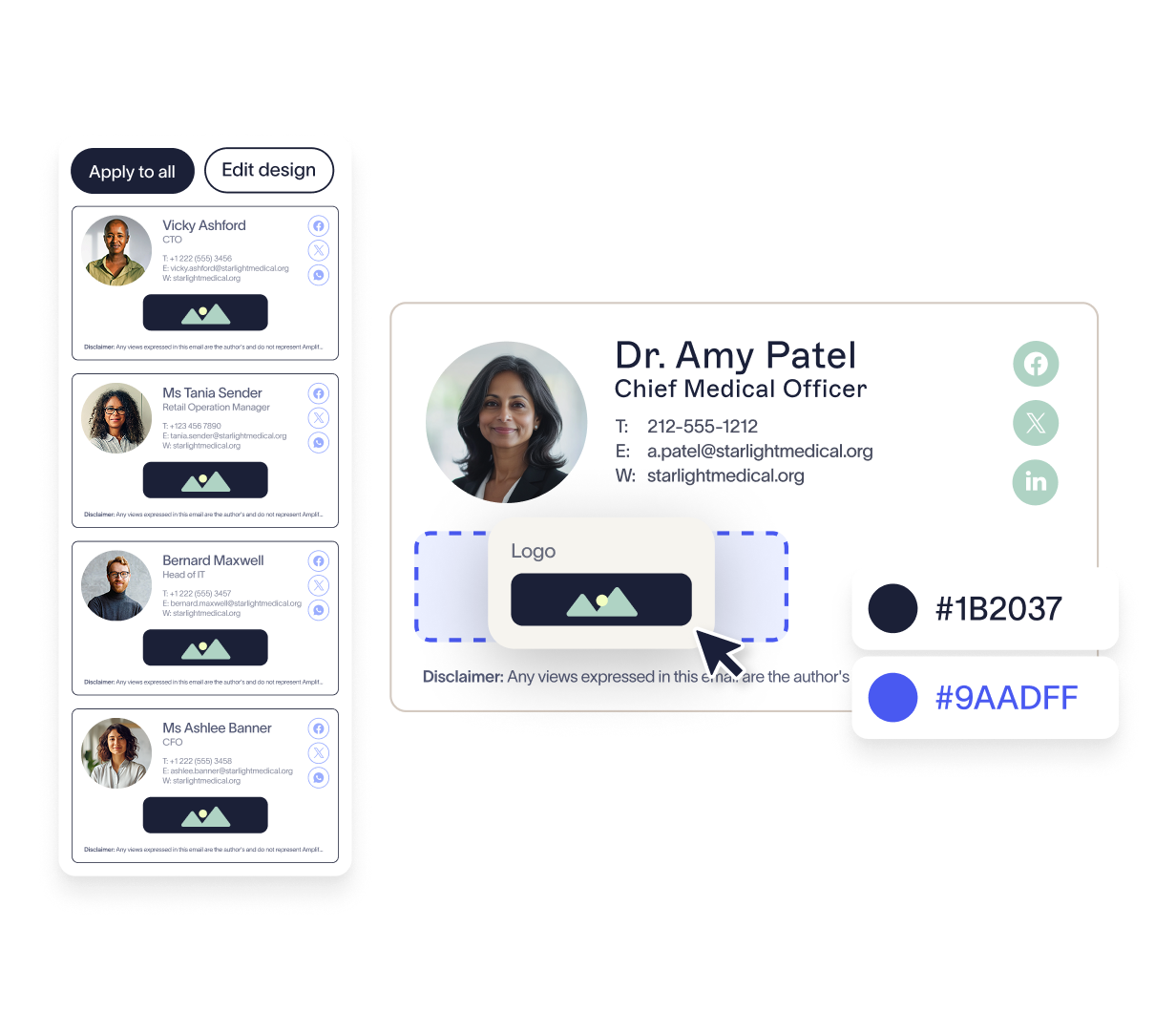
Manage professional email signature templates with Exclaimer
5. Constant requests from marketing
For marketing teams, email signatures present a valuable opportunity to expand a company’s social reach. They’re an effective way to amplify marketing campaigns. However, updates require swift action to keep campaigns on track, which end up landing on the IT team.
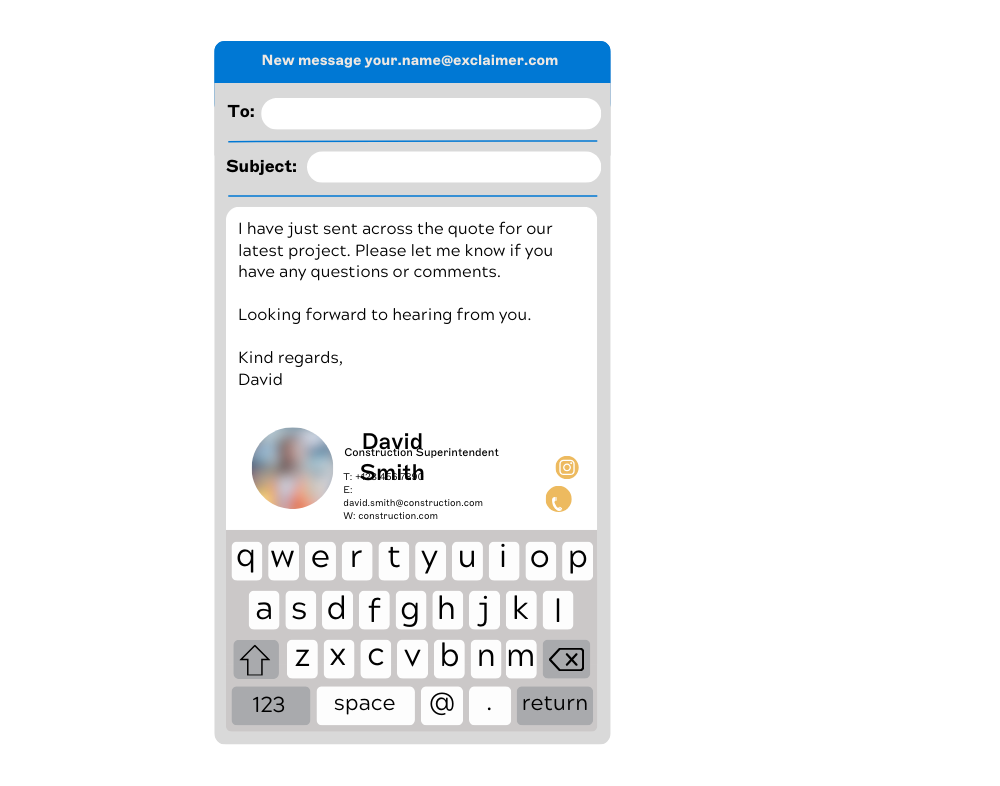
6. Signatures rendering differently on devices
Email signatures can look different on various devices and email clients. For example, iOS strips HTML formatting, displaying signatures in plain text. What appears perfect on a desktop might look broken on mobile devices, leading to a poor user experience.
7. Signatures stacking at the bottom of threads
Every time a user replies to a message, the signature will stack at the bottom of the conversation. This is because native email signature functionality, such as the Office 365 disclaimer function, focuses on adding plain text to emails. These are not effective for managing HTML email signatures.
8. Incomplete contact details in signatures
Many businesses use a central directory, such as Microsoft Entra ID or Google Directory. These directories auto-populate contact information in email signatures. But incomplete or missing employee contact information can lead to email signatures with gaps. This issue requires time-consuming fixes, as data discrepancies must be addressed manually. 
9. Images appearing as attachments
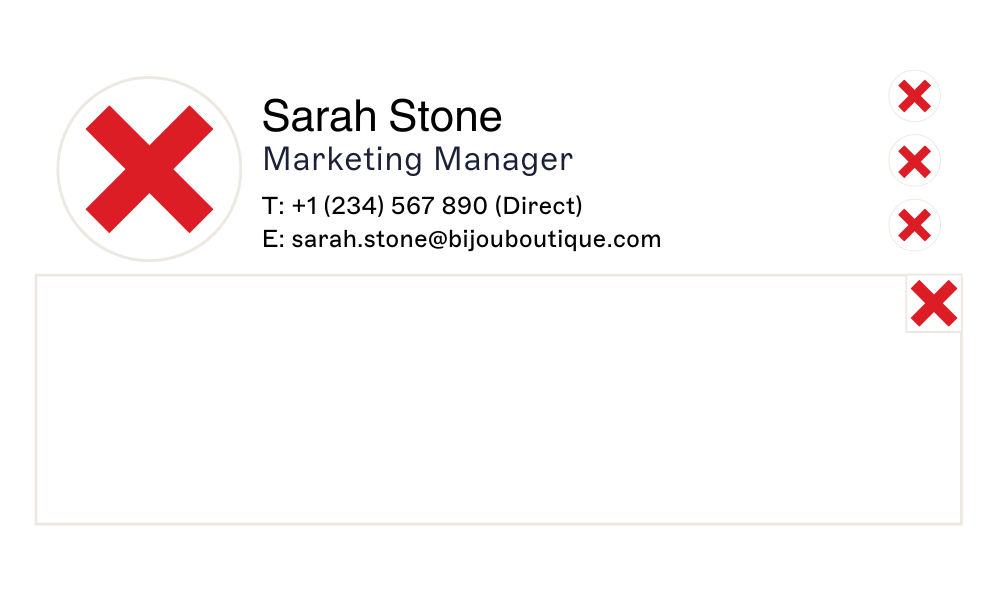
Images in an email signature often need to be hosted online. However, most email clients block externally hosted images by default for security reasons. If you embed images into your template by copying and pasting, the recipient may see a blank box with a red “X”. They might even find the image attached as a separate file.
10. Every company change triggers a signature update cycle
Any company changes can make maintaining consistent email signatures difficult. For example, migrating IT systems, such as moving from Microsoft Exchange to Office 365, can face the challenge of rebuilding their entire signature template library from scratch.
What's the difference between native email signature tools and a dedicated email signature manager?
While Microsoft Outlook 365 and Google Workspace offer built-in signature functionality, they weren’t designed to support enterprise-wide consistency, compliance, or automation.
When managing email signatures across hundreds or thousands of users, native tools create more problems than they solve. Here's why IT teams often replace them with dedicated platforms:
Here’s why IT teams find them inadequate:
1. No centralized control
Outlook signatures are stored locally per device, so IT has no way to enforce a standard across the business. Gmail’s “Append Footer” option applies one static template per organizational unit — with no personalization. Neither provides a unified dashboard to design, deploy, and enforce signatures across all users.
2. Inconsistent user experience across devices
Outlook signatures don’t sync reliably between desktop, web, and mobile clients. Gmail settings vary by device, and mobile signatures often default to basic text. The result: emails sent from phones frequently lack proper branding or disclaimers.
3. Limited personalization and dynamic data
Native tools can’t pull detailed attributes from Active Directory or Google Directory. That means you can’t automatically insert fields like job titles, certifications, or region-specific disclaimers. At best, you get plain text with minimal user data, far from the level of control IT needs.
4. Poor formatting and HTML support
Images often render as attachments, HTML layouts break, and signatures lose formatting in email threads. Exchange transport rules append disclaimers at the very bottom of chains, creating messy duplication instead of professional consistency.
5. No compliance enforcement
Users can remove or alter signatures in Outlook, and Gmail’s footer can be bypassed by personal settings. That means disclaimers can be edited or deleted, leaving IT unable to guarantee legal compliance.
6. Zero analytics or audit trail
Native options provide no visibility into what signature was applied, when, or how it performed. You can’t track usage, run audits, or integrate signatures into your marketing and compliance stack.
Key takeaway
Unlike a dedicated email signature manager, native tools lack integration, scalability, and the flexibility to enforce policies across your environment.
Native email signature tools vs dedicated email signature manager: how do they compare?
Capability | Native Microsoft 365 | Native Google Workspace | Dedicated email signature manager |
|---|---|---|---|
Centralized control | Signatures stored locally per device; no admin dashboard | One static footer per organizational unit | Single dashboard for all users, devices, and templates |
Device consistency | Desktop, web, and mobile don't sync reliably | Mobile defaults to plain text | Consistent across all devices and email clients |
Dynamic personalization | Limited to basic Active Directory attributes | No dynamic directory field support | Full directory sync with conditional fields and custom attributes |
Compliance enforcement | Users can edit or delete their own signatures | Append footer can be bypassed by personal settings | Rules-based, tamper-proof; applied by department or jurisdiction |
Analytics and audit trail | None | None | Full impression, click, and conversion tracking |
The benefits of centralized email signature management for IT teams
A modern email signature manager eliminates the technical burden of manual updates, broken templates, and user-dependent processes — giving IT teams back their time and control.
"Email signature management only becomes visible to IT when something goes wrong: a rebrand triggers a wave of update tickets, a compliance audit finds disclaimers out of date, or a directory change doesn't make it into the signature. Centralization removes those failure points. The directory is the source of truth, the platform applies the rules, and IT has an audit trail showing exactly what was sent and when."

Here’s how centralized email signature management transforms daily operations:
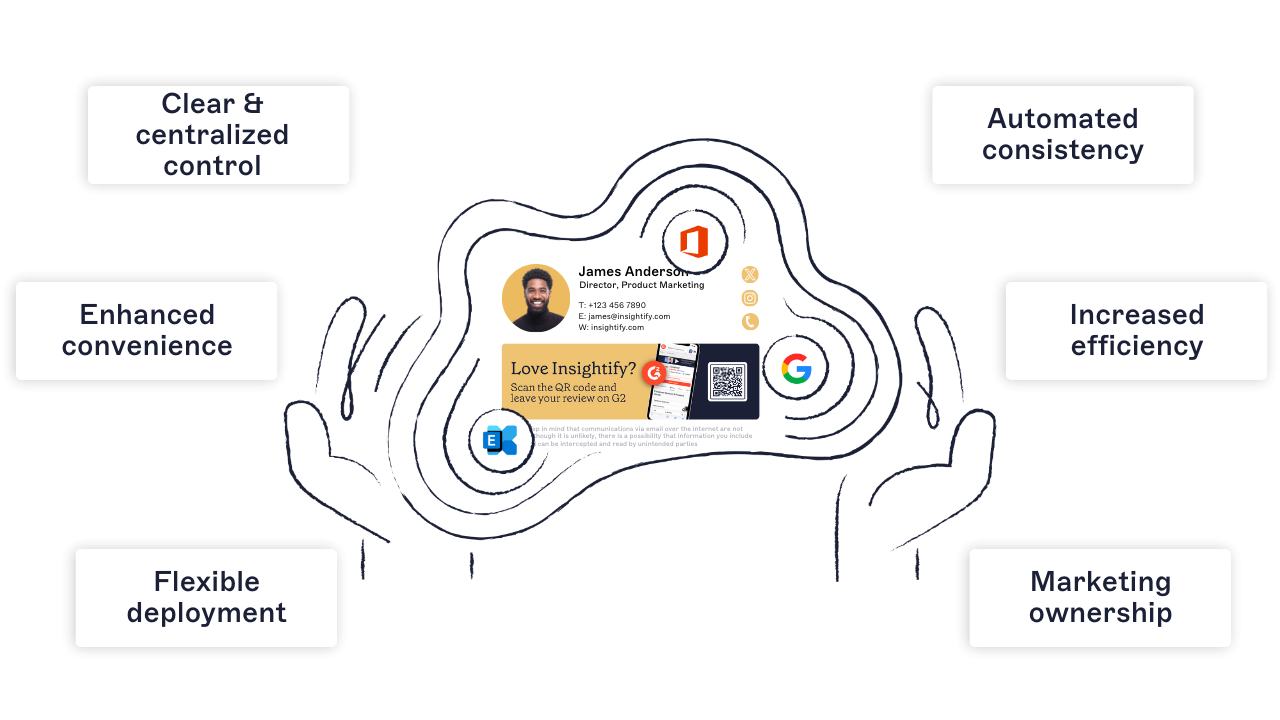
1. Clear and centralized control
Email signature management is automated, keeping end users out of the process. You can maintain central control over design and deployment while offering flexibility through pre-set, pre-approved templates. This ensures consistency and eliminates the need for users to make edits themselves.
2. Automated consistency
Email signature management software offers complete control and precision over a company’s email signatures. An IT administrator can preview and ensure that every detail fits perfectly before rolling it out across the organization.
3. Enhanced convenience
With a solution that allows email signature updates in just a few clicks, management becomes easy and convenient. No more starting from scratch when a signature doesn’t render or when contact details go missing.

4. Increased efficiency
By automating updates instantly, it ends common challenges like inconvenience, inconsistency, lack of flexibility, credibility issues, and human error. It's a smarter, more efficient way to manage email signatures and keeps IT's focus where it truly matters.
5. Flexible deployment
With email signature management software, IT can easily adjust details to meet a company’s needs, offering custom templates designed for specific audiences.
Before going live, all updates and enhancements can be thoroughly tested such as previewing the design, verifying hyperlinks, and conducting targeted distribution tests.
6. Marketing ownership
With a solution in place, marketing can take control of email signature management. They can design and implement email signature campaigns without creating extra work for IT.

In short, managing email signatures centrally reduces risk, improves compliance, and frees up IT to focus on higher-priority work.
How to implement and configure an email signature manager (step-by-step)
For IT teams managing email signatures at scale, choosing and implementing the right solution is critical to success. An enterprise-grade email signature manager should simplify creation, automate deployment, and ensure compliance across all users and platforms.
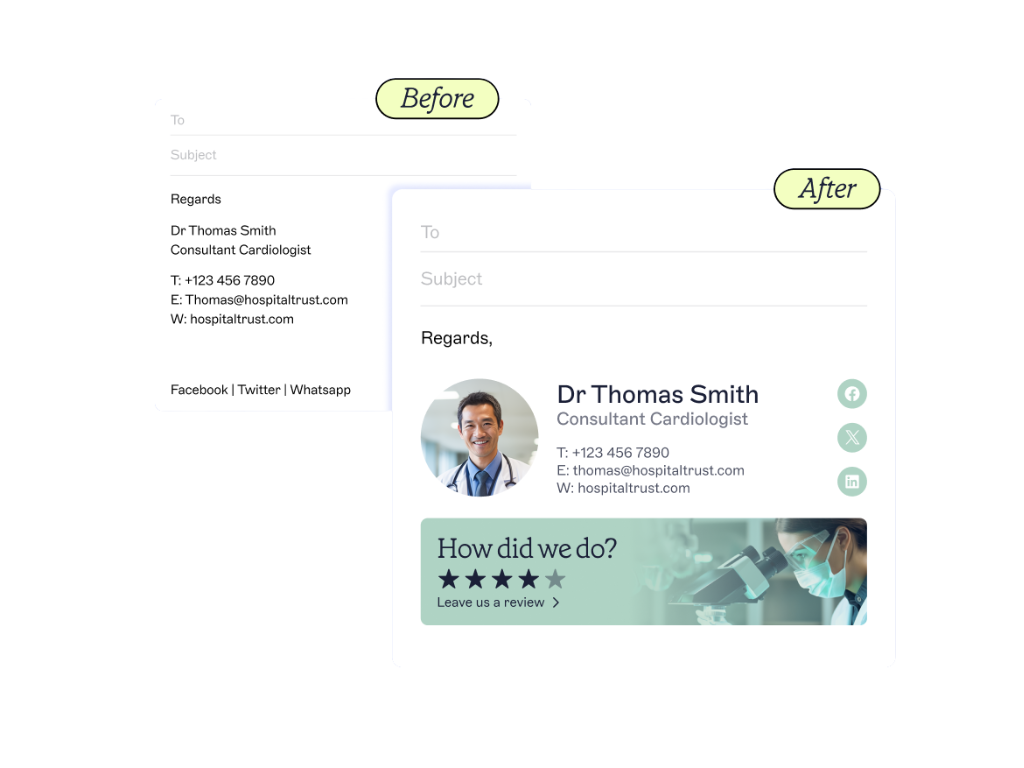
How do I centrally manage email signatures in Microsoft 365 or Google Workspace?
Audit existing signatures: Review current signatures across devices and departments for branding inconsistencies, outdated contact details, and missing or incorrect disclaimers.
Define requirements: Confirm required fields, brand guidelines, legal disclaimer language, and any department- or region-specific variations.
Choose a deployment method: Server-side (signature injected in the cloud after sending, works across all devices, including mobile) or client-side (add-in shows signature while composing in Outlook or Gmail).
Connect your directory: Integrate with Microsoft Entra ID or Google Directory so employee name, title, department, phone, and location update automatically.
Build role-based templates: Create separate designs by department, seniority, region, and campaign using rules.
Add legal disclaimers: Apply jurisdiction-specific language centrally so it cannot be modified by end users.
Test rendering: Verify each template in Outlook Desktop, Outlook Web App, Outlook Mobile, Gmail, Apple Mail, iOS Mail, and Android Mail.
Deploy and restrict: Push templates to all users and lock brand and compliance elements against end-user editing.
Track performance: Use analytics to monitor click-through rates on campaign banners and track template compliance.
Review quarterly: Update templates after rebrands, mergers, legal changes, regulatory updates, or product launches.
Accessibility
Ensure the platform is web-based and accessible from any location. It should support global availability without relying on outdated on-premises solutions.
Web-based management
Centralized control dashboard
Email platform integration (Microsoft 365, Google Workspace, Exchange)
Data management
Integrate with your directory services (e.g., Microsoft Entra ID, Google Workspace Directory) to ensure user data is always up to date.
Auto-fill employee details
Real-time sync and updates with no manual input
Flexibility
Your platform should allow creative freedom for Marketing and tailored control for IT.
- Drag-and-drop design editor
Custom templates by department, region, or campaign
Deployment and integration
Ease of implementation is essential. Look for low-friction deployment and role-based access.
Fast setup with minimal disruption
Role-based access control for cross-team collaboration
User-friendly design
Make sure the system is accessible to non-technical users.
- One central branding hub
Accessible for HR, Marketing, and Compliance teams
Preview mode for every user group
Signature assignment
Assign specific templates to specific user groups or individual employees based on directory attributes.
Rule-based targeting
Easy visibility and audit trail for who has what
Scheduling and tracking
Plan and measure the impact of your signatures in advance.
Pre-schedule signature campaigns
Use email signature analytics to track impressions, clicks, and conversions
Security and resilience
Look for SOC 2, ISO 27001 certifications, and compliance with GDPR and other global regulations.
Encrypted data handling
Redundant cloud hosting with 99.99% uptime
Regional data processing and sovereignty controls
Did you know? Exclaimer is the only email signature management provider that holds SOC 2 Type II, ISO 27001, and ISO 27018 certifications.
How email signature management supports branding and marketing
Even though the IT team often owns the tools, email signature management plays a major role in Marketing's ability to project brand identity and drive engagement.
 When managed centrally, email signatures provide a reliable, scalable, and measurable brand channel used in every business interaction.
Here’s how a modern email signature manager supports brand and marketing goals:
1. Reinforcing brand identity
A branded email signature enhances brand perception across all communications. Elements like your logo, brand colors, typography, and tagline are important visual cues that reinforce your brand’s image.
2. Creating opportunities for the marketing team
Marketers can increase ROI with email signature marketing. By adding promotional banners, CTAs, and social media icons, business emails can quickly become an engagement vehicle.
3. Improving trust and professionalism
A clean, organized signature reinforces your reliability and brand consistency to build trust that lasts. This is especially critical in legal, financial, or healthcare sectors.
4. Enhancing consistency across large teams
For organizations managing hundreds or even thousands of employees, consistency in email signatures becomes a cornerstone of brand recognition. This applies to everyone, from the CEO emailing a client to a junior team member reaching out to a vendor.
5. Measurement and analytics
Dynamic email signatures with clickable elements can also provide valuable data. Organizations can track clicks, measure customer engagement, and adjust campaigns based on performance metrics.
Did you know? 94% of marketers say that consistently branded signatures have a positive impact on email engagement rates.
How different industries use email signature management software
No matter your sector, managing email signatures at scale presents unique challenges, from legal disclaimers in regulated industries to branding consistency in distributed teams.
A centralized email signature manager solves these problems by automating signature control, improving compliance, and enabling department-level customization.
Financial services
Challenges: Missing disclaimers in trades, outdated licensing details, jurisdiction-specific disclosures.
Solution: Automated compliance enforcement for FINRA, SEC 17a-4, GDPR, and GLBA; audit-ready change tracking.
Impact: Reduced IT workload while ensuring every communication meets regulatory standards.
Legal
Challenges: Managing email signatures across practice groups, missing confidentiality disclaimers, staff making unauthorized edits.
Solution: Centralized templates with jurisdiction-based disclaimers (GDPR, HIPAA, ABA, SRA); professional, consistent layouts across all devices.
Impact: Lower compliance risk and stronger professional presentation in client-facing communications.
Construction
Challenges: Distributed teams, missing safety notices, inconsistent branding across projects.
Solution: Centralized platform with automated compliance for CDM, GDPR, and CMMC; directory sync for accurate field and HQ details.
Impact: Clear, consistent communication across job sites, offices, and contractors.
Manufacturing
Challenges: Global operations, inconsistent formatting between plants, and audit requirements.
Solution: Standardized branding across shifts and regions; audit-ready change tracking; directory sync for real-time accuracy.
Impact: Reduced IT tickets and compliance confidence during audits.
Education
Challenges: Distributed faculties, departments, and campuses running a mix of Microsoft 365 and Google Workspace.
Solution: Email signature management for education; Signature Rules scoped by Microsoft Entra ID or Google Directory groups, by faculty, department, or campus; sector-specific pricing available. Deeper guide: Email signatures for universities and schools (coming soon).
Impact: Fewer IT tickets and consistent, compliant communication across academic and administrative units.
Public sector
Challenges: Disconnected systems, accessibility standards, lack of audit controls.
Solution: Secure, compliant signatures aligned with ADA/WCAG and FOIA requirements; U.S.-based hosting and support for data sovereignty.
Impact: Consistent branding and compliance across departments, with reduced IT overhead.
Tip
Industry-specific implementation of an email signature manager makes it easy to enforce policies, localize branding, and remain compliant without adding overhead to IT.
How is email signature management technology evolving?
Email remains the most widely used communication tool in the business world and managing email signatures is no longer just a compliance task. It’s becoming a strategic marketing and brand control function.
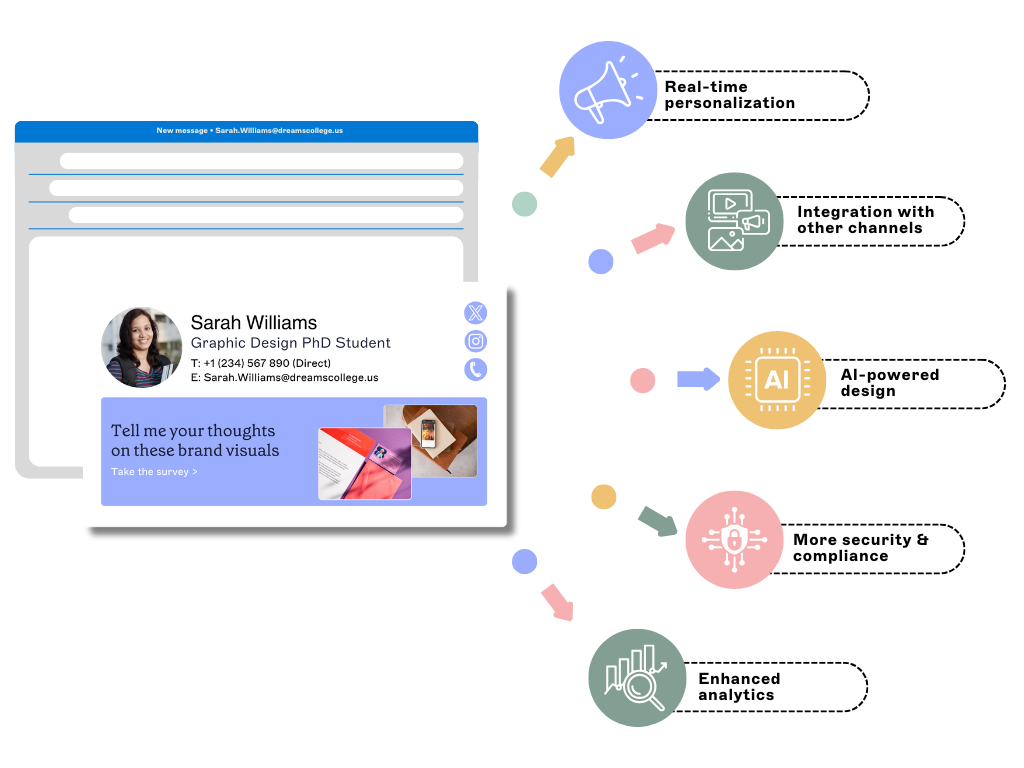 As organizations evolve, so must the tools they use. Here's what the future holds for email signature managers:
1. Real-time personalization
Personalized email signature experiences will become more prevalent. This means solutions will use real-time data to update signatures based on the recipient or sender's information.
2. Omnichannel integration
Email signature management will increasingly integrate with other communication channels. These will include CRM platforms and video conferencing tools.
3. AI-powered design suggestions
With advancements in artificial intelligence (AI), email signature management solutions may offer AI-powered design suggestions for users. This will make it easier to create professional-looking signatures without any design knowledge.
4. Enhanced compliance and security
As cybersecurity threats continue to evolve, email signature management solutions will prioritize new security and compliance features. They will offer even more security measures to protect sensitive information in email signatures.
5. Advanced analytics for ROI measurement
With the rise of big data, email signature management software will offer more enhanced analytics features. These will allow companies to track signature usage to individual users, gather valuable insights, and make more informed decisions about marketing strategies.
Key takeaway
Forward-thinking organizations are already using AI and automation to turn email signatures into a dynamic, data-driven marketing asset.
Final thoughts: Why managing email signatures centrally just makes sense
Email is still the main way organizations communicate and isn't going away anytime soon. Professional email signatures are important because they're more than just electronic business cards; they represent your brand.
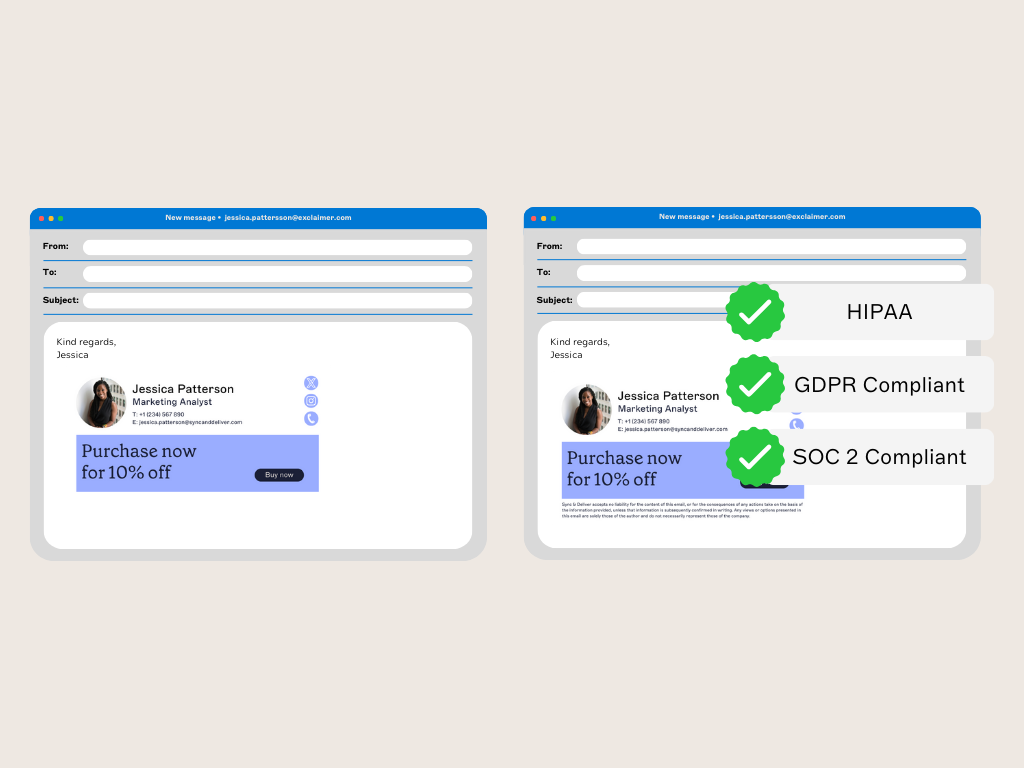
But updating email signatures is a tedious and time-consuming task that places a significant burden on IT administrators. Common issues occur from signatures appearing at the bottom of email chains to images not displaying correctly have plagued IT for years.
A centralized email signature manager ensures:
Every signature is accurate, compliant, and consistently branded
No more manual updates or IT tickets for formatting issues
Marketing can run campaigns without sending additional emails
Legal and compliance teams can enforce disclaimers across all users
Admins have full visibility and audit control
Whether you're planning a rebrand or just tired of chasing inconsistent signatures, a professional platform removes the guesswork.
That's why IT leaders at 80,000+ organizations trust Exclaimer to simplify, secure, and scale their email signature management across Microsoft 365, Google Workspace, and hybrid environments, managing over 20 billion email signatures every year. Get a free trial today.