Dave is a marketing expert with 15 years experience in the tech and SaaS world. He specializes in educating IT and channel audiences, with a focus on security, privacy, compliance, and marketing technology. With a talent for storytelling and a deep understanding of the industry, Dave transforms complex IT topics into clear, engaging, and impactful narratives.
What is an MX record? How email gets routed to your inbox

TL;DR
An MX (Mail Exchange) record is a DNS record that tells other mail servers which server accepts email for your domain.
When someone sends you an email, their mail server looks up your domain's MX record to find out where to deliver the message.
Each MX record has a priority value, and because the lowest number wins, you can list several records so mail fails over to a backup server when the primary is unavailable.
An MX record must point to a hostname that resolves to an A or AAAA record. It can't point to an IP address directly, and it can't be a CNAME.
Changes take effect once DNS propagates, which can take anywhere from 15 minutes to 72 hours, so plan any migration with that window in mind.
MX records get email to you, while SPF, DKIM, and DMARC decide whether mail claiming to be from you is trusted.
One DNS record decides whether email to your domain arrives at all: the MX record (short for Mail Exchange record). It tells other mail servers where to deliver your mail. Get it wrong, and messages bounce, vanish, or land somewhere you never intended.
Any domain that receives email needs at least one MX record. It answers a single question for any sending server: where should mail addressed to this domain go?
The MX record works the same way as an A record, the DNS record that points your domain to your website's server, except it points at your mail server instead. That's why the two can run on completely different servers.
Getting mail delivered is only half of what matters here. Recipients also judge whether to trust what lands, and that scrutiny is rising. In Exclaimer's How People Really Communicate 2026 study (OnePoll, 2,000 UK/US adults), 41% of people said they'd questioned whether a message they received was genuine.
How do MX records work?
When you send an email, your mail server doesn't already know where the recipient's inbox lives. It finds out by looking up the recipient domain's MX record, then hands the message to the server that record names.
The mail delivery process
The whole routing decision happens on the sending side, in seconds, every time a message goes out:
Someone sends a message to [email protected]. Their outgoing mail server, the MTA (Mail Transfer Agent), needs to find the server that accepts mail for example.com.
The MTA queries DNS for the MX records of example.com.
DNS returns every MX record for the domain, each with its priority value.
The MTA picks the record with the lowest priority number, then looks up that hostname's A or AAAA record to get its IP address.
It opens an SMTP connection to that server and delivers the message.
If that server doesn't respond, the MTA works down the list to the next record.
Because this lookup runs fresh on every send, your published MX records are the single source of truth for where your mail goes.
What an MX record looks like
In raw DNS form, a single MX record reads like this:
example.com. 3600 IN MX 10 mail.example.com. Each part does a specific job:
Field | What it means | Example |
Name / host | The domain the record applies to | example.com |
TTL | How long other servers cache the record, in seconds | 3600 |
Class | Always IN (internet) for public DNS | IN |
Type | The DNS record type | MX |
Priority | Preference value; the lowest number is tried first | 10 |
Target / value | Hostname of the server that accepts mail for the domain | mail.example.com |
The trailing dot after mail.example.com. marks it as a fully qualified domain name (FQDN): the complete path in the DNS hierarchy. Some DNS management consoles add it automatically; others require you to type it. MX record format and syntax are defined in RFC 1035.
How does MX record priority work?
The priority value on an MX record sets the order in which sending servers try your mail servers, and the lowest number is tried first.
How priority values work
Every MX record includes a priority number from 0 to 65535~~.~~ , known in the DNS standards as a 'preference' value and commonly called 'priority' in practice. Sending servers attempt the lowest number first, then work upward if that server can't be reached.
Say a domain publishes three MX records:
example.com. 3600 IN MX 10 mail1.example.com. example.com. 3600 IN MX 20 mail2.example.com. example.com. 3600 IN MX 30 mail3.example.com. Mail goes to mail1 first, because 10 is the lowest number. If mail1 is unreachable, sending servers try mail2, then mail3. The values themselves are arbitrary; only their order matters, which is why admins space them in tens to leave room for another server later without renumbering.
The rule runs against intuition. A lower number means higher priority, so a record set to 10 is preferred over one set to 20. Setting it backward is one of the most common MX misconfigurations, so it's worth a second look.
MX record format is defined in RFC 1035, and MX selection behavior, including the fallback sequence, is described in RFC 5321.
Multiple MX records and backup mail servers
Publishing more than one MX record is how a domain gets redundancy. If your primary server goes offline, sending servers fall back to the next one in priority order, and mail keeps being accepted instead of bouncing.
Priority also controls how inbound load is shared. When two or more MX records have the same priority number, sending servers treat them as equals and spread messages roughly evenly across them.
A backup server only protects you if it's actually configured to accept and queue mail for your domain, then forward it once your primary recovers. An MX record pointing at a server that was never set up to hold your mail gives you the look of redundancy without the protection.
What an MX record can and can't point to
An MX record must point to a hostname that has its own A or AAAA record. It can't contain an IP address directly, and it can't point to a CNAME. The CNAME rule in particular is set by the DNS standards, and breaking it causes unpredictable delivery.
The target of an MX record has to be a hostname (a domain name, such as mail.example.com) and that name needs its own A record (for an IPv4 address) or AAAA record (for IPv6). A sending server reads the MX record to get the hostname, then resolves that hostname to an IP address before connecting. Two types of target are specifically prohibited.
No direct IP addresses
You can't drop an IP address straight into the record. A value like MX 10 192.0.2.1 is invalid because the field takes a hostname, not an address, and an IP address isn't one. It's an easy mistake, and a common reason a new record fails silently.
No CNAME targets
The CNAME restriction is the one that trips people up most. An MX record must not point to a CNAME, which is a DNS alias that redirects one hostname to another. The prohibition is written into the standards: RFC 2181 (section 10.3) states that the target of an MX record must not be an alias, and RFC 5321 (section 5.1) sets the matching expectation that the target resolves directly to an address record.
When a sending server resolves your MX target, it expects to reach an address record straight away. A CNAME forces an extra layer of redirection that the standard doesn't allow, and mail servers don't handle it consistently, so delivery works from one sender and fails from another. Point your MX record at a hostname backed by a real A or AAAA record and the problem disappears.
Here's a summary of valid and invalid MX targets:
Valid:
example.com.      3600  IN  MX  10  mail.example.com.
mail.example.com. 3600  IN  A       192.0.2.10
Invalid:
; IP address in the target field — not allowed
example.com.  3600  IN  MX  10  192.0.2.10

; MX pointing at a CNAME — not allowed
example.com.       3600  IN  MX     10  alias.example.com.
alias.example.com. 3600  IN  CNAME      mail.example.com.
How to set up MX records
Setting up an MX record means adding it in your DNS host's control panel, pointing it at your mail provider's server, and allowing time for the change to propagate. Your provider tells you the exact values to use.
General steps
The process is the same wherever your DNS is hosted, though field labels vary between registrars:
Sign in to the DNS host that manages your domain, usually your registrar or wherever your nameservers point.
Go to the DNS records section and find the MX records.
Remove any old MX records left by a previous email provider. Leftover records are the most common reason mail routes to the wrong place.
Add a new MX record using the values your provider gives you. In almost all cases, the host is your root domain (entered as @ or left blank) and the type is MX, while the priority and target hostname come from the provider.
Save the record, then allow anywhere from 15 minutes to 72 hours for it to propagate.
If you're planning ahead, lowering the record's TTL to 3600 (one hour) the day before helps the new values take effect faster.
Microsoft 365
Microsoft 365 gives each domain its own MX value, so copy it from the admin center rather than using a generic example. Go to Settings, then Domains, select your domain, and open the DNS records tab. The value follows the pattern your-domain-com.mail.protection.outlook.com at priority 0, which keeps Exchange Online as the primary route, though Microsoft has begun issuing newer domains a value on its mx.microsoft format.
Since July 2026, Microsoft has issued newer domains an MX value under its mx.microsoft format instead, to support DNSSEC. Add the value shown for your domain, then verify from the admin center once it has propagated. Add the value shown for your domain, then verify from the admin center once it has propagated.
Google Workspace
Google Workspace simplified its setup in 2023 to a single record: host @, type MX, priority 1, value smtp.google.com. Domains created before 2023 may still run the older five-record set beginning with ASPMX, which Google continues to support, so a working configuration doesn't need changing. For a new domain, use the single record and clear out any previous provider's records first.
How to verify your MX records
Once the record has propagated, you can query it directly from the command line:
macOS or Linux:
dig MX example.com
Windows:
nslookup -type=mx example.com
Both return the MX records currently published for the domain, with their priorities.
Example output:
example.com.  3600  IN  MX  10  mail.example.com.
example.com.  3600  IN  MX  20  backup.example.com.
In this output, 10 and 20 are preference values. Mail goes to mail.example.com. first. If you see hostnames you didn't configure, that's the most common sign of stale records from a previous provider.
If you'd rather stay out of the terminal, a tool such as MXToolbox shows the same information in a browser. Check that the published records match what you entered and that none of the old ones remain.
How do MX records relate to SPF, DKIM, and DMARC?
MX records decide where your incoming mail is delivered. Email authentication decides whether mail claiming to come from you can be trusted. They're separate systems, and a domain needs both working correctly.
An MX record handles inbound routing, but says nothing about whether a message claiming to be from your domain is genuine. That's the job of three DNS records that work alongside it, all published as TXT records:
SPF (Sender Policy Framework) lists the servers allowed to send email on behalf of your domain, so receivers can spot messages sent from anywhere else.
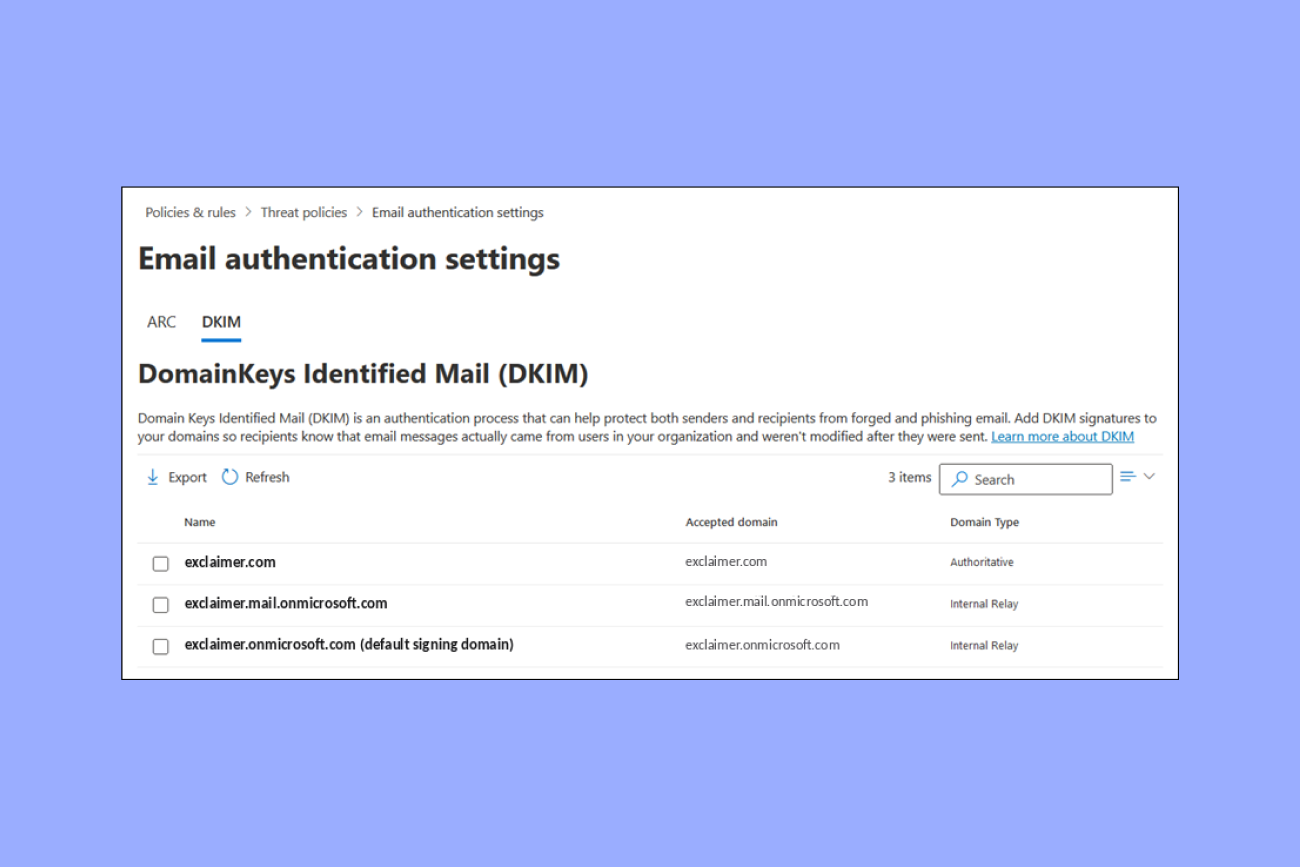
DKIM (DomainKeys Identified Mail) adds a cryptographic signature to your outgoing mail, letting receivers confirm the message wasn't altered in transit and really came from your domain.
DMARC (Domain-based Message Authentication, Reporting and Conformance) sets a policy telling receivers what to do with messages that fail those checks, and reports back on messages that fail authentication.
In Exclaimer's State of Business Email 2025, a survey of 4,009 IT leaders, fewer than one-third of organizations had implemented DMARC, DKIM, or SPF. It became more pressing in 2024, when Google and Yahoo began requiring bulk senders to authenticate their mail.
Authentication also matters because recipients judge legitimacy for themselves. In the U.S. cut of the same How People Really Communicate 2026 study, 35% named a professional email address on the company domain as a top signal that a message is trustworthy, and 23% named a professional, branded email signature. A correctly routed email still has to look credible when it lands.
What happens when MX records are misconfigured
When MX records are wrong, the result is nearly always the same. Email stops arriving, or arrives somewhere you didn't intend. Almost every case comes down to one of a few specific mistakes.
Most MX problems come down to one of a few specific configurations:
No MX record: Per RFC 5321, if a domain has no MX record, SMTP clients may fall back to the domain's A or AAAA record. This fallback isn't reliable across all implementations and isn't standard practice. Any domain that needs to receive email reliably should publish MX records. The most common causes are a domain set up for a website with email never configured, or a record deleted by accident.
Backward priority: An old provider's record left at a lower priority number than your current one silently routes mail to the wrong server.
CNAME target: An MX record pointing to a CNAME delivers inconsistently, working from some senders and failing from others.
No A or AAAA record for the MX target: If the hostname your MX record points to doesn't have a matching address record, sending servers can't connect to it.
Stale records after migration: Records from a previous email provider split mail between old and new systems until they're removed and DNS propagates.
The common thread is that most MX problems trace back to records that shouldn't be there. When something breaks, check what's published with dig, nslookup, or MXToolbox and compare it against what should be live.
MX records and email signature management
The same IT team that controls where email is routed also controls what every message looks like once it lands. MX records handle the routing, while email signatures carry that identity, both running through the same mail server.
Once your MX records and authentication are in place, mail gets where it's going and receivers can verify it came from you. What the recipient actually reads, though, is the message itself, including the email signature. It carries names, titles, contact details, disclaimers, and branding, and as the How People Really Communicate research showed, those details are part of how people use to judge whether a message is legitimate.
Getting that right at scale is harder than it looks. In Exclaimer's State of Business Email 2025, 35% of IT teams named email signature management one of their two most time-consuming tasks. Done manually, that means editing email signatures mailbox by mailbox, pushing template changes across departments, and trusting nobody has quietly rewritten their own.
There's a more direct route, through the same layer as your MX records. Because mail passes through the mail server, email signatures can be applied there server-side, not on each device.
Exclaimer's cloud solution works exactly this way:
Signature Rules apply consistent templates centrally, with employee data pulled automatically via Directory Sync from Microsoft Entra ID or Google Workspace.
Deploying it for Microsoft 365 or Google Workspace needs no changes to your MX records or mail routing.
Trusted by 80,000+ organizations, it puts email signature management in the hands of the same team that already manages the domain's DNS.
Handled this way, an email's identity gets the same server-level reliability as its route to the inbox. See how Exclaimer manages email signatures at that level, with no changes to your MX records required.