James is an experienced product specialist with a strong background in the IT and SaaS industry. As Senior Product Marketing Manager at Exclaimer, he plays a key role in showcasing the value of centralized email signature solutions and transforming them into a powerful communication tool for organizations.
What's new in Exclaimer: November 2026
Key takeaway
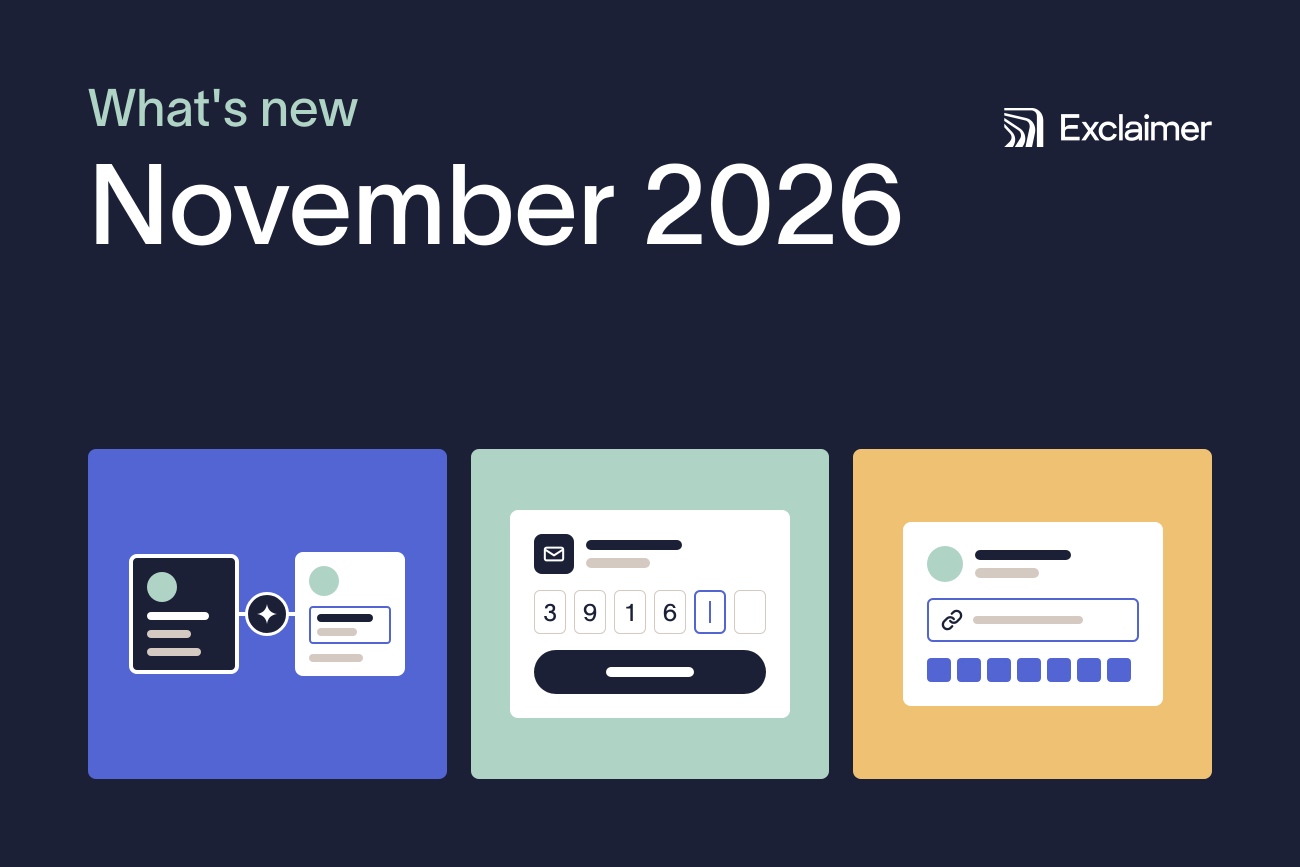
Signature Converter: Upload a screenshot of an existing email signature, and Exclaimer rebuilds it as an editable template. Available now to organizations in the United States.
Sign in with a one-time passcode: People who lose access to their single sign-on (SSO) can get back in with a code sent to their email, without contacting Support. Available to all customers.
Welcome back. This month marks the launch of Exclaimer’s very first AI-assisted feature, something I'm incredibly proud to share. Signature Converter is now available to organizations in the United States, and you can use it right now. Simply upload a screenshot of an email signature you already use, or have designed elsewhere, and it rebuilds it as an editable template that's ready to refine and deploy.
We expect to build on this, and we're exploring options to bring it to customers worldwide. Using AI to make workflows in Exclaimer more straightforward is a theme we plan to explore in more detail in 2027.
Also in this update: Signing in with a one-time passcode if you lose access to single sign-on, a redesigned Day 14 screen for expired trialists, invite links that last seven days, and fixes for the Signature Designer, the User Details Editor, email processing, and registration.
Highlights
Signature Converter: Turn the email signature you already have into a template
Available to customers and trialists in the United States, for Microsoft 365 and Google Workspace.
Until now, turning an existing email signature into a template meant picking a library design that was close enough and editing it, or rebuilding it element by element.
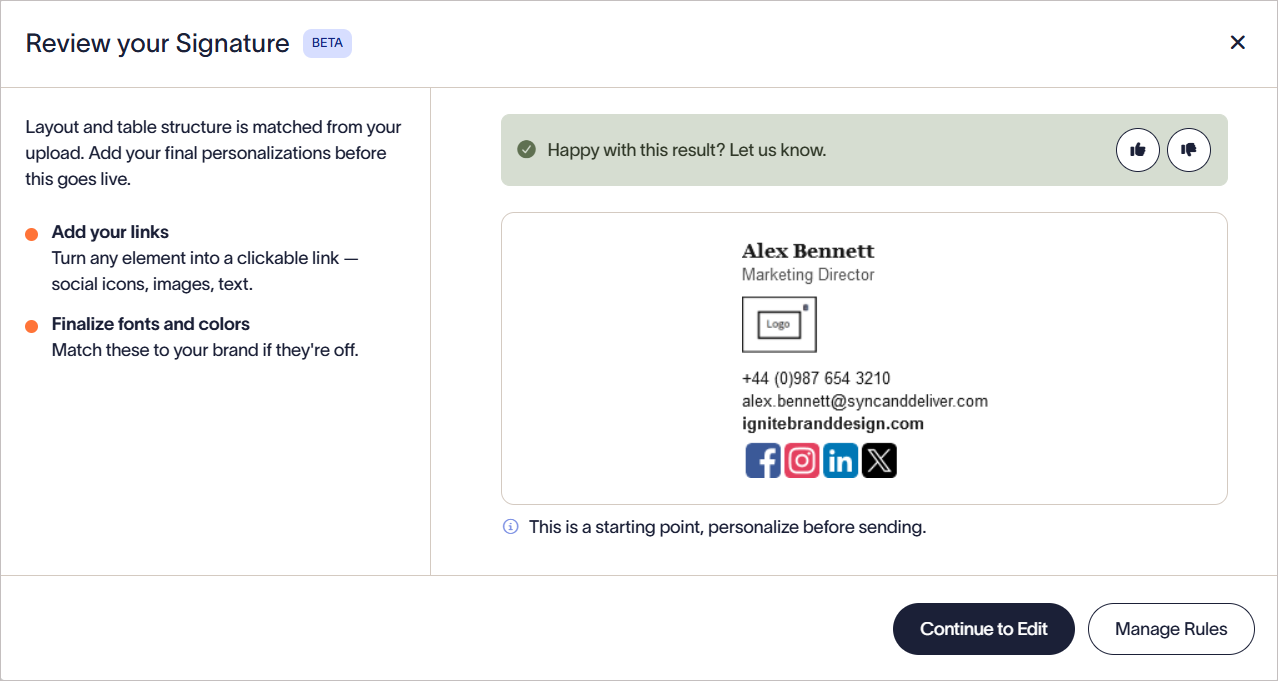
Signature Converter takes much of that design work off your plate. Upload a screenshot or design as a PNG or JPG (up to 5 MB), and Exclaimer analyzes the layout, text, icons, and images. The feature then builds an editable template in the Signature Designer for you to refine and deploy.
Built using your layout. The template follows the structure of your example using tables, groups, rows, and columns.
Auto-identified dynamic fields. Personal fields such as name, job title, and contact details are applied as directory placeholders, ready to be filled from employee profiles. This means they stay accurate without manual edits.
Refine your design. After conversion, you can preview the template and check images, hyperlinks, fonts, and colors before you start editing.
Since launch, we’ve already made several improvements based on customer feedback.
Your own images come across. Logos, banners, icons, and badges are now cropped from the screenshot and embedded in the imported email signature. The user photo and any image that can't be cropped cleanly still use a placeholder. We still suggest swapping cropped images for high-quality versions.
Social icons keep their original look. Social icons now match the original, including colors and icon shape (square, rounded square, or circle).
Speed improvements. Signature Converter now runs on Claude Sonnet 5.5 instead of Sonnet 4.6. A conversion takes about 11 seconds on average, down from 24.
We know that not every organization can or wants to use AI functionality, which is why Signature Converter is turned off by default. An admin turns it on in Feature Settings and can turn it off at any time. Note that Exclaimer doesn't keep the uploaded screenshot after conversion. You can read how your data is handled in the Trust Center.
Who's affected: Admins and anyone with the Administrator, Editor, or Designer role.
What to do: Ask an admin to turn on Signature Converter in Feature Settings. Then open the Signatures pane, select Create Signature, and upload a screenshot.
Learn more: Signature Converter announcement and Convert an image to a signature template
Sign in with a one-time passcode if you lose access to SSO
Available to all customers
People who lose access to their single sign-on (SSO) login can now request a one-time passcode (OTP) to get back into their account. Before, they had to contact Support to have SSO removed, set a temporary password, and then go through the reset password flow.
Who's affected: People who sign in with SSO.
Learn more: Logging in to Exclaimer
Improvements
Day 14 screen for expired trialists. Microsoft 365 and Google Workspace trialists whose 14-day trial has ended without a purchase now see a redesigned Day 14 screen in place of the old portal screen. Before, the end of the trial and the next steps were hard to spot, and trialists landed on a screen with no context. Now the screen offers two clear next steps: "Continue with Pro" or "Extend trial".
Invite links last seven days. The link in an invitation to join an Exclaimer subscription as a user now expires after seven days instead of one hour, so invited users are less likely to miss the window.
Fixes
Signature Designer
Hyperlinks on images now handle spaces and special characters in a field value the same way text hyperlinks do. Before, a link on an image built from a value such as a city name with a space could break or cut off at the space. Links now go where you meant them to.
User Details Editor
Custom Attribute field names no longer revert to English in a French browser after you save data in them. The names stay translated while you work.
Email processing
Fixed an issue with concurrent jobs that intermittently caused emails to be delivered without an email signature.
Sent Items copies now get the email signature when the subject starts or ends with a space, which happens most often on replies and forwards. The Sent Items copy now matches what recipients received.
Fixed a bug where some messages were bounced with "Message rejected due to your Exclaimer Cloud integration being incomplete", even though setup was correct. A short-lived failure to read the certificate caused it, and a database driver bug behind that failure has been fixed.
Registration and purchase
New users registering can no longer enter a phone number longer than 20 characters. An over-long number stopped the subscription from being created.
Trialists buying a subscription now see the price for the number of seats they enter on the purchase page. Before, the page kept showing the price for their trial seat count, even after they changed the number.
Questions or feedback? Click here.
That's the round-up for this month. Our Product Team would love to hear what Signature Converter does with your screenshots, whether that’s good or bad. And make sure to let us know what you'd like us to build next.
Until the next one!