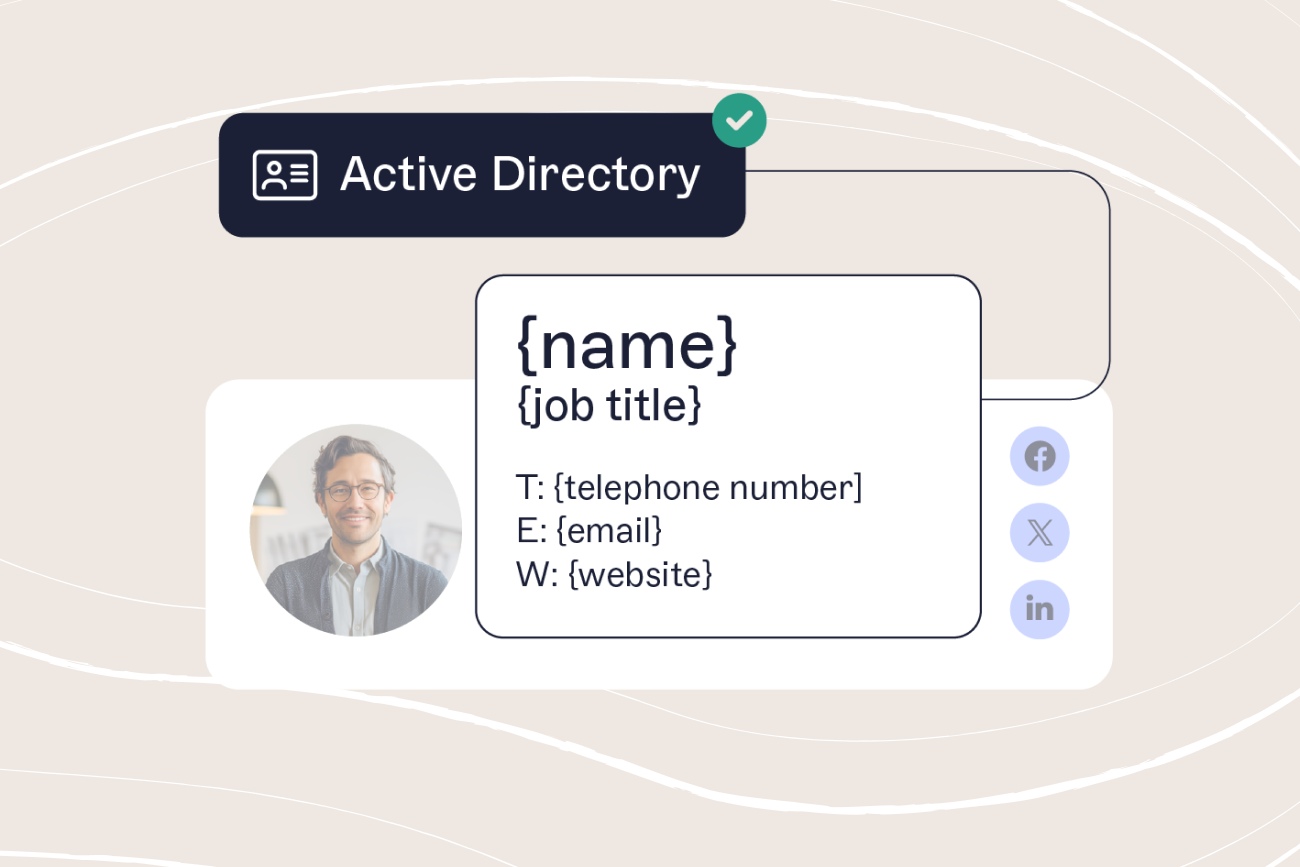
Email signature format: How to structure a clear and effective email signature
5 March 2026
0 min read
TL;DR
Email signature format refers to the structure and layout used to organize contact details and branding at the end of a business email.
A clear format typically includes name, job title, company name, phone number, and website, with optional elements like social links, banners, or disclaimers.
Placing the most important information first helps recipients quickly identify the sender and find contact details.
Different roles may use slightly different layouts, but simple, consistent structures are easiest to read across devices and email clients.
Following formatting best practices—such as keeping signatures concise, using compatible fonts, and optimizing images—helps ensure signatures display correctly.
Organizations can maintain consistency by standardizing signature templates and applying updates centrally across all users.
Email signature format refers to the structure used to organize contact details and branding at the end of a business email. A clear format helps recipients quickly identify who sent the message and how to respond.
Most business email signatures include key details such as the sender’s name, job title, company name, and contact information. Additional elements like website links, social profiles, banners, or legal disclaimers may also appear depending on the organization.
The way these elements are arranged matters. A well-structured email signature layout keeps information easy to scan and helps organizations maintain consistent communication across every email.
In this guide, we explain the recommended email signature format, the key elements every signature should include, and practical layout examples that keep signatures clear, professional, and easy to read.
If you're looking for examples of a professional email signature, see our guide for specific email signature examples.
What is an email signature format?
An email signature format is the structure used to organize contact details and branding at the end of a business email. It defines the order and layout of the information included in the signature.
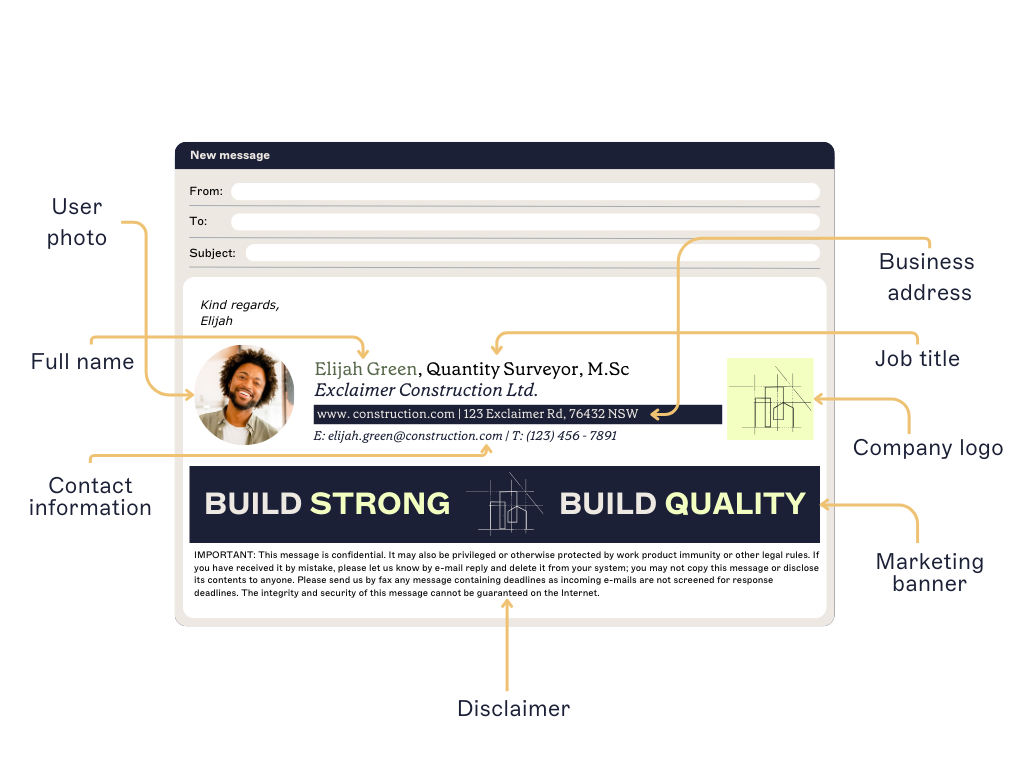 A clear format helps recipients quickly identify the sender and find the right contact information.
Most business email signatures include:
Name
Job title
Company name
Phone number
Website or social links
Some organizations also add elements such as meeting booking links, promotional banners, or email disclaimers.
When signatures follow a consistent format, emails remain easy to read and organizations can maintain a clear and professional communication standard across every employee.
Recommended email signature format
A clear email signature format follows a consistent structure so recipients can quickly scan the sender’s information.
Most business email signatures use the following layout:
Core elements (always include) | Optional enhancements |
|---|---|
Full name | Social media icons |
Job title | Email banners |
Company name (optional, if appears in logo) | Photo image |
Phone number (with country area code) | Feedback surveys |
Email address | Custom links like appointment booking |
Website URL | Award or certification images |
Company postal address | |
| Email disclaimer |
A simple email signature layout may look like this:
Jane Smith Marketing Manager | Example Company | ||||||
|
This structure places the most important information at the top while keeping additional elements, such as banners or disclaimers, toward the bottom of the signature.
Using a consistent format keeps signatures easy to read and helps organizations maintain clear communication across every email.
Email signature format examples
Email signature formats can vary depending on the sender’s role, industry, and communication goals. While most signatures follow the same basic structure, the layout and additional elements often change based on how the signature is used.
The examples below show several common email signature formats used in business communication.
Corporate email signature with contact details and banner

This email signature layout combines clear contact information with a promotional banner.
Key elements include:
- Name and job title at the top
- Direct contact details
- Social icons for additional communication channels
- A banner highlighting company achievements or news
- A legal disclaimer at the bottom
This format works well for organizations that want to maintain professional contact information while also promoting company announcements or campaigns.
Healthcare email signature with promotional banner

In healthcare settings, email signatures often include promotional messaging alongside essential contact details.
This layout includes:
- Sender name and role
- Direct contact details
- Organization branding
- A banner encouraging new patient registrations
- A longer legal disclaimer to address privacy and compliance requirements
Industries such as healthcare often require more detailed disclaimers, which are typically placed at the bottom of the signature so they do not interfere with the main contact information.
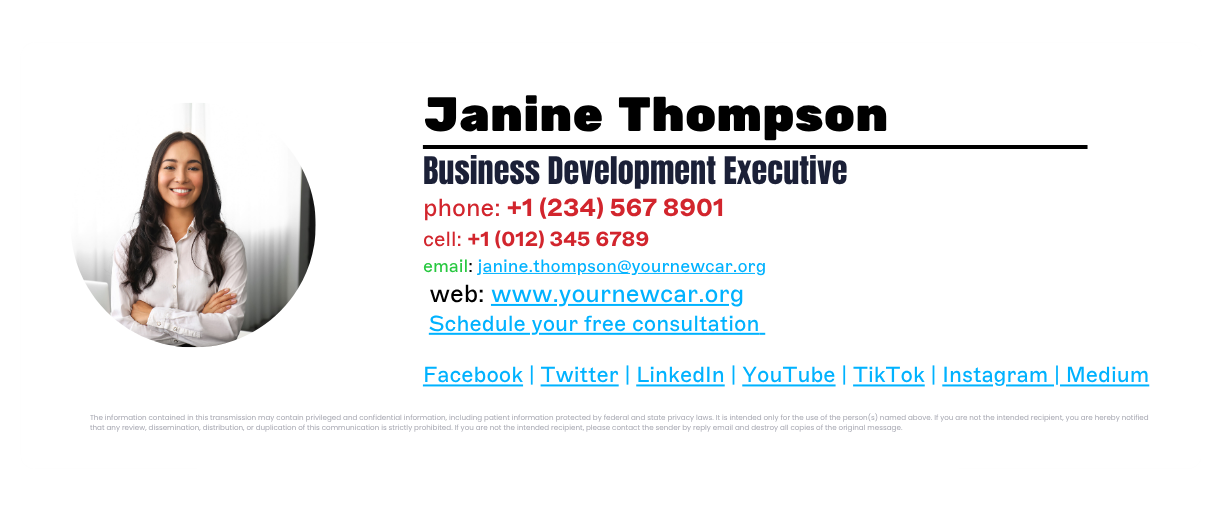
Brand-focused email signature format

Some organizations design signatures around strong brand visibility.
In this format:
- The company logo is a prominent visual element
- Sender information is placed alongside the logo
- Action links allow recipients to book calls or access services
- A disclaimer appears below the contact information
This layout works well for companies that want their brand identity to stand out while still keeping the signature structured and easy to read.
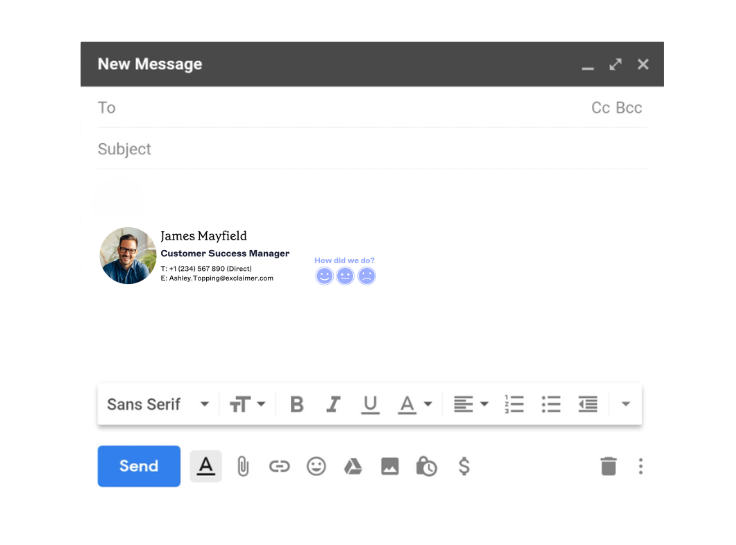
Email signature with feedback request

Email signatures can also support customer feedback and engagement.
This example includes:
- A professional headshot for personal recognition
- Contact details and company information
- A one-click feedback survey embedded in the signature
This type of layout is often used by customer service or sales teams to gather quick feedback after interactions.
Email signature formatting best practices
A clear email signature format keeps contact information easy to read while maintaining a professional appearance. Following a few formatting best practices helps ensure signatures display consistently across devices and email clients.
Keep the signature concise
Email signatures work best when they include only essential information. Limiting the number of elements keeps the signature easy to scan and prevents it from distracting from the email itself.
Use HTML tables to structure layout
HTML tables are the most reliable way to build a professional, responsive signature that works across email clients like Outlook, Gmail, and Apple Mail.
Use rows and columns to organize elements
Apply padding between sections for clarity
Set fixed widths to ensure mobile-friendliness
For complex layouts, nest tables as needed
Optimize images and banners
Images should be optimized so they load quickly and display consistently across email platforms. Banners are often placed beneath contact details so they support communication without interrupting the signature layout.
Stick to standard image formats
We recommend JPG, JPEG, PNG, or GIF files for logos and icons. Use consistent sizing, and always include descriptive alt text in case images don’t load.
Hosting images online (instead of embedding) helps avoid attachment issues in some email clients. You should also include alt text for each image. This is in case they don't show up correctly when a recipient receives your email.
Avoid clutter in your email signature format
Simple layouts render better across platforms and reduce formatting errors. To maintain a sharp appearance:
Use web-safe fonts like Arial or Helvetica
Stick to one or two font sizes and colors
Don’t overload with graphics or banners
Avoid animations or large file sizes
Ensure the signature works on mobile devices
Many business emails are opened on mobile devices. Signatures should remain readable on smaller screens, with clear text, simple layouts, and links that are easy to tap.
To see how your formatting will render, try our free email signature generator.
Email signature mistakes to avoid
Even when the right elements are included, poor formatting can make an email signature harder to read or inconsistent across an organization. Avoiding a few common mistakes helps keep signatures clear and professional.
Including too much information
Signatures that contain multiple phone numbers, addresses, social profiles, and graphics can quickly become cluttered. Limiting the signature to essential contact details keeps the layout easy to scan.
Using oversized images or banners
Large graphics may not display correctly in every email client and can increase email load times. Images should be optimized so they appear consistently across devices.
Adding too many social icons
Social links can provide useful context, but including too many social icons can disrupt the visual balance of the signature. Most signatures benefit from including only one or two relevant platforms.
Using inconsistent formatting
When employees create their own signatures manually, fonts, spacing, and layouts often vary. This can lead to inconsistent branding and make communication appear less professional.
Placing promotional content above key information
Contact details should appear at the top of the signature. Banners or promotional content should appear below the sender’s name and contact information so they do not distract from the primary details.
How to keep email signature formats consistent across an organization
Maintaining a consistent email signature format across an organization can be challenging when employees manage their own signatures. Different layouts, fonts, and contact details can quickly lead to inconsistent branding across business emails.

Standardizing the format helps ensure every message includes accurate contact details and presents a professional appearance.
Define a standard email signature format
Organizations should establish a clear structure for email signatures. This usually defines the order of contact details, branding elements, and any required disclaimers.
Provide approved signature templates
Pre-designed templates make it easier for employees to use the correct format. Templates help maintain consistent layouts and reduce formatting errors.
Keep contact details updated
Employee roles and contact information often change. Ensuring signatures update automatically helps keep contact details accurate across the organization.
Apply updates across all users
When branding, campaigns, or legal requirements change, signatures should be updated across every employee. Applying updates centrally helps ensure every message follows the same format.
Why use Exclaimer
Exclaimer removes the guesswork and the grunt work. It gives IT full control over email signature formats across every user, device, and department, with zero reliance on scripts or end users.

Centrally manage email signatures from one dashboard. No local setups, no manual edits.
Apply legally required disclaimers to every message automatically, with no risk of removal.
Design once, apply everywhere: Use templates that update company-wide in minutes.
Control who can edit what: Let marketing own banner content while IT locks the legal layout.
Track performance: Measure click-throughs and engagement with built-in analytics.
With Exclaimer, every email looks exactly how it should without piling work on IT. Book yourself a demo today.