Dave is a marketing expert with 15 years experience in the tech and SaaS world. He specializes in educating IT and channel audiences, with a focus on security, privacy, compliance, and marketing technology. With a talent for storytelling and a deep understanding of the industry, Dave transforms complex IT topics into clear, engaging, and impactful narratives.
Migrating from Opensense to Exclaimer: A simple step-by-step guide

TL;DR
Why switch: Opensense turns employee email into a marketing channel, but its HTML-heavy management and limited governance get harder to scale. Exclaimer adds centralized control, stronger security, and brand consistency across the business.
What changes: You gain precise, automated control over how signatures are applied across users, regions, and brands, with far less manual template work.
Before you migrate: Audit current signatures and rules, clean directory data, and define how signatures and campaigns should work across teams.
How it works: Set up Exclaimer, rebuild templates, test with a pilot group, then roll out in phases.
The result: Consistent branding, safer delegation, real campaign tooling, and less manual effort for IT and marketing.
If you’re using Opensense, you already treat email as a branded, measurable channel. But as your organization grows, template-by-template edits, HTML work, and gaps in governance and audit visibility can make that channel harder to control.
Migrating to Exclaimer changes that. It gives IT centralized control and independently certified security, while giving marketing real campaign tooling, all from one platform.
This guide shows you how to move from Opensense to Exclaimer without disrupting email flow. You’ll see what to prepare, how to migrate step by step, and how to confirm everything is working as expected.
Key takeaways |
|
Why switch from Opensense to Exclaimer?
Opensense is a capable platform for teams that want to use employee email as a marketing and sales channel. But as requirements grow, that setup can become harder to govern and maintain.
Teams often run into challenges like:
HTML-heavy, template-by-template branding edits that slow down rebrands and push work back onto IT
Limited audit visibility, with no native audit log to track changes and access
Fewer security certifications to satisfy IT, compliance, and procurement reviews
Dynamic banners without rotation, so teams can't A/B test signature campaigns
A smaller support footprint outside the US as you scale into new regions
Exclaimer takes a different approach. It centralizes control over email signatures in a single platform, with role-based access that lets IT set guardrails while marketing manages campaigns. It also brings independently certified security and built-in audit visibility for compliance and oversight.
If you’re looking to scale email signature management without adding manual effort, it’s a switch worth considering.
What are the differences between Opensense and Exclaimer?
Both Exclaimer and Opensense manage email signatures and handle signature-based campaigns, but Exclaimer offers more security certifications, native audit logs, automatic banner rotation for A/B testing, and Meeting Branding capabilities that Opensense lacks.

The difference is how well each one supports governance, security, and brand consistency as you grow.
Capability | Exclaimer | Opensense |
Security and compliance | SOC 2 Type II, ISO 27001/27018, and Microsoft 365 certified, with a public Trust Center and a 100/100 SecurityScorecard rating. | SOC 2 Type II, with GDPR and CCPA processor compliance. No ISO 27001 or ISO 27018 certifications. |
Control and governance | Role-based access paired with audit logs for full visibility and safe delegation. | SSO, access controls, and internal activity logging. No customer-facing audit log feature. |
Brand consistency at scale | Centralized Brand Kits update logos, colors, and fonts across every template at once — no template-by-template editing required. | Branding changes rely on manual, template-by-template edits. |
Ease of management | Drag-and-drop editor with no HTML required. Branding changes happen once and apply everywhere. | HTML-heavy design and configuration that adds work for IT. |
Campaign tools | Dedicated Campaigns workspace combining rotating banners, A/B testing, scheduling, and CRM targeting, managed alongside signatures in one platform. | Dynamic banners only, with no rotation and no central campaign workspace. |
Directory and data sync | Syncs with Entra ID, Google Directory, Okta, Workday, and other HRIS sources for automatic, accurate data at scale. | Syncs with a range of directory and HRIS sources, with similar core coverage. |
Beyond email | Extends branding to Teams, Zoom, and Google Meet with Meeting Branding. | Email signatures only, with no meeting or video branding. |
Support and value | 24/5 global support with localized teams across multiple regions and a dedicated customer success function for enterprise accounts. | US-based, but with a smaller support team and a limited footprint elsewhere. |
For smaller, marketing-led setups, Opensense may be enough. Once audit visibility, certified security, and consistent branding across teams become non-negotiable, Exclaimer is the more durable choice.
Where the difference shows at scale
A side-by-side look at how Exclaimer and Opensense handle security, governance, and brand consistency.

What do you need to prepare before migrating from Opensense to Exclaimer?
A smooth migration starts with understanding how your current setup works and where manual processes may be adding risk or inconsistency.
Prerequisites checklist |
Before starting your migration, ensure you have:
|
1. Audit your current signatures (1–2 days)
Start by reviewing how Opensense is configured today.
Document existing signature templates, banners, and rules
Identify where signatures vary by team, region, or campaign
Note any HTML customizations or manual edits that have built up over time
This gives you a baseline for what to standardize, what to simplify, and what no longer needs to carry over.
2. Define how signatures should work going forward (1–2 days)
Use the migration as a chance to improve how signatures are managed, with features like Brand Kits.
Decide how signatures should vary by department, role, region, or brand
Confirm which elements must stay fixed, such as disclaimers or legal text
Align IT, marketing, and compliance on who owns updates after rollout
Exclaimer separates central control from day-to-day editing, so agreeing on ownership early avoids confusion later.
3. Clean and validate user data (1–2 days)
Signature accuracy depends on the quality of the data behind it.
Review directory fields such as job title, phone number, and office location
Remove duplicate, outdated, or inconsistently formatted entries
Confirm which directory sources you want Exclaimer to sync with
Exclaimer syncs employee details from your directory or HRIS of choice, so accurate data prevents errors at scale.
4. Map your integrations and environment (half day)
Take stock of how signatures are used beyond basic contact details.
Identify the CRM and marketing tools you want to connect, such as Salesforce or HubSpot
Consider how you want to run targeted banners and campaigns going forward
Review any current limitations in Opensense around rotation, governance, or video
This helps you take advantage of Exclaimer’s broader targeting and integration capabilities.
5. Plan your rollout approach (half day)
A phased rollout keeps the migration controlled.
Choose a pilot group that reflects your wider organization
Set a phased rollout timeline by team, region, or business unit
Prepare a simple internal message so users know what to expect
Done right, most users will never notice the change.
How to migrate from Opensense to Exclaimer, step by step
A typical Opensense to Exclaimer migration takes 1–2 weeks, including template rebuilding, pilot testing, and phased rollout.
Migration at a glance
Step | Description |
|---|---|
1. Set up Exclaimer | Connect Exclaimer to Microsoft 365 or Google Workspace and enable directory sync |
2. Rebuild templates | Create or customize signature templates with consistent branding and disclaimers |
3. Configure rules | Set up signature assignment rules and role-based permissions |
4. Test deployment | Send test emails across devices and validate formatting and disclaimers |
5. Deploy in phases | Roll out to pilot group first, then expand organization-wide |
6. Decommission Opensense | Remove Opensense extensions and disable legacy templates |
1. Set up Exclaimer (typically 15–30 minutes)
Connect Exclaimer to your email environment:
Once configured, directory sync pulls in the latest employee details automatically from your source of truth.
2. Rebuild and improve your templates (typically 1–3 hours)
Start with one of Exclaimer’s pre-built templates and adjust it to suit your teams, or recreate a custom email signature design in the drag-and-drop editor.
Apply consistent branding across all templates
Add or standardize legal disclaimers
Replace one-off HTML edits with centralized, reusable brand assets
This is where most teams fix long-standing inconsistencies, without touching code.
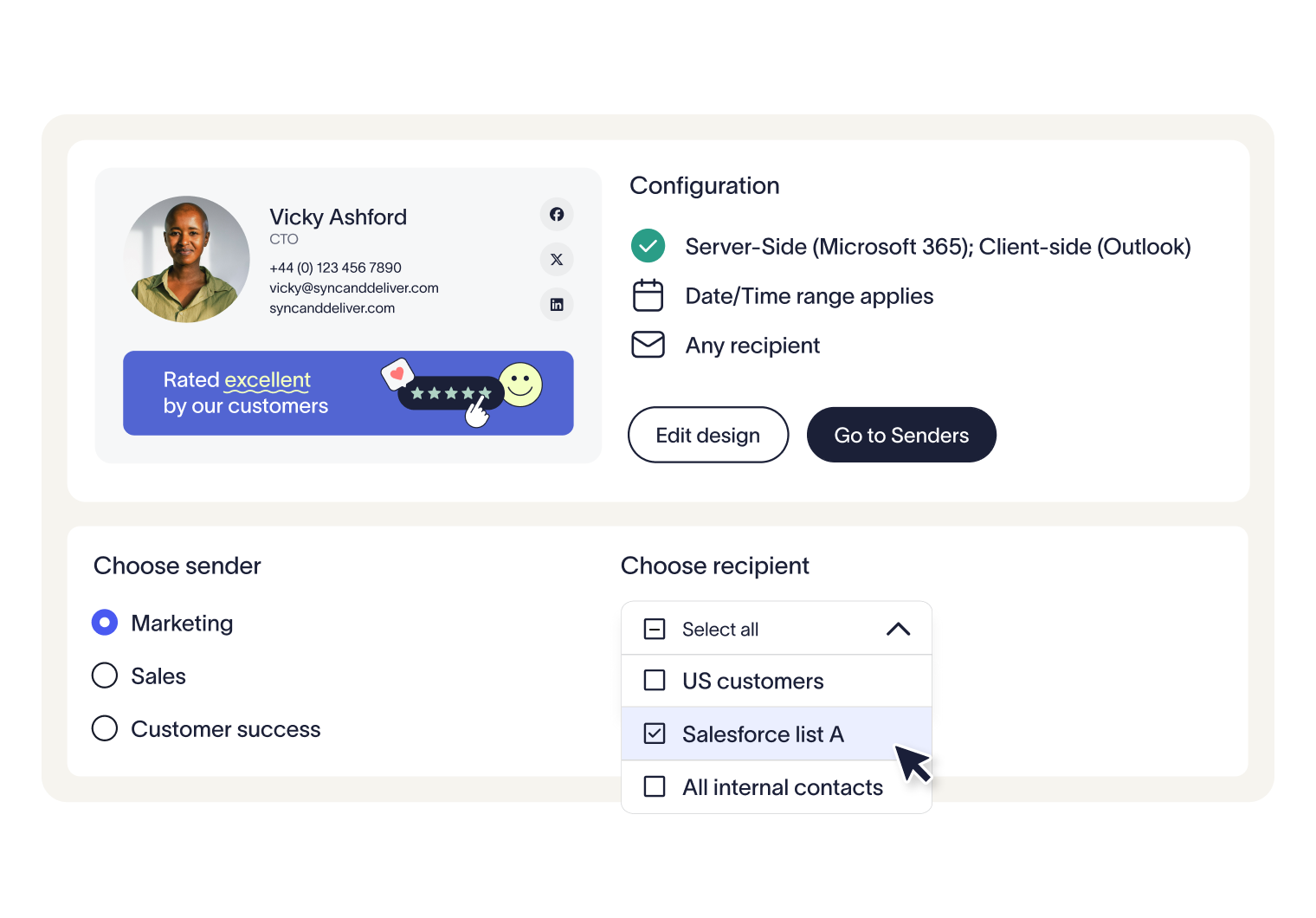
3. Configure rules and permissions (typically 1–2 hours)
Define how signatures are applied and managed.
Assign signature variations by group, role, or region
Set role-based access for safe delegation to marketing and other teams
Lock down compliance elements such as disclaimers
These rules remove the need for constant manual updates or relying on users to “get it right.”
4. Test before rollout (typically 1–3 days)
Validate your setup across different environments.
Send test emails across desktop, mobile, and web clients
Check formatting, links, banners, and disclaimers
Validate different user and rule scenarios
The testing period is your chance to catch edge cases and ensure consistency before full rollout.
5. Deploy in phases (typically 3–5 days)
Roll out gradually to reduce disruption.
Start with a pilot group
Gather feedback and refine
Expand rollout across the organization
This keeps the process predictable and the risk at a minimum.
6. Decommission Opensense (typically 1–2 hours)
Once Exclaimer is fully live, remove your previous setup.
Disable Opensense templates, banners, and configurations
Confirm all users are routed through Exclaimer
Remove any legacy processes or integrations
At this point, your email signature management is centralized and controlled.
How do you know if your Opensense to Exclaimer migration worked?
After rollout, confirm everything is working as expected and that manual processes have been removed from your setup.
Signatures apply consistently across all devices
User data syncs correctly from your directory
Branding is consistent across all templates
Disclaimers appear where required
Role-based access is set for safe delegation
Campaigns and banners behave as expected
Audit logs track changes and activity
If all has gone well, you should see a clear drop in signature-related support tickets going forward.
Why Exclaimer is the right choice after Opensense
Moving from Opensense to Exclaimer isn’t just a platform switch. It’s a move to centralized control, stronger security, and brand governance at scale.

With Exclaimer, you get:
Consistent signatures across every user and device
Centralized control with safe delegation to marketing
Independently certified security and built-in audit visibility
Real campaign tooling and branding that extends beyond email
If your current setup is becoming harder to manage as you grow, it’s worth simplifying. Get a free trial of Exclaimer to start your migration today.