7 email signature use cases for businesses
17 December 2025
0 min read
TL;DR
Email signatures can support marketing, sales, hiring, customer experience, compliance, and internal communications without increasing email volume.
The most effective email signature use cases focus on one clear action, applied consistently across teams.
Targeted signatures let different departments, regions, or roles show relevant content while keeping templates controlled.
Centralized management removes manual updates, reduces errors, and keeps branding and disclaimers consistent.
When used intentionally, email signatures become a reliable, always-on business channel.
Email signatures hold untapped potential beyond just contact information. By finding creative ways to use email signatures, businesses can turn every email into valuable marketing assets. Targeted promotions, event announcements, or personalized messaging are examples of this.
Centralizing email signature management takes this a step further. It ensures every employee’s signature stays consistent, compliant, and easy to update, saving time while maximizing impact.
What are email signature use cases?
Email signature use cases are the ways businesses use signatures to add useful, approved content to everyday emails. This might include a campaign banner, booking link, survey, event CTA, or legal disclaimer.
IT: fewer signature tickets, more control across devices and teams
Marketing and sales: more reach, without more sends
HR, legal, and compliance: the right message on every email
What a modern business email signature includes
A modern business email signature supports a purpose. That might be brand consistency, lead generation, hiring, or compliance. The strongest email signature use cases start with a simple, repeatable structure.
Core elements of a business email signature
Sender details: Name, role, and contact information synced from your directory
Branding: Logo and formatting that follow brand guidelines
Primary call to action: One banner or link tied to a specific goal
Role-relevant links: Social profiles, booking links, or resources
Legal text: Email disclaimers applied automatically when required
You don’t need every element in every signature. Effective email signature use cases focus on one clear action and remove everything else.
Example email signature layout
Jane Smith | Customer Success Manager
Acme Corp
acme.com | +1 555 123 4567
Register for our customer webinar →
Confidentiality and legal disclaimer
This structure works across most business email signature use cases because it stays readable, consistent, and easy to update at scale.
Email signature use case #1: Marketing campaigns
One of the most common email signature use cases is campaign promotion. Email signatures give marketing teams a consistent place to share campaigns without increasing send volume.
 Common email signature marketing use cases include:
Promoting guides, reports, or blog content
Driving webinar and event registrations
Supporting product launches with time-bound banners
Reinforcing brand campaigns across teams
Because employee emails are opened and read, signature banners often stay visible long after a campaign email would be ignored or archived.
Learn how StratusLIVE integrated Exclaimer as part of their ABM campaign and increased marketing engagement.
How this email signature use case works
A campaign banner or CTA is added to the signature, scheduled to run for a defined period, and applied to selected teams or regions. Every email sent during that window carries the campaign automatically.
Example email signature for a marketing campaign
 This use case works because it’s simple. It uses one message, one action, applied consistently. It turns every business email into a promotional touchpoint. Since business emails are already a core part of daily communication, they’re a cost-effective way to expand campaign visibility.
To help marketing teams adopt best practices and scale control across brands, check out our Email Signatures for Dummies guide.
Email signature use case #2: Sales enablement
Sales email signatures remove friction from everyday outreach. Instead of asking prospects to search for links or wait for follow-ups, the next step is already there.
 Common sales email signature use cases include:
Adding meeting booking links to reduce friction
Promoting product demos or trials
Sharing proof points like reviews or case studies
Reinforcing offers or pricing updates
This use case works because it doesn’t rely on reps remembering what to include. The signature handles it automatically.
How this use case works
A single CTA is added to the sales signature and aligned to the sales motion. Rules apply different CTAs based on role, team, or deal stage, so each email supports the right action.
Try designing your own template with our free email signature generator.
Example sales email signature

Email signature use case #3: Customer experience and support
Customer support and success emails are sent when customers are already engaged. That makes them a strong place to add helpful, relevant links without disrupting the conversation.
 Common customer email signature use cases include:
Linking to help articles or documentation
Sharing onboarding or training resources
Collecting quick feedback with a short survey
Promoting renewals or upgrades at the right time
This use case works because the content supports the email, instead of competing with it.
How this email signature use case works
Customer support or success signatures include one clear supporting action. That might be a help center link for support teams or a feedback survey for customer success. Rules apply content by team or customer segment.
Find out how EMS Healthcare improved IT productivity by 40% with the help of Exclaimer.
Example email signature for customer support

Email signature use case #4: Recruitment and employer branding
Hiring conversations don’t start and end with recruiters. Managers, interviewers, and team leads all email potential candidates. Email signatures give those messages a consistent way to support hiring.
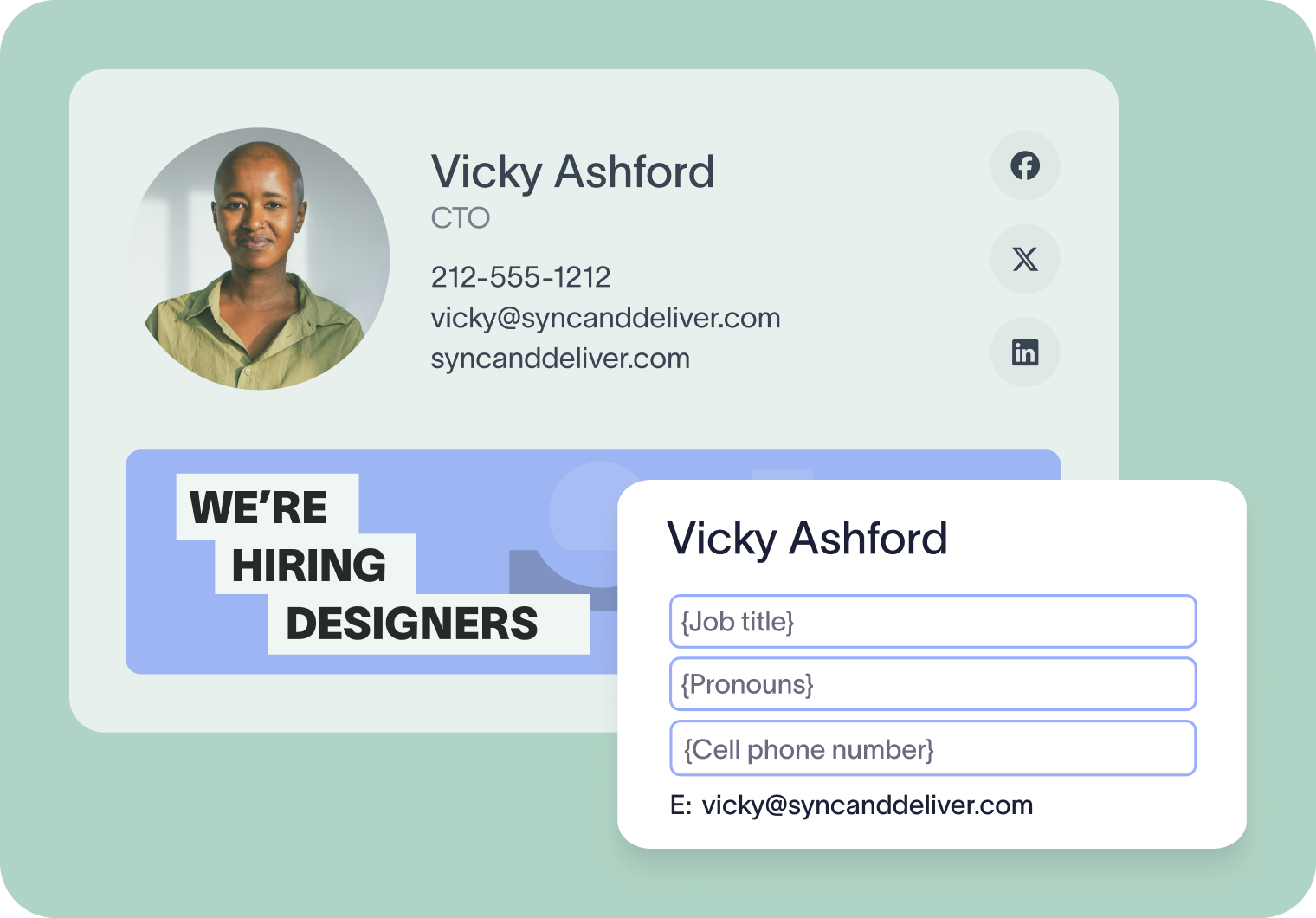 Common recruitment email signature use cases include:
Promoting open roles with a simple hiring CTA
Linking to careers pages or job listings
Sharing employer brand or culture content
Supporting DEI and inclusion messaging
This works because it turns everyday emails into passive recruitment touchpoints.
How this email signature use case works
A short hiring message or careers link is added to selected employee signatures. When roles close, the content is removed centrally, without asking employees to update anything.
Example email signature for recruitment

Email signature use case #5: Internal communications
Internal emails account for a large share of daily email volume. Email signatures give organizations a repeatable way to share internal messages without adding more meetings or broadcast emails.
 Common internal email signature use cases include:
Sharing reminders or internal announcements
Promoting training, enablement, or policy updates
Supporting change management during rollouts
Reinforcing internal campaigns or initiatives
This use case works because the message is seen repeatedly in everyday conversations.
How this email signature use case works
A short internal message or link is applied to internal emails only. Content can be targeted by team or region and removed centrally when it’s no longer needed.
Example email signature for internal communications

Email signature use case #6: Compliance and legal disclaimers
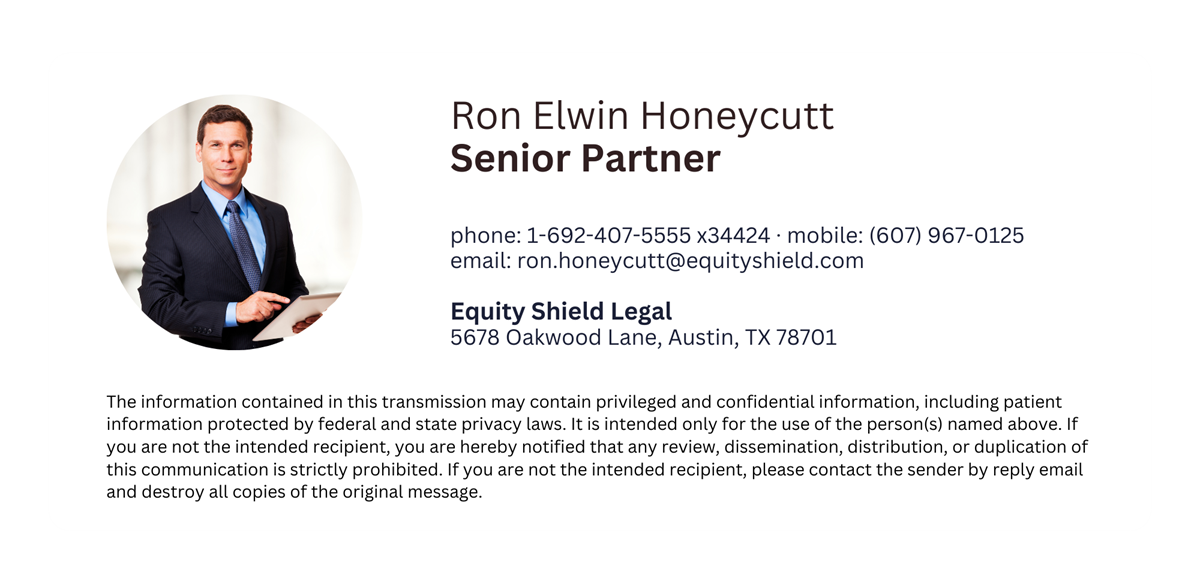
Compliance is one of the most practical email signature use cases. Many organizations are required to include legal text, regulatory notices, or company information in every external email. Email signatures make this manageable by applying the right text automatically, every time.
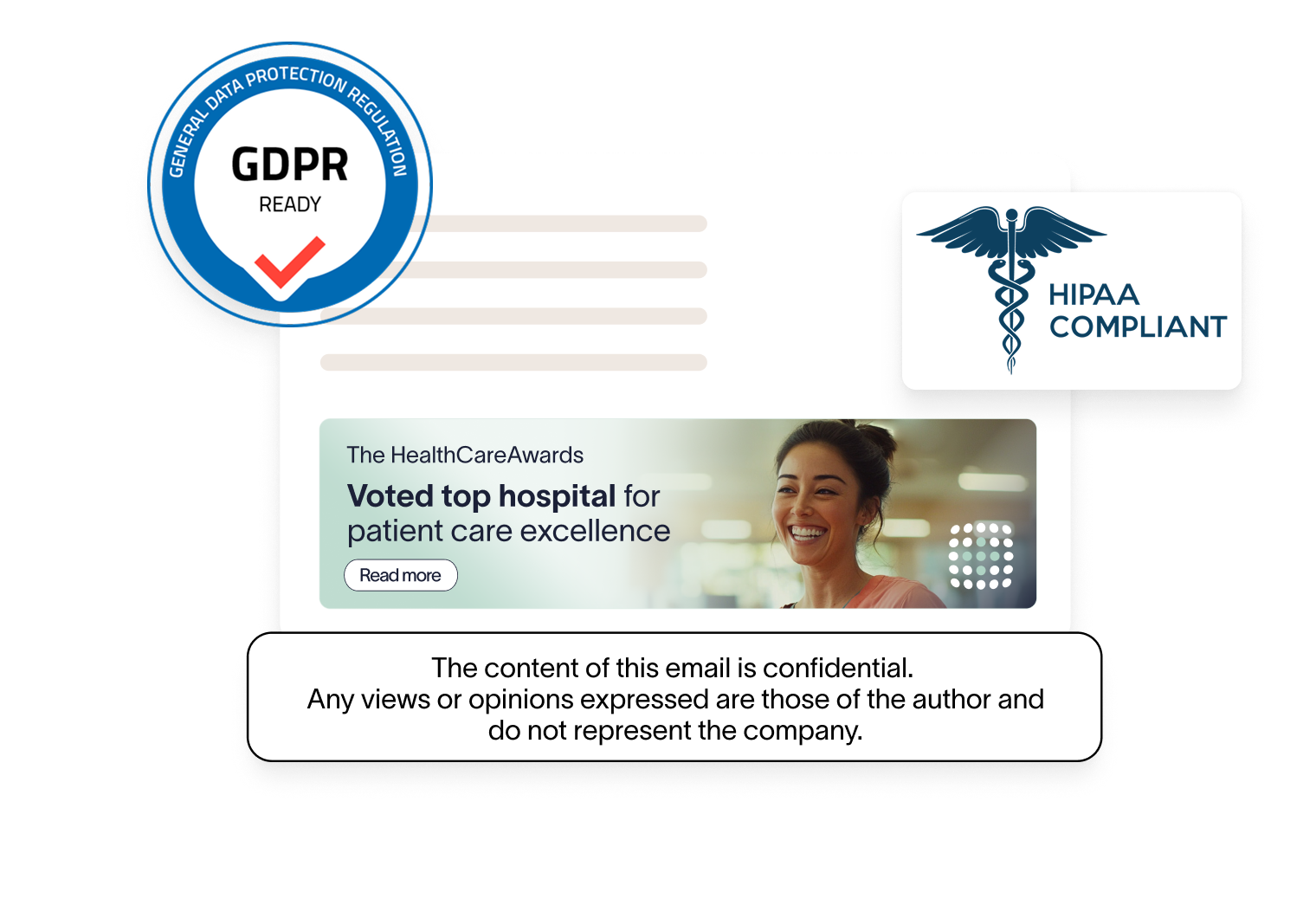 Common compliance email signature use cases include:
Applying legal disclaimers to all external emails
Showing different disclaimers by region or jurisdiction
Adding industry-specific notices for regulated teams
Updating required language centrally when rules change
This use case reduces risk by removing manual edits and inconsistencies.
How this email signature use case works
Disclaimer text is applied using rules such as sender location, department, or email type. When updates are made, every signature reflects the change immediately.
Example email signature disclaimer
Email signature use case #7: Payments, donations, and transactional actions
Some email signature use cases focus on action. For finance teams, nonprofits, and subscription businesses, email signatures can reduce friction by linking directly to the next step.
 Common transactional email signature use cases include:
Adding payment links to invoice or account emails
Including donation links in nonprofit communications
Supporting renewals or subscription updates
Reducing follow-ups with direct action links
This works when the signature CTA matches the email’s purpose.
How this email signature use case works
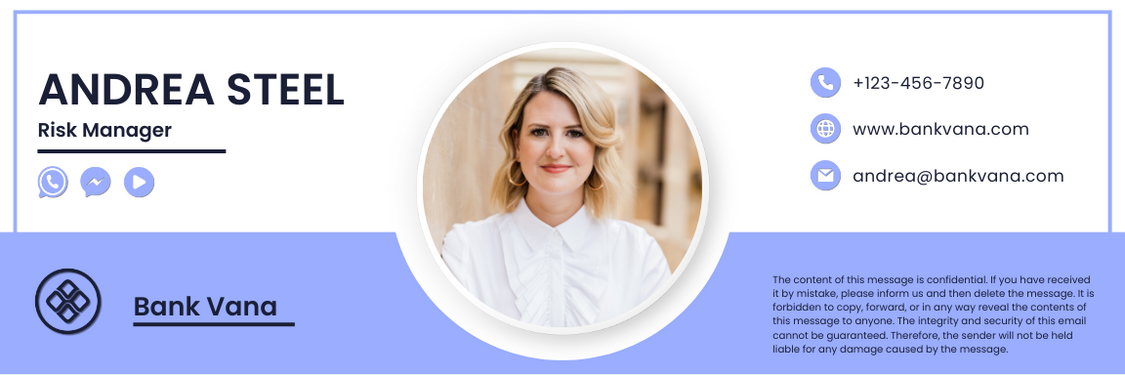
A single transactional link is added to signatures for specific teams or email types. Content appears only where it’s relevant and is removed centrally when no longer needed.
Example email signature for payments
Advanced email signature use cases: How to get started
To get started with advanced email signature use cases, businesses should follow these steps:
Step 1: Audit your current signature practices. Identify gaps in consistency, compliance, and missed opportunities for promotion or engagement.
Step 2: Outline specific goals—whether it’s driving event sign-ups, maintaining legal compliance, or enhancing brand consistency. Collaborate with relevant departments to identify the most impactful email signature use cases.
Step 3: Implement a phased rollout, starting with core departments before expanding organization wide.
Step 4: Use a centralized platform like Exclaimer to simplify the entire process, ensuring easy updates and standardization.
Measuring your email signature success
To get the best from your specific email measure use case, we recommend measuring the effectiveness of your campaigns by doing the following:
Set clear goals: At the campaign planning stage, decide what success looks like. Use this to decide what you want to measure like clickthrough rates, conversions, or lead generation.
Use UTM parameters: Add tracking links with UTM codes to banners and CTAs for further campaign attribution within Google Analytics.
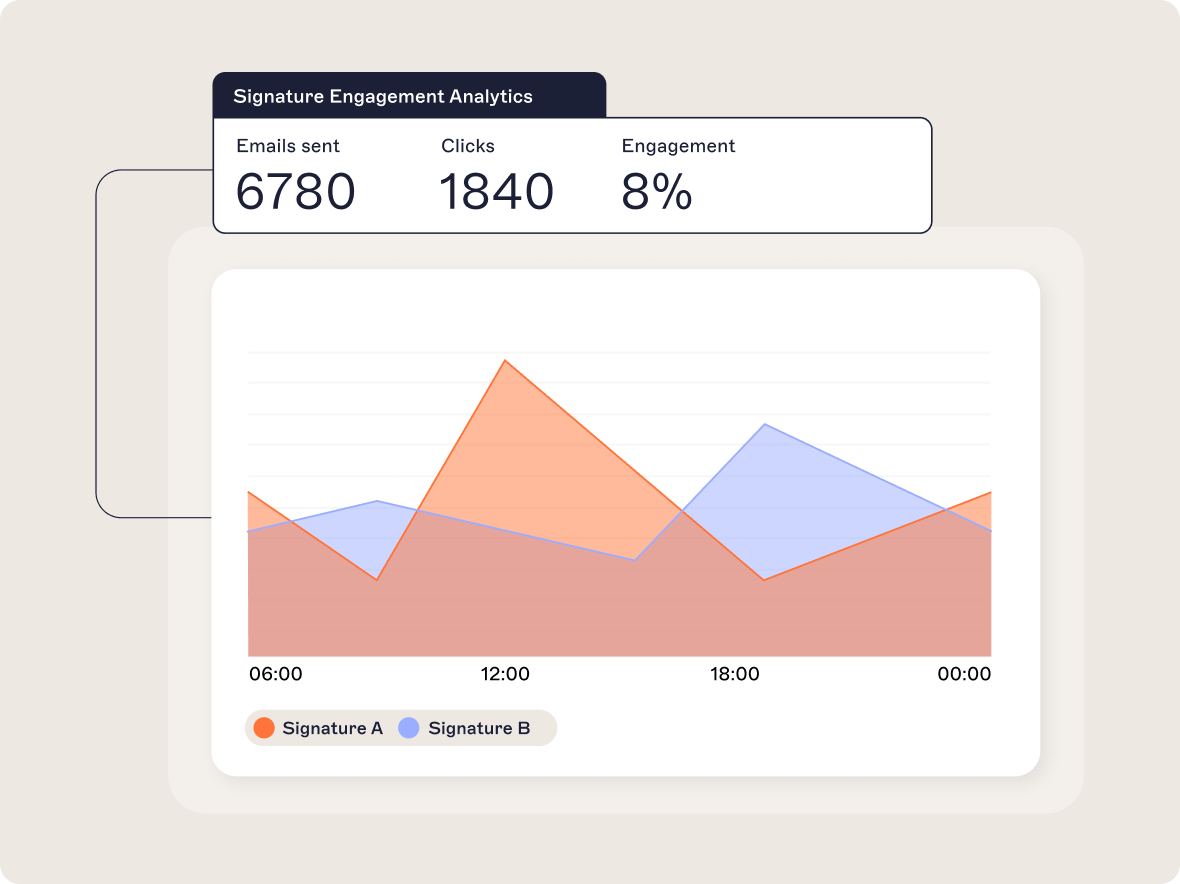
Use analytics tools: Use Exclaimer’s advanced analytics or integrate with Google Analytics to monitor performance.
Track signature consistency: Ensure all teams are using the latest standardized signature design. Or automate the process of updating signature designs by using a platform like Exclaimer.
Test and monitor engagement: Compare performance across departments or campaigns to identify best practices. Use rotating banners to test colors, messaging or CTAs.
Iterate based on data: Use insights to optimize design elements, CTAs, and content placement for better results. Continue this testing and iteration loop for optimal results.
Dynamic email signature design: Top tips for maximum impact
Creating a visually appealing and effective email signature design involves these best practices:
Keep it simple: Avoid clutter and focus on the essentials—name, job title, contact details, key links, and a good quality headshot.
Consistent branding: Use your brand’s fonts, colors, and logos to maintain professionalism.
Prioritize information: List contact details in order of importance.
Incorporate visuals: Use professional headshots, graphics, and icons for a personal touch.
Include a CTA: Add a dynamic banner for campaigns, content, or events. Make sure this is integrated with your CRM system so your CTAs are laser focused.
Optimize for mobile: Ensure the design scales well across all devices.
The benefits of working with a centralized email signature manager
A centralized email signature management solution like Exclaimer offers several advantages for businesses:
Consistency: Ensure every employee's email signature aligns with your brand identity and legal requirements.
Efficiency: Update signatures across the entire organization instantly from a single dashboard.
Compliance: Easily apply standardized disclaimers for GDPR, HIPAA, and other regulations.
Campaign flexibility: Launch targeted campaigns with dynamic banners and CTAs in specific departments’ email signatures.
Analytics: Gain insights into how signatures drive engagement with metrics like click-through rates.
Exclaimer features that support advanced email signature use cases
Exclaimer has a full suite of features that make it easy to create advanced email signatures:
Email signature management features
Centralized dashboard: Manage signatures for all users from one platform.
Departmental control: Apply unique signatures for different teams (e.g. marketing, sales, HR).
Template designer: Create branded signatures with an easy drag-and-drop editor.
Marketing features
Dynamic banners and CTAs: Rotate promotional banners based on campaigns or regions.
Directory sync: Automatically update signatures with user details from Entra ID (Azure AD) or Google Directory.
CRM integrations: Customize email signatures in line with other campaigns, using CRM lists from Salesforce or HubSpot.
Branding hub: Automatically apply the most recent branding consistently across all signature designs, at the click of a button.
Social feeds: Drive social engagement by showcasing live social media content directly in email signatures.
Campaign manager: Launch and track targeted email signature campaigns using Exclaimer’s Campaigns feature.
One-click surveys: Collect instant feedback with embedded survey links in email signatures.
Calendar integrations: Enable easy meeting scheduling with direct calendar booking links for Chili Piper, Microsoft Bookings, and Calendly.
Advanced analytics: Track engagement and performance of email signature templates, banners and links.
Legal and compliance features
Audit log: Maintain security and compliance by tracking all signature updates and changes.
Compliance management: Enforce relevant legal disclaimers that conform to GDPR, HIPAA, and other regional data protection requirements.
Explore endless email signature use cases
Advanced email signature features can transform everyday business emails into powerful security, marketing, branding, and engagement tools. This creates many use cases for email signatures, when applied creatively.
The strongest email signature use cases share three traits:
One clear purpose
Consistent formatting
Centralized management
Used this way, email signatures stay useful without creating more work for employees.
Ready to maximize the impact of your email signatures?