Dave is a marketing expert with 15 years experience in the tech and SaaS world. He specializes in educating IT and channel audiences, with a focus on security, privacy, compliance, and marketing technology. With a talent for storytelling and a deep understanding of the industry, Dave transforms complex IT topics into clear, engaging, and impactful narratives.
5 signs you've outgrown manual email signatures (and how to fix each one)

Manual email signature management works fine at 30 people. Someone circulates a template, most people paste it in correctly, and the gaps stay small enough to ignore. It degrades quietly as headcount, departments, and devices multiply.
Most teams only notice the moment it stopped working in hindsight: during a rebrand, an audit, or the week a new legal disclaimer has to reach 400 mailboxes by Friday. According to Exclaimer's State of Business Email 2025, 92% of leaders agree that consistent, well-managed email signatures build trust, yet 80% still rely on manual methods or user self-service.
Here are the five signs we see most often, and how to fix each one.
Sign 1: Your email signatures don't match
Once employees control their own email signatures, versions multiply faster than anyone can reconcile them. Logo versions retired two rebrands ago stay in circulation, fonts vary by department, and promotional banners outlive their campaign by several quarters.
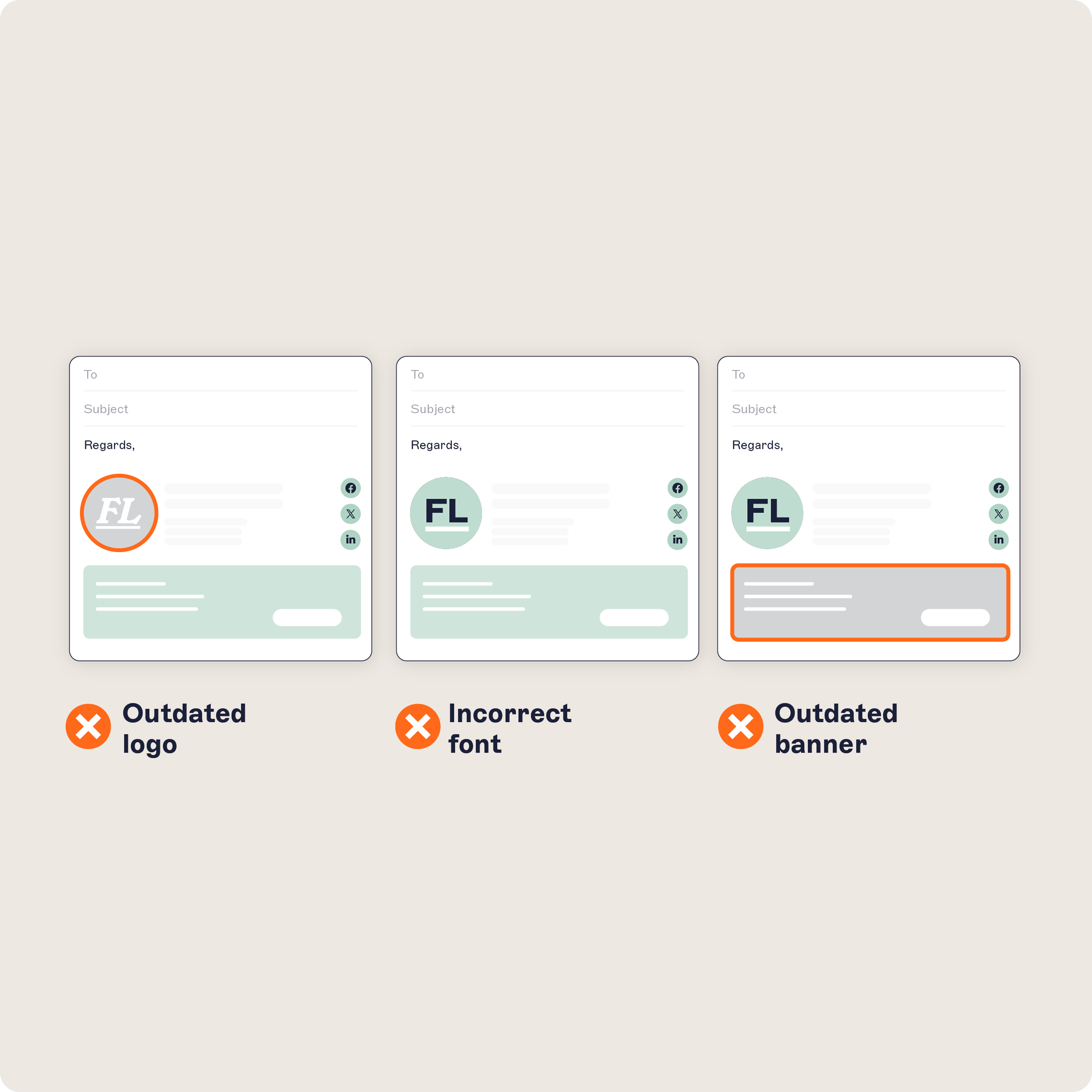 Email signatures sit on nearly every message your company sends, which makes inconsistency a brand problem rather than an IT one. A prospect reading a thread with three different logo treatments in it draws a conclusion about the company, not about its template distribution process. Nobody files a ticket about it, so nothing gets fixed.
What to do about it: Build templates, not instructions
A written email signature policy sets the standard, but adoption stays patchy and there's no practical way to spot the gaps. Move from a document people are asked to follow to a small set of approved templates applied centrally, varied by department or region rather than per person.
Sign 2: Email signature requests never leave IT's queue
A single email signature request is trivial. A steady stream of them is a staffing decision nobody made deliberately. Marketing wants a campaign banner. Legal needs updated disclaimer wording. Someone changed laptops and lost their email signature.
Exclaimer's benchmarking models a typical organization at four email signature updates per user each year, at roughly 20 minutes each. On those assumptions, a 500-person company spends around 667 hours a year on email signature maintenance, before onboarding or troubleshooting. Substitute your own figures and the shape holds: every change has to be made again for every person.
What makes it expensive is displacement. Time spent reformatting HTML is time not spent on patching or a tenant migration, and because the work never gets its own budget line, the trade-off never surfaces in planning.
What to do about it: Take the requests out of the queue
Role-based access control lets Marketing and Legal manage their own content without admin rights. And because signatures are applied centrally rather than stored on each device, a new laptop doesn't create a new ticket. The requests don't get faster. They stop arriving.
Sign 3: New hires start without the right email signature
If a new starter's email signature depends on someone remembering to send them a template, it will be wrong or missing for part of their first week. The same gap applies to every change in the directory, not just joiners.
Movers carry an old title for months after a promotion. Leavers keep a live email signature on a shared mailbox. For customer-facing hires especially, the first two weeks run heavily outward, to people forming a first impression of your company through those messages.
What to do about it: Drive email signatures from the directory
Directory sync pulls names, titles, and contact details from the system that already holds them, whether that's your directory or your HR platform. The right template is applied when the account is created, and it updates when the record changes. Onboarding stops being a task anyone has to remember.
Sign 4: You can't prove what actually went out
Manual distribution produces no record. Disclaimer text gets deleted by users tidying up a long email signature. Old wording keeps circulating months after Legal approved a change. Mobile clients drop the disclaimer on replies and forwards.
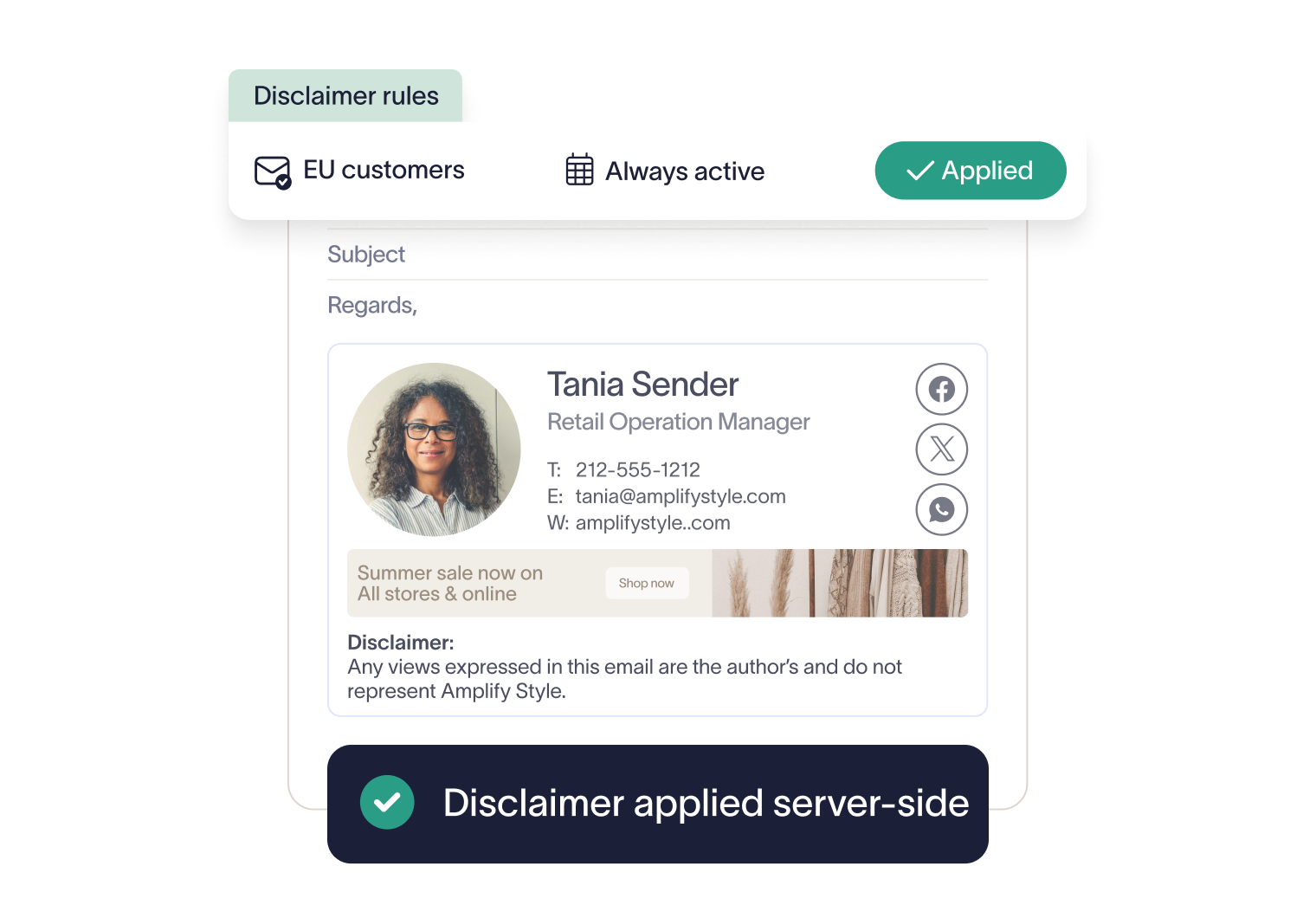 Some of what sits in an email signature is set by law in the jurisdictions you operate in, some by your own Legal team's policy. Either way, it's Legal's call rather than IT's, and Legal expects it to be applied consistently. A written policy counts for little in an audit or a dispute unless you can show it was applied.
What to do about it: Apply disclaimers server-side
Server-side deployment applies the disclaimer centrally to every message after it's sent, across every device, rather than depending on users to keep the right text in place. The question shifts from whether you can evidence individual compliance to whether the rule is configured correctly, which is far easier to demonstrate. Disclaimers can also be time-bound, so temporary notices are added and removed automatically.
Sign 5: Every company-wide change turns into a chase
Ask what it would take to change the registered office address in every employee's email signature. If the answer involves briefing IT, rebuilding a template, and chasing people to apply it, manual management has become a constraint on how fast the business can change.
Rebrands, acquisitions, office moves, and regulatory updates all trigger the same cycle, and time-sensitive campaigns lose most of their window to it.
The knock-on effect is harder to reverse. When the official route is slow, teams build their own. Marketing keeps a private template, Sales pastes in its own booking links, and regional offices maintain local variants nobody in IT knows about.
What to do about it: Make one change, not five hundred
Signature rules assign templates by department, role, location, or recipient. A rebrand or address change is edited once, centrally, and applies to every message sent after it. There's no distribution step and nobody to chase. The work scales with the number of templates, not the number of people.
How to fix all five at once
One cause runs through all five: email signatures are managed per person instead of per rule. Exclaimer's email signature management platform, used by 80,000+ organizations worldwide, gives IT one place to design, control, and deploy signatures across Microsoft 365, Google Workspace, and Exchange.
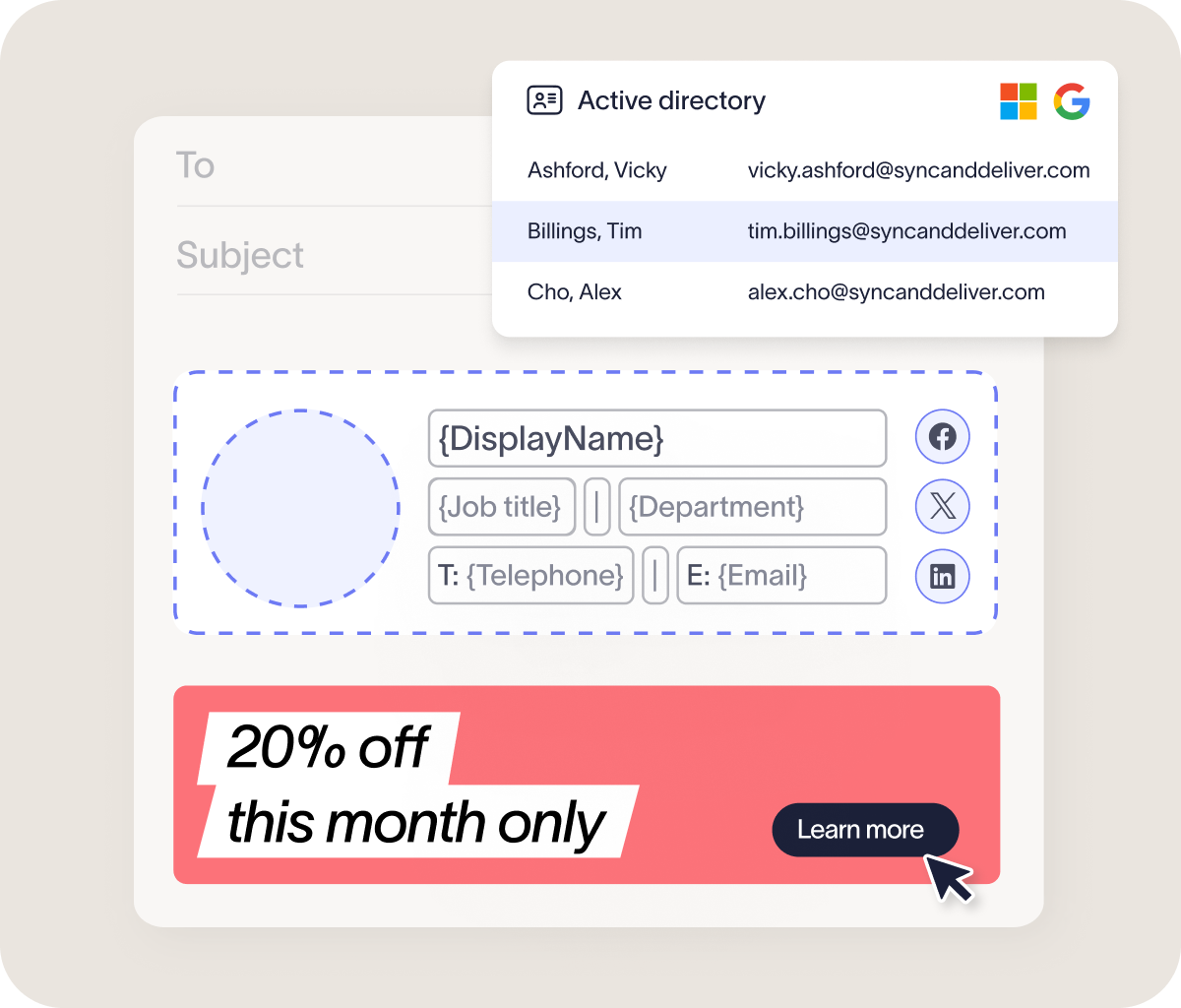 Templates are built once and assigned by rule. Details stay accurate because they come from the directory you already maintain, and Marketing and Legal work within permissions IT sets. A rebrand becomes a single change rather than a company-wide scramble.