Naimh is a seasoned marketer of 12 years, including in SaaS and tech. She’s an expert at simplifying complex technology concepts, bridging the gap between IT and marketing. Naimh specializes in turning tech speak into actionable insights, helping marketers get the most out of their tools and technology.
How to use seasonal email signatures to power your next campaign
TL;DR
Seasonal email signature banners turn ordinary employee email into a governed, time-boxed campaign channel, with no extra media spend.
They work because they use distribution you already have. Every employee email becomes a potential impression at no extra placement cost.
A campaign needs sign-off and targeting before it goes live, so the wrong offer never reaches the wrong audience.
Use Exclaimer to design, approve, target, schedule, and track seasonal email signature banners from one platform, without filing an IT ticket for every change.
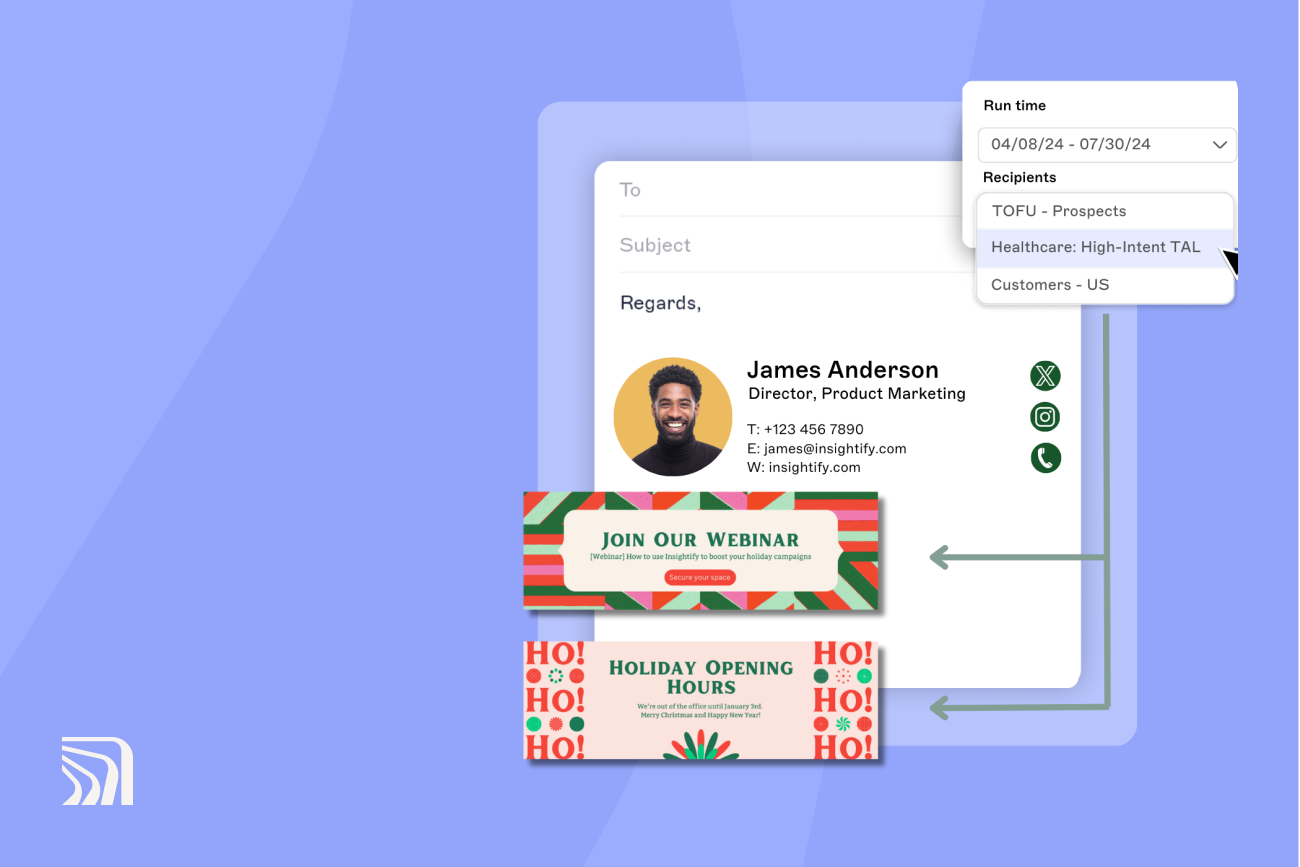
A seasonal email signature is a temporary, campaign-specific banner or call to action added beneath an employee's standard signature for a fixed window, like Black Friday, the holidays, or a year-end promotion, that switches off automatically when the offer ends.
Done well, marketing gets it live in minutes, IT never has to touch it, and legal signs off before it reaches a single inbox.
Why do seasonal email signatures work for marketing?
Seasonal email signatures extend a campaign's reach without adding a media placement, for four reasons.
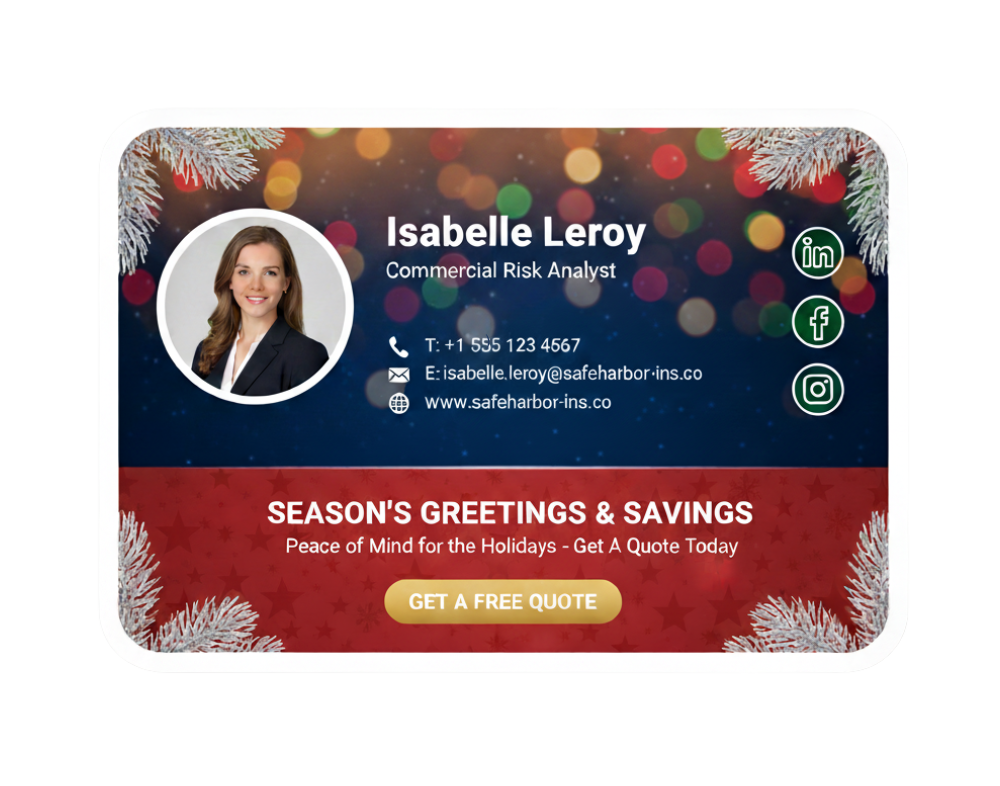
They use distribution you already have. An email signature banner appears inside ordinary business email, so a campaign doesn't need a separate paid channel to reach the same audience.
They repeat across employee communications. Reach scales with the number of participating employees and the emails they send, not with ad spend.
They support time-sensitive messaging. A scheduled banner can carry a deadline, an event date, or a limited-time offer, and stop automatically when the campaign ends.
They're measurable. UTM-tagged links and email signature analytics attribute clicks and downstream conversions to a specific campaign, banner, or audience segment.
Did you know?
At roughly 40 emails a day and 250 working days a year, that's about 10,000 potential email signature placements per employee, annually. That's potential placements, not guaranteed views. It depends on how many of those emails carry the campaign email signature and get opened.
In December 2024, Exclaimer used its own platform to add seasonal banners to employee email signatures for a "12 months for the price of 10" promotion. The update went live across Outlook, Gmail, and mobile clients with no manual steps and lifted email engagement by 5% for the campaign period. Read the full breakdown.
Banner design principles for seasonal campaigns
A seasonal email signature banner has about 1.5 seconds to land in a packed Outlook reading pane. Every spec below exists to defend that window.
Spec | Recommended value | Why it matters |
|---|---|---|
Dimensions | 600 x 200 px (Exclaimer recommended) | Matches the Outlook reading pane width without scaling |
File weight | Under 100 kB | Keeps the email under client preview thresholds and renders on mobile data |
File format | PNG with transparency, falling back to JPG | Best balance of crispness and file weight |
Alt text | A descriptive single sentence naming the offer | Web Content Accessibility Guidelines (WCAG) 1.1.1, and Outlook's fallback when images are blocked |
Color contrast | 4.5:1 minimum on copy | WCAG 1.4.3, and helps reading-pane legibility generally |
Click target | Whole banner clickable, not just the CTA button | Larger surface, fewer mis-taps on mobile |
Mobile rendering | Test on Outlook for iOS and Apple Mail before scheduling | Mobile is the primary reading environment for most recipients, and Apple Mail and Gmail together account for nearly 90% of all email opens (Litmus) |
Every banner that links to a customer-facing site inherits that site's accessibility obligations, not just the banner's own alt text and contrast.
How seasonal banners render in Outlook desktop, OWA, and mobile
Outlook for Windows renders banners at the dimensions you upload, but applies its own color profile and can clip images wider than 624 px in the reading pane. Outlook for Mac respects HTML widths more faithfully but has historically lagged on transparent PNG backgrounds, so flatten to white before scheduling there.
Outlook on the web renders closest to a modern browser and handles transparency and high-DPI images well. Gmail on the web and in the Google Workspace mobile app render banners consistently with the source image, with fewer of the color-profile quirks Outlook introduces, though Gmail can clip wide images in its own condensed view on narrow screens. Outlook for iOS and Android scale banners to the device width, so keep the aspect ratio readable down to 320 px wide.
Confirm rendering with a real test send, ideally checked in Litmus or Email on Acid, before scheduling a four-week campaign in Exclaimer.
“Let's just, for example, think about creating a campaign for a Black Friday deal. We've got a ten percent off deal for Black Friday; we can create that campaign, give it a name, set a target URL, and set a schedule for that campaign to go live. And that's really as simple as a campaign needs to be. This could obviously be a Christmas campaign, or something more specific to your organization.”

How often to change seasonal banners (and why)
Most seasonal campaign banners should refresh every four to six weeks. Short-window promotions need weekly changes. Evergreen or brand banners can run for eight to twelve weeks.

Campaign type | Recommended cadence | Reasoning |
|---|---|---|
Seasonal campaign (Q4 sale, summer promo) | 4 to 6 weeks | Matches attention span on a repeated banner inside daily email volume |
Short-window promo (flash sale, 7-day event) | Weekly, or per event | The banner is the event reminder, not a brand asset |
Award, accreditation, or milestone | 8 to 12 weeks | Slow-burn brand reinforcement; refresh on the anniversary or when the award rotates |
Evergreen or brand banner | 8 to 12 weeks | Prevents banner blindness for recipients who see it daily |
A banner shown to the same recipient every day for months stops registering, the same way any repeated ad creative does. Short-window promos are the exception, since the banner functions as a countdown rather than a brand asset, so it can change weekly without fatigue being a concern.
Schedule the swap dates in Exclaimer at the start of the campaign rather than relying on a reminder to change it manually.
What are some examples of seasonal email signature campaigns?
Seasonal campaign | Primary objective | Email signature message | Call to action | Timing |
|---|---|---|---|---|
Black Friday | Drive promotional traffic | Limited-time discount with a deadline | Shop the sale | Launch before the sale; stop when the offer expires |
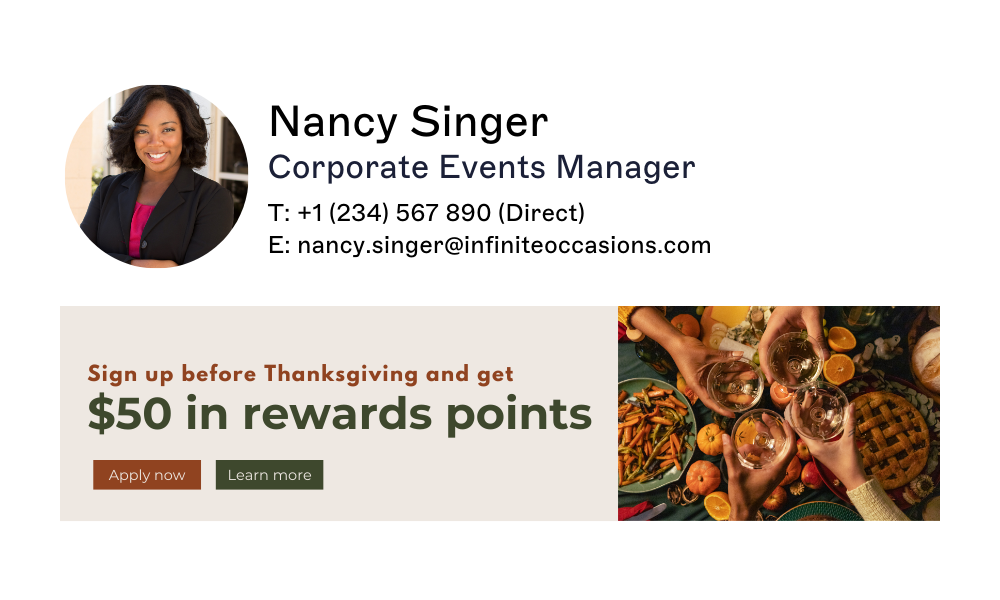
Thanksgiving | Build engagement | Seasonal message with a time-limited offer | Learn more | Run through the holiday week |
Easter | Refresh brand tone | Seasonal theme tied to renewal | Explore the offer | Run over the holiday period |
Year-end or holiday hours | Reduce support confusion | Holiday hours and support availability | View holiday hours | Run before and during closure |
Each of these signatures turns plain-text emails into free campaign assets that can land in dozens of mailboxes daily. Multiply that by hundreds or thousands of employees, and the reach adds up fast.
ROI Automotive, a professional services firm running Exclaimer, now launches a fully marketing-managed campaign in about 15 minutes, down from days when creative had to route through IT first. See how ROI Automotive did it.
For more design inspiration, see the full collection of holiday email signature templates.
Who signs off on a seasonal campaign, and how do you keep it targeted?
A banner is quick to design. Getting it in front of the right people, and only the right people, is the part that actually needs a process.
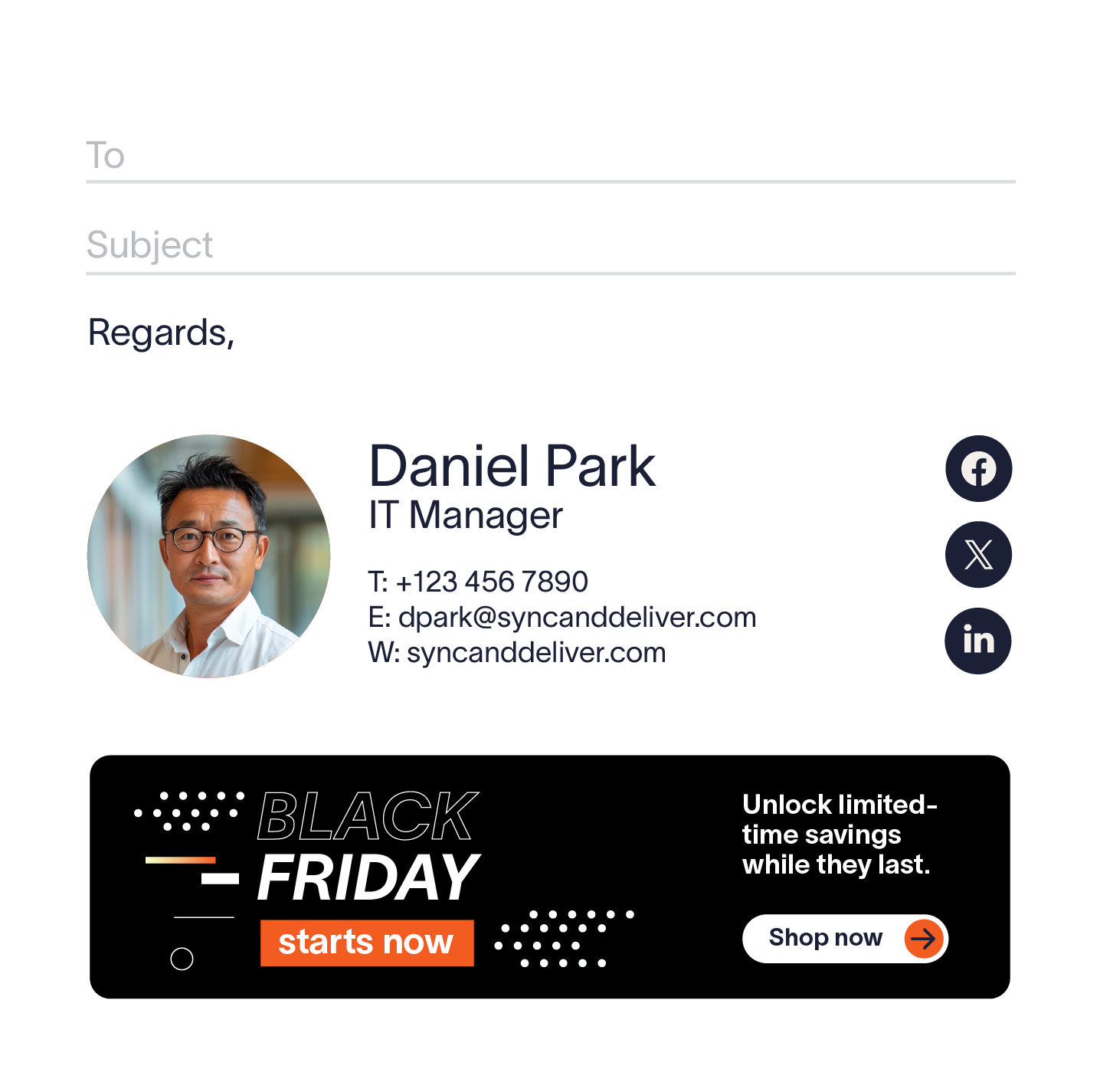
Sign-off before scheduling, not after. Marketing approves the creative. Compliance or legal reviews any required disclaimer language. HR confirms employee-facing requirements where the campaign touches internal communications, such as a benefits deadline riding alongside a promotional banner. Get all three before the campaign goes live, not as a retroactive check.
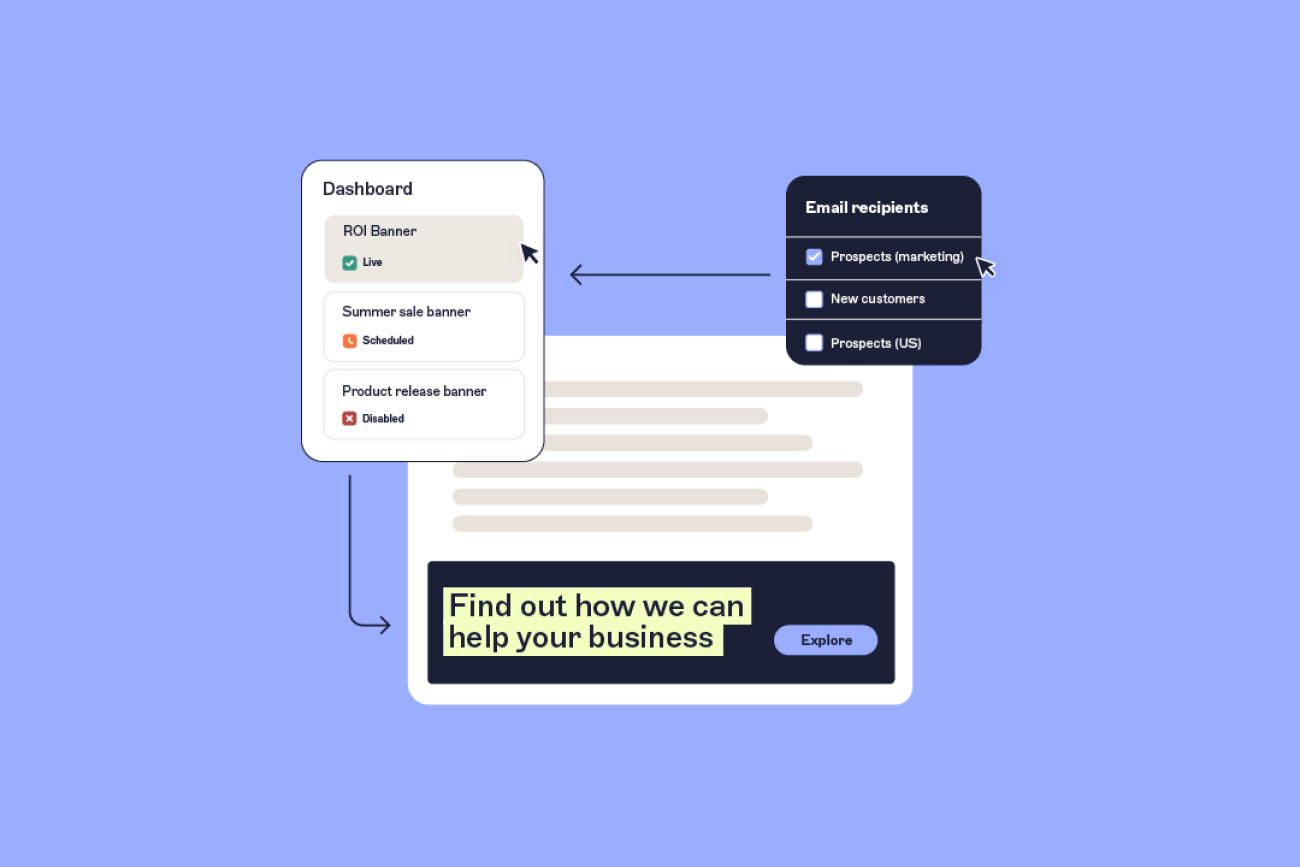
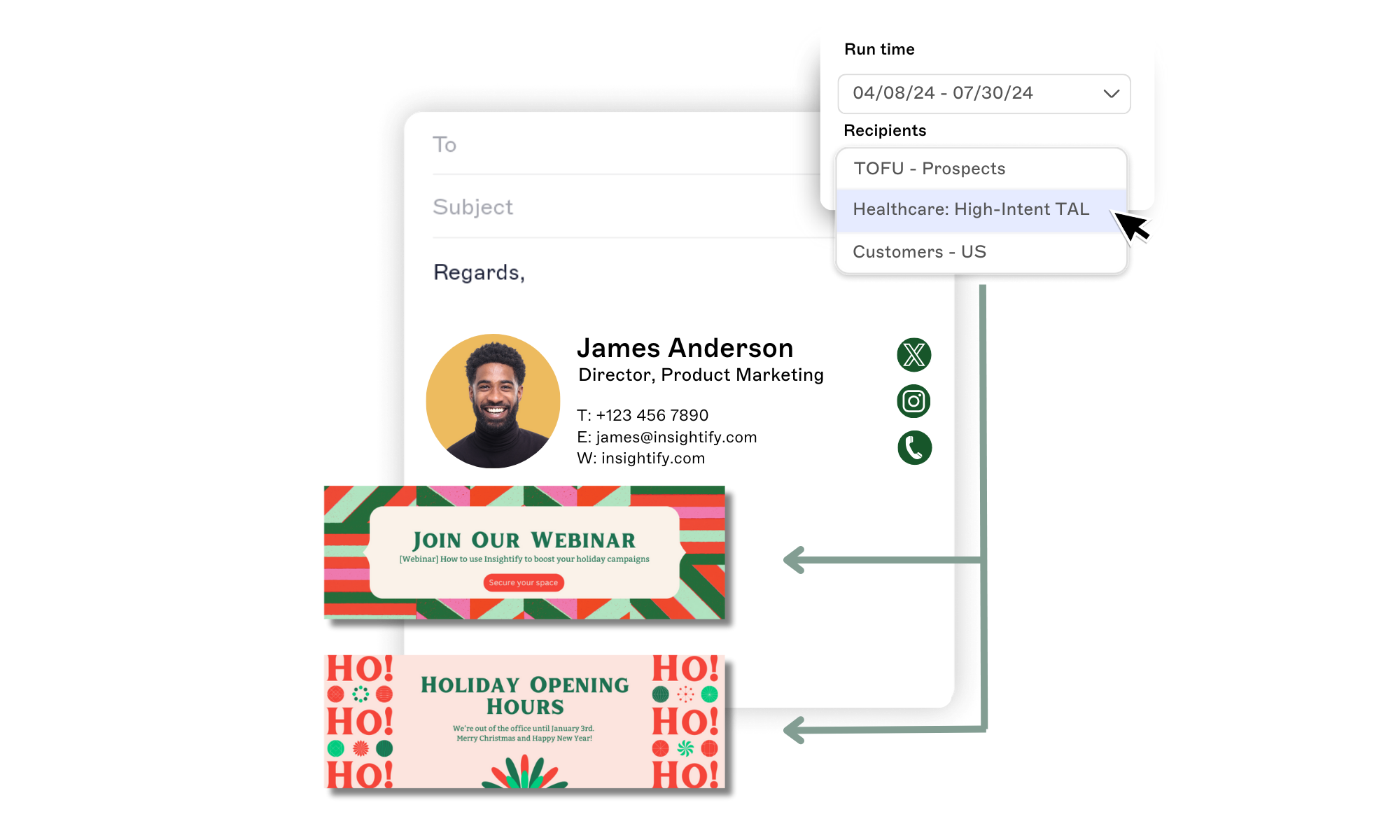
Target by department, region, or role, not by default to everyone. A Black Friday discount belongs in front of customers and prospects. It doesn't belong on a support team's replies to an open ticket, or on an internal HR announcement. Signature Rules let you assign a banner to a specific audience instead of the whole company, so a customer-facing promotion and an internal-only announcement stay on separate tracks.
Marketing owns the creative; IT keeps the deployment controls. Role-based access lets a marketer build and schedule a banner inside guardrails IT has already set, so a seasonal campaign doesn't need a new IT ticket every time the offer changes, and IT isn't left checking every banner before it goes live.
Tip
A banner that looks right but reaches the wrong inbox, or one nobody at legal saw before it went live, does more damage than no banner at all.
How do you run a seasonal email signature campaign?
Define the campaign brief. Record the offer, audience, start date, end date, landing page, campaign owner, and primary metric.
Build one banner with one call to action. Keep it readable on mobile and route every click to a single campaign-specific landing page.
Get sign-off before scheduling. See the section above for who needs to approve what.
Target the right audience. Use Signature Rules to assign the banner by region, department, role, or campaign stage instead of showing the same offer to everyone.
Add campaign tracking. Add UTM parameters to the link, for example
?utm_source=email&utm_medium=signature&utm_campaign=holiday_2026&utm_content=black_friday_banner.Test before launch. Check desktop and mobile rendering, major email clients, image blocking, alt text, and that tracking parameters resolve correctly.
Schedule, measure, and iterate. Set an automatic start and end date, then report clicks, click-through rate, and conversions back against your baseline.
How do you measure a seasonal email signature campaign?
Track results at three levels:
Distribution: Emails delivered containing the campaign email signature.
Engagement: Unique banner clicks and email signature click-through rate.
Business outcome: Attributed leads, conversions, and conversion rate.
Useful formulas, using your own numbers:
Potential placements = participating employees x eligible emails sent
Email signature click-through rate = unique banner clicks divided by delivered emails containing the banner, times 100
Attributed conversion rate = attributed conversions divided by unique banner clicks, times 100
Compare results against your previous email signature campaign or an A/B variant, testing one variable at a time: offer, copy, banner design, or audience. Don't use email open rate as a measure of email signature performance. The recipient opens the email before the signature is ever seen, so open rate reflects the email, not the banner.
As a benchmark, Exclaimer's own platform data shows email signature campaigns averaging around a 4% click-through rate, compared with roughly 2.5% for traditional mass email marketing. Treat this as a directional benchmark from Exclaimer's own campaigns, not an independent study, when setting your own target.
How do you keep seasonal email signature campaigns brand compliant?
The sign-off and targeting steps above cover the "before it goes live" side. Two more things keep a campaign under control once it's running:

Automatic expiry. A scheduled start and end date means an expired offer doesn't stay live because someone forgot to remove it. This is what stops a Black Friday banner still running in January.
Access logs. Exclaimer's Audit Log records who has logged in and when, giving IT an access-level record that sits alongside the role-based permissions deciding who can create, approve, or deploy a campaign in the first place.
Whether you're running a region-specific offer or a global holiday campaign, sign-off, targeting, and automatic expiry together keep email signatures consistent across teams and regions without adding a manual review step for every send.
Using Exclaimer for seasonal campaigns
Exclaimer is a centralized email signature management platform for Microsoft 365 and Google Workspace. Marketing teams can build, get sign-off on, target, schedule, and measure seasonal signature banners from one admin environment, without filing a ticket with IT for every change.
Capability | Campaign use |
|---|---|
| Drag & Drop Designer | Build seasonal banner variants without design or code skills |
Signature Rules | Target banners by region, department, role, or campaign stage |
Campaigns scheduling | Set automatic start and end dates so banners appear and disappear on time |
| Analytics | Report email signature clicks and engagement at the banner, user, or department level |
Role-Based Access Control (RBAC) | Separate who creates, approves, and deploys each campaign |
Exclaimer supports 80,000+ organizations worldwide running email signature and campaign management at scale. Explore how it lets Marketing and IT keep every signature on-brand year-round. Start your free trial today.