Naimh is a seasoned marketer of 12 years, including in SaaS and tech. She’s an expert at simplifying complex technology concepts, bridging the gap between IT and marketing. Naimh specializes in turning tech speak into actionable insights, helping marketers get the most out of their tools and technology.
Email signatures for sales teams: How to set up, target, and measure them
TL;DR
Set each rep's name, title, phone number, and booking link per person, and keep the logo, disclaimer, banner, and call to action in one central template.
Exclaimer applies the email signature on the mail server after the rep clicks send, so it covers Salesloft and Outreach email that goes through Microsoft 365 or Google Workspace. The exceptions are email a customer relationship management (CRM) system sends directly, automatic replies, encrypted messages, and email over the plan's size limit.
Salesforce and HubSpot lists can decide which banner a recipient sees. Both sync every 24 hours, and both need Exclaimer Pro.
Why do sales teams need central control of their email signatures?
Four in five organizations still leave email signatures to manual methods or user self-service. In Exclaimer's State of Business Email 2025 research, 80% of 4,009 IT professionals in the UK, US, Germany, and Australia said so, in a survey run April 4 to April 16, 2025.
For a sales team, that means brand consistency depends on each rep, and marketing can't run a banner or a booking link without asking every rep to update.
What should a sales email signature include?
Details that belong to the person come from the directory, and everything the brand owns sits in one central template (Exclaimer documentation, checked October 20, 2026).
Element | Set | Where it comes from |
|---|---|---|
Name and job title | Per rep | Microsoft Entra ID or Google Workspace Directory, through directory sync |
Direct phone number | Per rep | The same directory, or the details a rep updates in Exclaimer |
Booking link | Per rep | A custom attribute in the directory |
Logo and brand colors | Central | The template, or a Brand Kit, which is Exclaimer's central store of approved logos, fonts, colors, and banners |
Legal disclaimer | Central | A disclaimer applied by rule, which employees can't edit or remove |
Campaign banner and call to action | Central | Campaigns, which schedule banners with start and end dates |
Job titles show why those fields come from the directory.
"If you don't have a standard system, people get creative. You can have someone calling themselves account director when their actual title is account executive."
How do you add a booking link to a sales email signature?
 Calendly, Microsoft Bookings, and Chili Piper links go into the template as a calendar element. The element takes one team link or a directory field holding each rep's own link (Exclaimer integration pages, checked October 20, 2026).
For a team, the directory field is the better route. Store each rep's link in the same custom attribute for every user, in Microsoft Entra ID or Google Workspace Directory, then map the element to that attribute. One template then shows each rep's own link. An admin can also upload the links as a CSV file.
The Calendly integration and the Microsoft Bookings integration both describe a visibility rule that hides the element when a rep's field is empty, so nobody shows a broken link. The Chili Piper integration uses the same directory mapping.
Signature Rules decide which email signature applies to an email, so they can change the call to action by team. Account executives can show "Book a demo" while development reps show "Book an intro call."
Do email signatures work with sales sequences like Salesloft and Outreach?
Yes, when the tool sends its email through Microsoft 365 or Google Workspace (Exclaimer's Salesloft and Outreach integration pages, checked October 20, 2026).
Exclaimer applies the email signature after the email is sent, on the mail server, which it calls server-side deployment. The Salesloft integration and the Outreach integration both start by routing the tool's outbound email through Microsoft 365 or Google Workspace. Reps keep sending as they do now, including Salesloft's automated sequences and template-based outreach.
Server-Side Content Rules can then match an email signature to the subject line of a template, so a prospecting template and a follow-up template carry different email signatures.
Where does server-side deployment stop?
Server-side deployment has four exceptions. Exclaimer can't apply an email signature to:
Email over the plan's size limit, which is 150MB on Pro and 30MB on Standard or Starter
- Automatic replies in Microsoft 365 and Gmail's Out of Office format
Email that a CRM system sends directly instead of through your company's email servers, like Salesforce or Zoho
- Encrypted, digitally signed, or Information Rights Management (IRM) protected messages
Exclaimer's support documentation adds that email can grow by up to 30% in transport, so in worst-case scenarios an email of around 24MB can miss the email signature. Exclaimer recommends client-side deployment for reps who send large attachments.
Tip
Email that reps send directly from Salesforce or Zoho gets no email signature from Exclaimer. Reps need to send through Microsoft 365, Google Workspace, or the CRM's add-in for Outlook.
How do you target sales email signatures with Salesforce or HubSpot data?
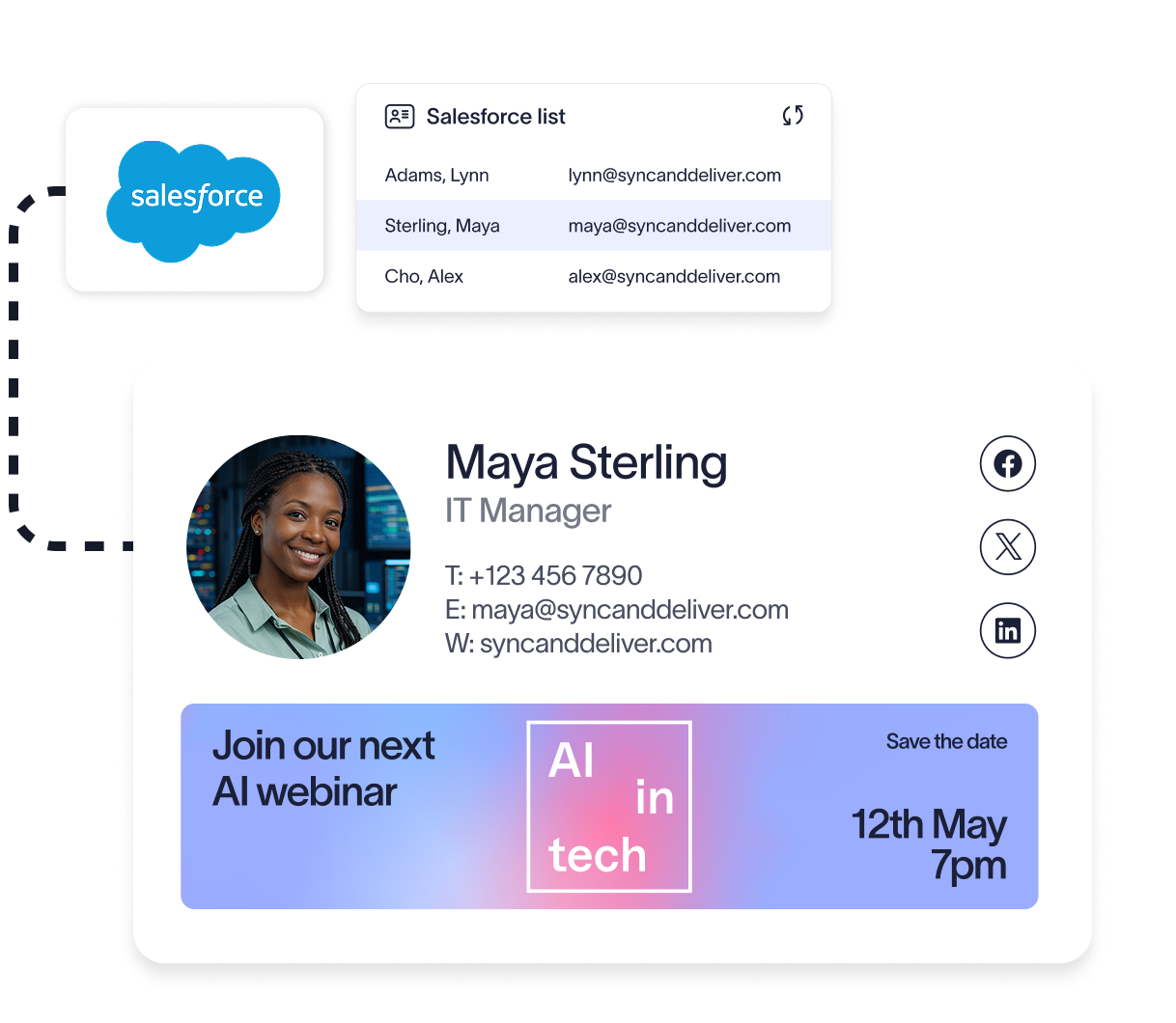 Build a list in the CRM, then choose that list in the Recipients section of an email signature's rules (Exclaimer's Salesforce and HubSpot integration pages, checked October 20, 2026). When a rep emails an address on the list, Exclaimer applies the email signature or banner attached to it. A software company could list its healthcare contacts and attach a case study banner.
In the Salesforce integration, lists can filter on region, deal stage, or industry, and Exclaimer syncs the email addresses from Contact, Account, and Opportunity lists. The HubSpot integration works from smart or static lists of contacts, companies, and deals. Both sync every 24 hours, and HubSpot typically syncs at 3 a.m. local time. A contact who moves onto or off a list sees the change after the next sync.
What do the Salesforce and HubSpot integrations require?
Both integrations are part of Exclaimer Pro. Salesforce must be on the Professional edition with API access, or on the Enterprise, Performance, Unlimited, or Developer edition. The Salesforce integration works with server-side deployment and can't be used with client-side deployment on Google subscriptions.
What should the email signature offer at each stage?
Who is on the list | What the email signature offers |
Leads and contacts with no open deal | A guide or an event invitation |
Contacts on open deals | A customer story or a trial link |
Contacts on deals near close | A booking link or an offer |
Exclaimer's guide to seven email signature use cases reports that in its own account-based marketing campaigns, targeted email signatures typically get 15x the click-through rate of display ad campaigns.
Campaigns can also target by sender, so one team's reps can carry a banner the rest don't. For banner setup, see how to run marketing campaigns using email signatures in Exclaimer. For list setup, see the guide to integrating email signatures with CRM platforms.
Who should own the sales email signature program: Marketing, sales, or IT?
Marketing can own the content and campaigns while IT keeps deployment, because IT can delegate design and content rights through eight user roles (Exclaimer's user management documentation, checked October 20, 2026).
ROI Automotive, a B2B services company, gave its marketing team control of email signature content and campaign banners. Its customer story reports that company-wide campaigns across 350+ email signatures now launch in 15 minutes, down from days.
Experlogix, a software company in South Jordan, Utah, shows the sales side of the same split. The Experlogix story quotes Kayla Davison, Global Brand and Design Manager, on how reps used to implement the email signature themselves: "add the image, add the link to the image, etc. And it was tedious and time-consuming. But now, they don't even need to worry about setting it up or deactivating it."
How do you measure email signature performance for a sales team?
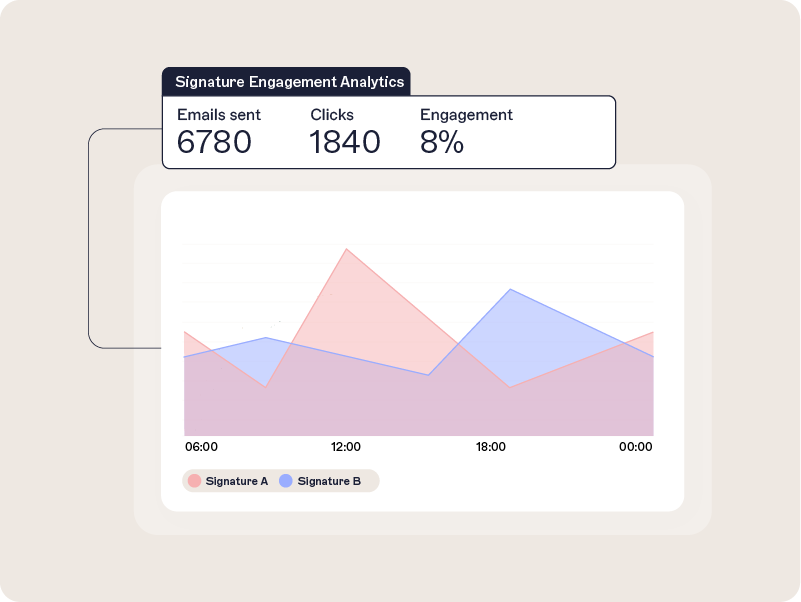 Analytics reports clicks and impressions, including link and banner performance. It also shows click data by domain, so sales can see which companies are engaging (Exclaimer's Engagement Analytics documentation, checked October 20, 2026).
Exclaimer Pro includes Analytics, which needs server-side configuration because Exclaimer rewrites each link and sends it through its click tracking service. Dashboards update daily and metrics export to CSV, per Exclaimer's Analytics page.
Question | Where the answer lives |
Which links and banners get clicks | Engagement Analytics, on Pro |
Which companies click | Domain-level click data in Analytics |
Which banner campaigns send traffic to your site | UTM parameters, the tracking tags added to the banner URL, in the Traffic acquisition report in Google Analytics |
Whether the email arrived or was opened | Not covered by Analytics, which isn't an email deliverability tool |
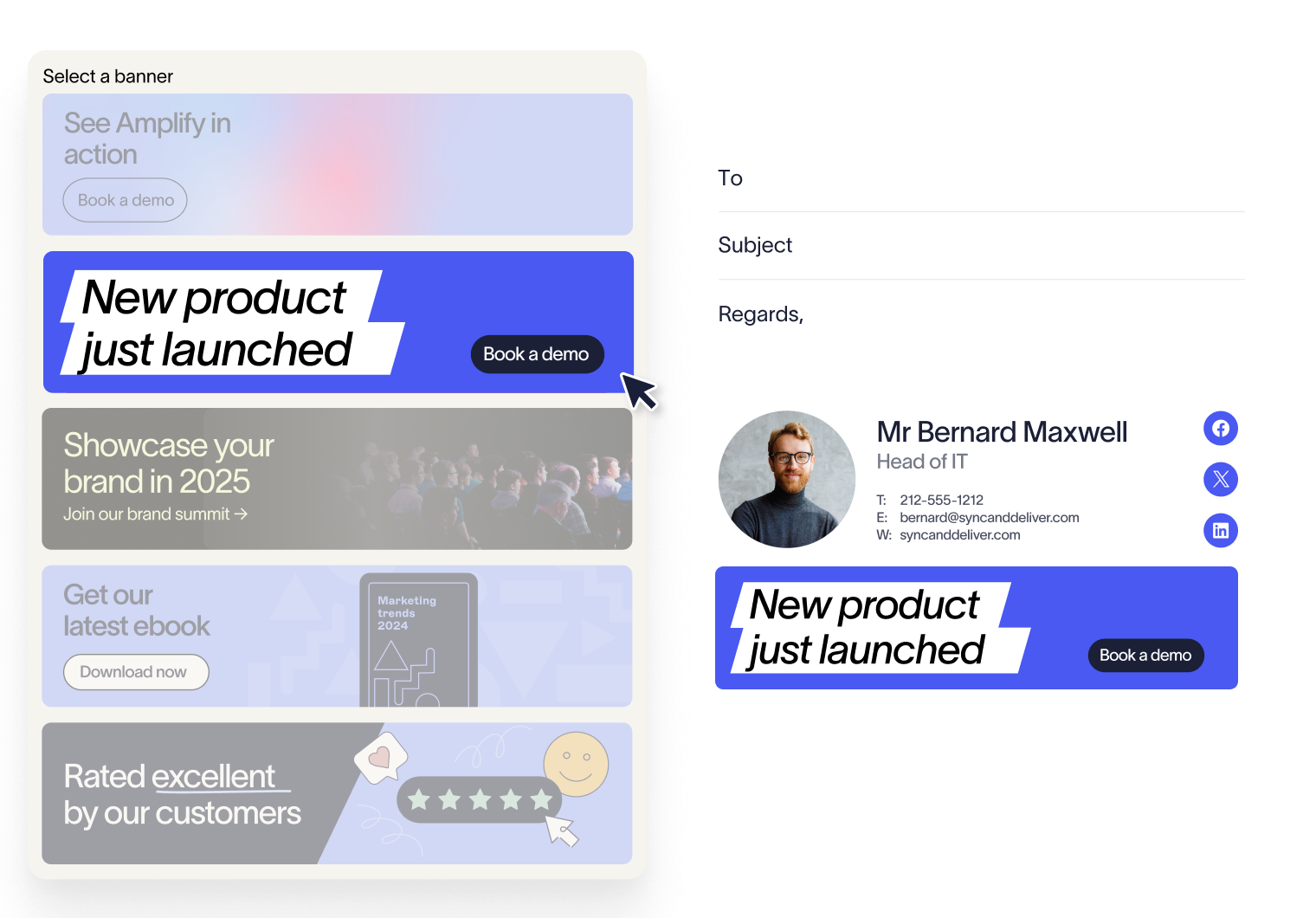
Rotating banners support up to 15 images and rotate randomly, hourly, or daily on Standard and Pro. Analytics on Pro reports clicks for each banner.
What do the numbers look like?
Exclaimer's press release of October 24, 2024 reported a 4% click-through rate from email signatures, based on customer data from the previous quarter.
CIS Security, a UK security solutions provider, published a customer story reporting 530,000 click-throughs a year and $7 million in influenced annual revenue.
How does Exclaimer compare with native email signatures in Microsoft 365 and Google Workspace?
 Native Microsoft 365 and Google Workspace email signatures fall short on enforcement and targeting (Exclaimer's comparison pages for Microsoft 365 and Google Workspace, checked October 20, 2026).
Capability | Exclaimer | Native Microsoft 365 or Google Workspace |
Details from the directory | Name, job title, and phone number populate from the directory | No directory sync for live contact data |
Targeting | Signature Rules by department, role, or location | Limited, with one Append Footer per organizational unit in Google Workspace |
Locking the email signature | Exclaimer applies the approved email signature on send, whatever the rep set locally | Not built in |
Campaign banners | Scheduled centrally, with targeting by sender or recipient | No banner or campaign capability |
Analytics | Clicks and impressions by link and banner, on Pro | None |
Delegation | Role-based access lets marketing manage templates and campaigns without admin rights | Exchange admin rights in Microsoft 365, or Google Admin Console access |
Turn email signatures into a consistent sales channel
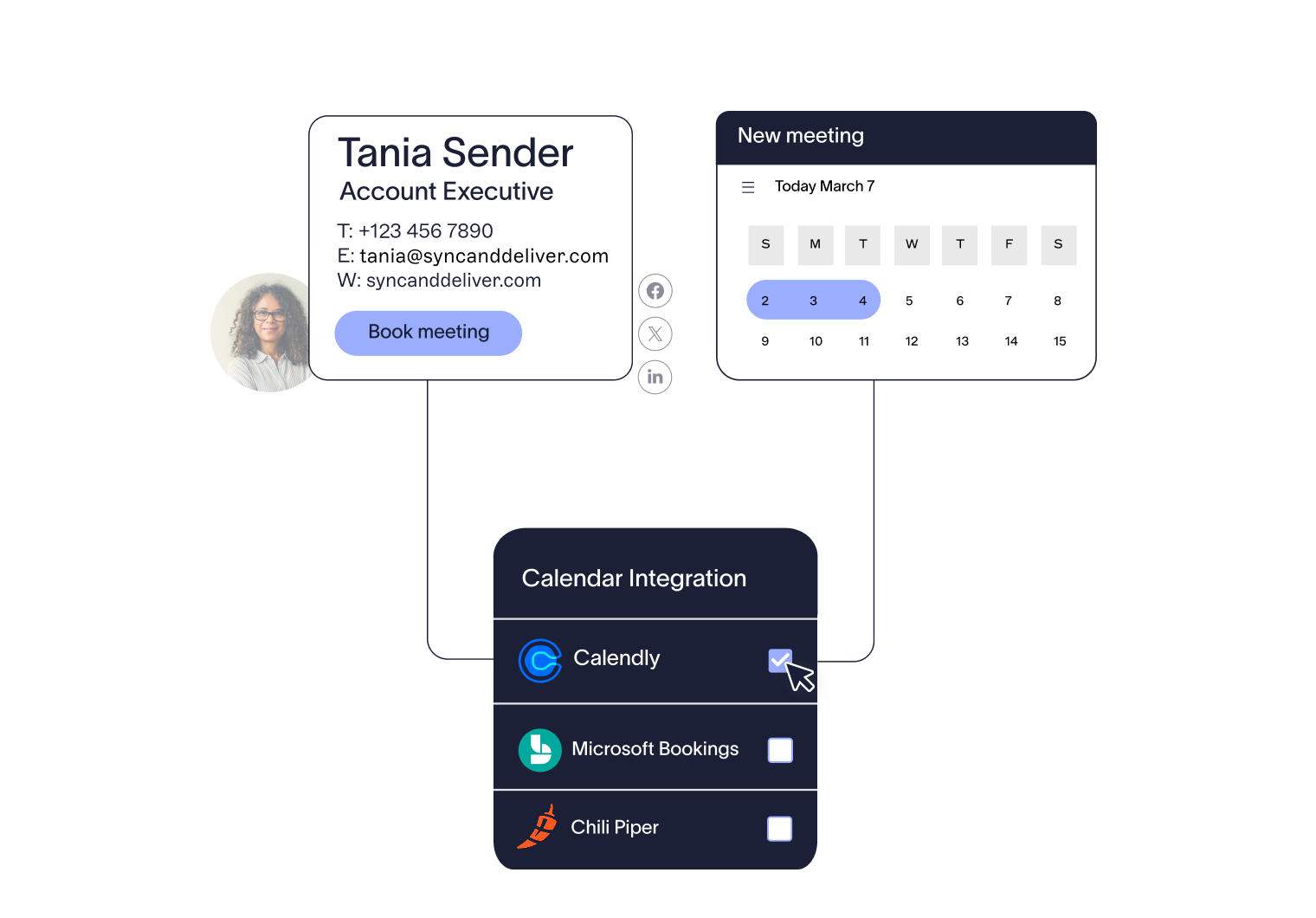 Exclaimer turns them into a structured, targeted channel that supports your sales process. Campaigns are applied automatically, messaging aligns with the funnel, and every email includes a clear next step.
Sales teams don’t need to change how they work. Signatures are managed centrally and applied in the background, so outreach stays consistent without adding effort.
See how Exclaimer can be applied across your sales team and how quickly you can roll out targeted campaigns across every email. Get a demo today. For the product view of the same features, see Exclaimer for sales teams.