Karl heads up Information Security at Exclaimer, where he’s focused on keeping data secure and ensuring compliance with standards like ISO 27001 and SOC2. With years of hands-on experience, Karl is dedicated to simplifying security processes and staying ahead of potential threats. He’s passionate about using automation and smart practices to strengthen security without adding unnecessary complexity.
Email signature management for construction companies: A complete guide

TL;DR
One platform controls what every mailbox in a construction group sends, so contact details, license numbers, and disclaimers stay correct across sites, subsidiaries, and joint ventures without anyone editing each account by hand.
Server-side application adds the email signature after a message leaves the device, the only way to reliably cover a foreman emailing from a phone in a truck or a shared site-office inbox.
A joint venture, a special purpose vehicle, or a newly acquired contractor each needs one template and one rule to assign it, not a redesign of every mailbox already in the group.
Directory sync from Microsoft Entra ID or Google Workspace Directory keeps names, sites, and roles right the moment someone moves, without an IT ticket.
A construction group's employee directory rarely maps to one company. There's the name on the website, the trading subsidiary that holds the M&E contracts, a project company set up two years ago for a framework win and still trading, and the regional contractor bought last spring that's still bidding under its own name because that name carries the prequalification history.
Each of those entities is supposed to sign its email differently: its own registered details and, in some states, its own license number. Whether that's actually happening is rarely anyone's job to check.
Quick answer
Email signature management for construction means one system, not one person, controlling what every mailbox sends under the company's name: the right entity and license details for the site and the contract, accurate role and project information as people move between jobs, and one place to change all of it when something does.
Why does a construction company need to manage this centrally?
Clients, subcontractors, consultants, and building control all judge whether a message is genuine partly on whether it looks like the last one. A lot of that email comes from places IT can't reach through a managed desktop: a laptop in a site office, a phone in a truck, a shared inbox nobody in particular owns.
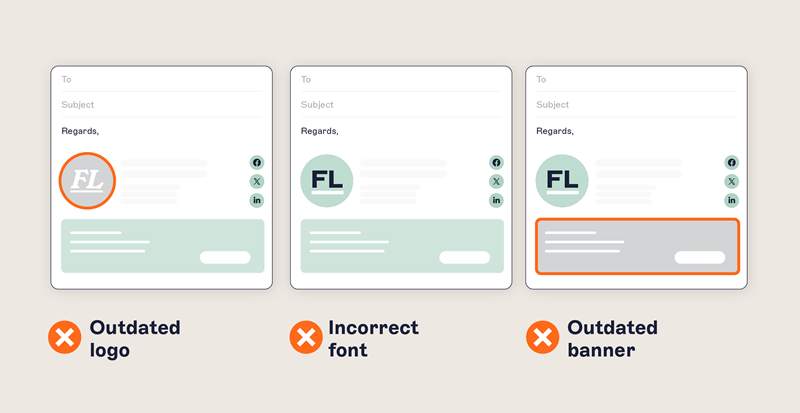
That last category causes more trouble than it should. A site office opens with a mailbox for deliveries and another for the plant hire coordinator, and nobody was ever assigned to prompt either of them to set up a signature, because nobody is really in charge of either account.
A client hears from the bid team and the site team in the same week and gets two different-looking companies. An auditor asks how a safety notice actually reaches the people it applies to, and the honest answer is that someone emailed a template around in 2023 and hoped it stuck.
Then there's the churn. Every site move, every promotion, every leaver at the end of a job, and every new starter on the next one changes who should be sending what. A commercial team that grows for a bid and shrinks once it's won means a directory that's different every month, and updating each signature by hand doesn't survive that pace for long.
In Exclaimer's State of Business Email 2025, a survey of 4,009 IT leaders across the UK, US, Germany, and Australia found that 35% named email signature management as one of their two most time-consuming tasks. Construction's staffing pattern is a reasonable explanation for landing on the higher end of that number.
What should a construction email signature actually include?
Start with the fields any business needs: full name, job title, company name, direct phone, and the logo. Construction adds a few more, and two of them matter more than they look.
 The project or site name gets a reply to the right team without a round trip, which counts for something when the recipient is dealing with 40 people on the same job. The legal entity matters more. A group often trades under a name that isn't the entity on the contract, and an email that says one thing while the contract says another is a small ambiguity that turns into a real one the moment there's a dispute. Where the trading name and the contracting entity differ, carry both.
For individual credentials, a workable test is whether it would look right on a LinkedIn profile. If it would, it's probably right for the signature. Only use an accreditation mark if the entity currently holds it, and follow the scheme's own rules on how it's displayed. Keep disclaimers and license numbers as text a recipient can select and copy, not baked into an image. Images don't always render, and a recipient who wants to check a license number shouldn't have to squint at a graphic to find it.
Role | Beyond the baseline | Why it matters |
Site and project management | Project or site name, site switchboard number | Internal site shorthand means nothing to the person receiving the email |
Engineering and design | Discipline, office location, registration number | A registration number should reflect a license genuinely valid in the jurisdiction the work is offered in |
Quality, health, and safety | The specific standards and schemes the entity holds | Reference only what's current, and drop it the moment scope changes |
Commercial and quantity surveying | Professional body membership, project reference | Link to the current published version of any referenced terms rather than restating them |
Procurement and accounts payable | A standing payment-verification line | Has to be identical on every message from the function, including shared mailboxes |
Executive | Group entity reference, LinkedIn profile | Name the specific trading entity the executive is signing for, not just the group brand |
What compliance requirements actually apply?
No regulation says a business must have an email signature. Several do require specific information to reach the right people, or specific details to appear on business documents and advertising, and applying an email signature by rule is how an organization meets that the same way every time.
 License display is the clearest case. Under California Business and Professions Code section 7030.5, a licensed contractor has to include the license number in construction contracts, subcontracts, and calls for bids, and in every form of advertising. The Contractors State License Board's own guidance goes further, stating the number belongs on all business documents and advertisements, business cards included. The statute doesn't name email specifically, and the rule varies by state, so whether a given message actually carries the requirement depends on what that message is doing. Where the number does have to appear, a rule is what makes it appear the same way every time and stay right when a license or an entity changes.
Assign each notice only to the people it applies to. A CDM notice belongs on mail from duty-holding staff. Nothing extra belongs on what accounts payable sends.
Regulation and disclaimer mapping
Regulation or standard | What it asks of communications | What a centrally applied email signature does | What sits alongside it |
State contractor licensing (for example California BPC 7030.5) | License number on contracts, bids, and advertising | Applies the correct number for the entity and classification by rule, and updates it in one place | Holding the license, and keeping its classification scope current |
CDM 2015 (Construction (Design and Management) Regulations, Great Britain) | Duty holders appointed and relevant information prepared and passed between them | Carries role and entity on every message from duty-holding staff | The appointments themselves, plus the construction phase plan and the health and safety file |
ISO 9001 and ISO 45001 | Controlled communication within a management system | Applies one approved format and detail set across the entity, defined centrally | The management system itself, and the document control inside it |
Professional engineering licensure | Accurate representation of licensure and scope | Applies title and registration text only to the people the directory says hold it | Licensure itself, and the state board's rules on using the seal |
Accreditation schemes (for example CHAS, SSIP, Constructionline) | Marks used only by current members, within scheme rules | Attaches the mark to the entities that hold it, and removes it centrally when membership lapses | Current membership, and the scheme's own brand guidelines |
| CAN-SPAM | A valid physical postal address in any message whose primary purpose is commercial | Carries the address on the mail that needs it, applied by rule rather than typed | Opt-out processing, honest subject lines, and the primary-purpose judgment itself, none of which a signature touches |
GDPR and UK GDPR | Transparency about who processes personal data and on what basis | Carries entity identity and a privacy notice link where applicable | The privacy notice itself, and the lawful basis behind it |
A disclaimer creates no protection by itself. A CDM notice in a signature doesn't discharge a CDM duty, and a quality-management reference is no substitute for the management system behind it. What a centrally applied disclaimer does provide is something to show a reviewer: the approved text, the group it's assigned to, and proof it was actually applied by rule rather than left to individual judgment.
"They [disclaimers] carry mandated information in a number of jurisdictions and industries, and that information is often determined by regulatory requirements. Not having them, or not being able to show you had them on particular communications, can cause you an evidence problem."

That's what a rule-applied disclaimer buys a construction business: a supporting document, not the underlying arrangement.
Full guide: What is an email disclaimer
Full guide: 25+ disclaimer statement examples and templates
What should procurement and accounts payable email signatures say about payment details?
A standing verification line, worded identically on every message from the function, telling suppliers and subcontractors the one route by which a change to payment details actually gets confirmed.
 Construction makes this harder than most sectors. Payment applications run large, the subcontractor chain runs long, and a bank detail change is a routine part of most months. A supplier who's seen a dozen different wordings from the same company has no baseline for what a legitimate instruction even looks like.
That line is standing content, which makes it a governance question rather than a wording question. It needs to be correct and identical everywhere it appears, including on mail from shared mailboxes nobody individually maintains. Typed by hand, it drifts within weeks. Applied by rule to the procurement and accounts groups in the directory, it doesn't.
Payment fraud prevention itself belongs to payment controls, an out-of-band verification process, and the authentication layer a security team runs (SPF, DKIM, and DMARC on sending domains). The email signature is where the instruction lives. It isn't a control in its own right.
How do IT teams actually deploy this across sites and mobile crews?
Centrally, at the server, with templates assigned by rules that read directory attributes. Applying the email signature server-side means coverage doesn't depend on the sender's device, which matters more here than in an office-based business, because construction has a much higher share of senders IT can't reach through a managed client.
Deployment model | Where the email signature is applied | Can the sender change it | Best suited to |
|---|---|---|---|
Server-side | In transit, after the message leaves the sender's device | No | Enforcement across shared site mailboxes, mobile crews, and anyone without a managed client |
Client-side | In the composing client, as the sender writes | Yes | Desk-based staff who want to reply beneath their email signature |
Hybrid | Client-side for the preview, server-side for the version that goes out | Not the applied version | Most multi-site contractors |
Hybrid is where most multi-site contractors end up, because it applies server-side to what actually goes out while still showing desk-based staff their email signature as they type.
Native Microsoft 365 and Google Workspace versus a managed platform
Both platforms can add text to outbound mail. Neither assigns templates by legal entity or keeps details current from the directory unless somebody builds and maintains that themselves.
Microsoft 365 and Google Workspace native | A managed email signature platform | |
|---|---|---|
Who applies the email signature | The user on their device, or an admin-configured transport or content compliance rule | The platform, centrally, after the message is sent |
Can the sender change it | Yes, where it's user-configured | No, where server-side application is used |
Different template by site, entity, or project | Possible through separate rules, maintained by hand as rules multiply | Assigned by Signature Rules from one console, using directory attributes |
Keeping details current | Manual, or scripted against the directory and maintained in-house | Synced automatically from Microsoft Entra ID or Google Workspace Directory |
Rich formatting and images | Supported in user-configured email signatures; transport rule disclaimers are limited and render inconsistently | Designed once, applied consistently across clients |
Who can make a change | Whoever holds Exchange admin or Google Workspace admin rights | Delegated by role, so marketing can update a banner without admin-level permissions |
Testing before rollout | Test manually | Signature Tester checks which template a given sender will get before it goes live |
Native tooling holds up for a single-entity business with one disclaimer and a stable structure. It starts to strain when a second entity, a joint venture, or an acquisition arrives, because each of those adds rule logic, and somebody has to maintain rule logic forever.
For a fuller procurement comparison, see the breakdown of native Microsoft 365 email signatures against a managed platform.
Full guide: How to create and set up Microsoft 365 email signatures
Full guide: How to create a Google Workspace email signature
Shared mailboxes, subcontractors, and consultants
Construction runs on mailboxes that don't belong to anyone in particular. The site office, deliveries, plant hire, and the project-specific addresses that exist for the length of a job and get retired when it closes all fall into this category, and they get missed because there's nobody to prompt. Server-side application covers them by default, since the rule acts on the message rather than on a person. Name the function and the site in the template, and give a monitored contact route for replies.
Whether a subcontractor's mailbox sits in your tenant decides how far your reach extends. A consultant or seconded engineer with a mailbox in your directory is covered by rule like anyone else, and can be given a template that identifies them accurately rather than pretending they're staff. Anyone emailing from their own employer's domain is outside your reach entirely, and what they send under their own name is a matter for the subcontract, not for any signature platform. Worth checking directly, because on a lot of projects the org chart and the actual mailbox arrangement don't match.
Full guide: Microsoft Entra ID and Active Directory email signatures
How do you manage email signatures across joint ventures and special purpose vehicles?
Treat the joint venture as its own entity in the rules, not as a set of shared accounts. Which mechanism fits depends on where the mailboxes actually sit.
A JV with its own tenant and its own mailboxes is simply a separate directory, and it gets its own templates. That's the straightforward case.
Where secondees keep their parent company's mailboxes and sign for the JV instead, a directory attribute does the work: a project code or a custom field marks whoever's on that job, and a rule assigns the JV template to anyone carrying it. The moment the attribute is set, the new signature applies.
Mixed arrangements, where each parent handles its own secondees in its own tenant against one agreed design, are the harder version. Conditional visibility makes that manageable, because individual elements inside a single template can be set to appear only when a sender's attribute matches. That keeps one design in place instead of two near-identical ones drifting apart over time.
"For employees who straddle multiple entities, the key question is which entity they're sending on behalf of at any given time. That's a governance question as much as a technical one: is this person allowed to send on behalf of this brand, or should they be treated as part of another entity? If someone emails under the wrong entity's branding, there are contractual and regulatory implications."

Answer that before you write the rule, because the attribute you key off is the answer written down.
When a project winds down, retiring the rule is one action. Editing 40 individual mailboxes by hand is 40 actions, and in practice that's the kind of task that quietly doesn't get finished.
How do you handle email signatures after acquiring another construction business?
Hold each brand as its own template and assign it by directory attribute, so people pick up the right one as their accounts land.
Conditional visibility solved the joint venture case because a JV shares a design with its parents. An acquisition is different, because the logo and the registered details are genuinely its own, which makes the template the natural unit to split at.
Acquisitions are a common trigger for this work, because a deal creates a deadline that a manual process can't meet. The requirement is rarely to make everyone look identical. Acquired contractors often keep trading under their own name for years, sometimes because the name carries the prequalification history and the client relationships that justified the purchase.
Separating the template from the people is what makes that manageable. A brand becomes a template and a rule. Moving a site onto the group brand becomes a change to that rule, on a date somebody chooses, rather than a coordinated exercise across every mailbox. The same applies in reverse during a disposal.
Brand Kits hold the assets behind those templates. Each brand's logo, fonts, colors and disclaimers sit in one bundle, and every template linked to that kit picks up a change without being opened individually.
Directory merges take months, and the delay usually sits in the data. Two organizations arrive with two HR systems whose job title conventions and data formats don't match, and all of it has to resolve into one place before a signature can be accurate.
During those months the acquired staff are emailing clients you now own the relationship with. Assigning them a template against whatever attribute distinguishes them, before any merge happens, is what stops that window from being the one where the brand looks broken.
Full guide: Multi-brand email signature management
Full guide: How to manage email signatures during a merger
What is the operational case for centralizing email signature management?
Only 18% of US organizations use a centralized email signature solution, according to Exclaimer's U.S. Business Email Report 2025, which surveyed more than 1,000 US IT leaders. Of the rest, 41% leave it to employees and 41% rely on IT scripts or other workarounds.
 The scripts-and-workarounds group is where the ongoing cost tends to hide, because a script is something somebody has to maintain, and the person maintaining it two years from now usually isn't the person who wrote it. In a construction business, that maintenance load lands at the start of every job with new starters, the end of every job with leavers, and constantly in between as people move between sites and entities.
Komfort Partitioning, a 130-person partition systems manufacturer, cut the time spent on manual signature updates by 99% after centralizing the work, alongside £3.2 million in influenced revenue from its signature campaigns. That's one brand. A construction group running several legal entities carries a bigger version of the same problem, because every additional entity brings its own registered details and its own rule to maintain.
Directory sync removes most of that maintenance. When directory synchronization makes Microsoft Entra ID or Google Workspace Directory the source of truth, a new starter is correctly branded from their first message, a promotion updates a job title without a ticket, and taking a leaver out of the directory removes their signature along with them. Role-based access lets marketing update a campaign banner or a logo without needing Exchange admin rights to do it.
Full guide: The true cost of manual email signature management
What should construction IT look for in email signature software?
Server-side application matters most, because it's what makes coverage independent of the sender's device. Rule-based assignment from directory attributes comes next, so a template follows a person when they move site, project, or entity.
What to check | What to ask a vendor | Why it bites in construction |
|---|---|---|
Server-side coverage | Which mail paths are covered if we're still hybrid on Exchange? | Site offices and phones are where most outbound actually originates |
Directory attributes | Can rules key off a custom attribute, or only standard fields like department? | Project codes and cost centers are how a JV secondee gets identified |
Rule fallback | What does a sender get when no rule matches them? | New entities arrive faster than anyone writes rules for them |
Conditional visibility | Can one template serve two legal entities? | Otherwise a group maintains a near-identical template per entity, forever |
Delegated access | Can marketing change a banner without Exchange admin rights? | Campaign requests otherwise land on IT during bid season |
Plan tiering | Which of these sit in the tier we're being quoted? | Recipient-based rules and some controls aren't in entry-level plans |
Data residency and certifications | Where is our directory data processed, and can you show current certificates? | Framework and public-sector prequalification routinely asks for this |
Native settings hold up for one site, one entity, one disclaimer, and a staff list that doesn't change much. A second site means keeping two versions of the same setup by hand. A second legal entity splits the disclaimer, because the registered details differ and the license numbers might too. A joint venture needs a template that has to exist for two years and then disappear cleanly. An acquisition leaves two brands running out of one directory while a merge works itself out in the background.
There's no headcount number where this requirement switches on. It changes shape as the business does, and a managed platform starts paying for itself the moment somebody is maintaining that logic as a recurring job rather than a one-time setup.
Exclaimer's pricing page sets out which capabilities sit in which tier.
Where to start
If more than one site or more than one legal entity is involved, the first useful step is finding out what's actually going out today. That's usually a shorter exercise than expected, and a more uncomfortable one.
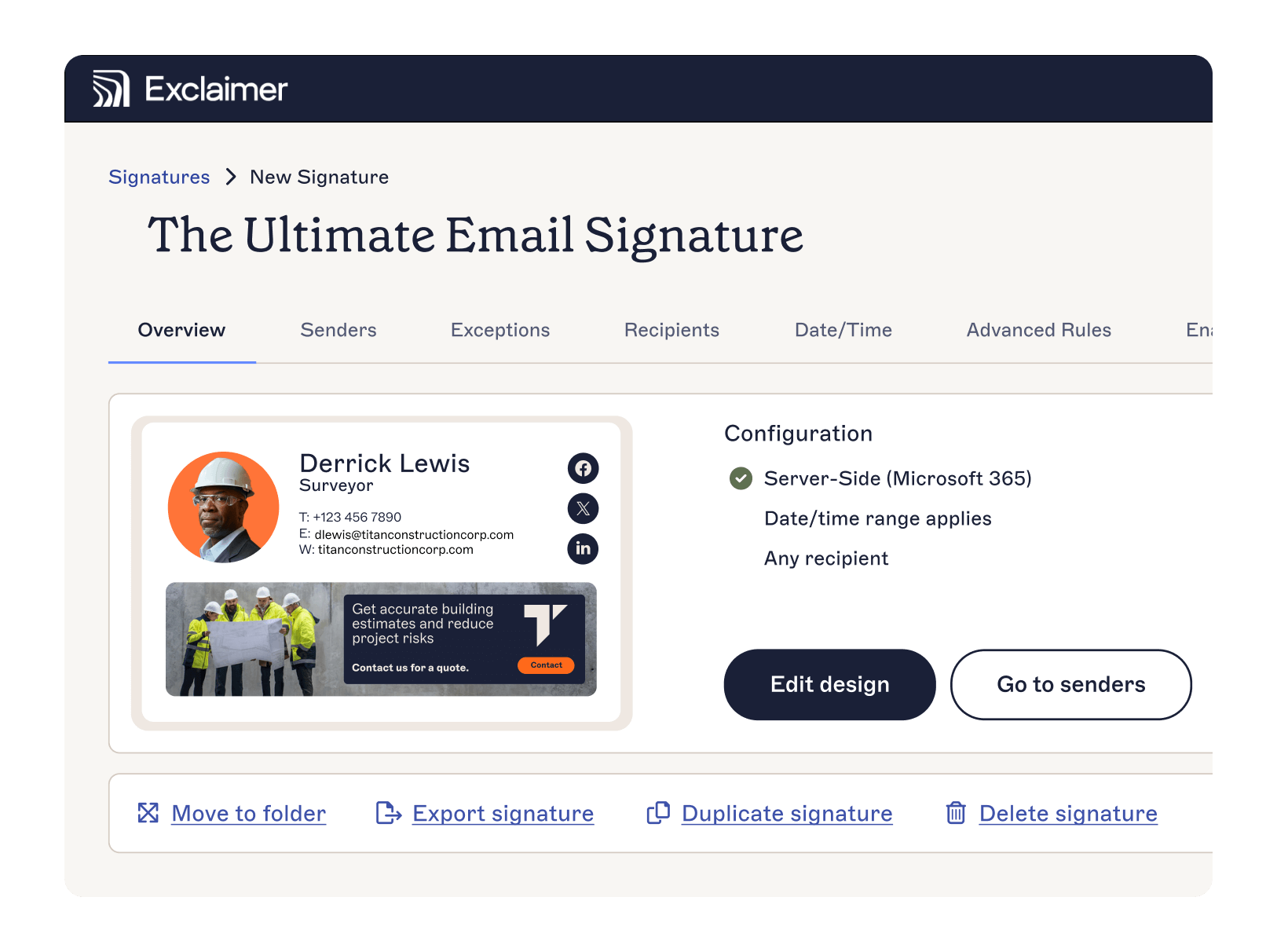
After that, the mechanism holds at any size: templates built once, applied server-side, assigned by Signature Rules against directory attributes, maintained by whoever owns the content rather than landing on IT by default. That's what makes the multi-entity directory problem from the start of this guide solvable without a redesign every time something changes: one system controlling what every mailbox sends, whatever the entity, the site, or the stage the project happens to be in.
See how it works for construction, or start a free trial to see it against your own directory.