Dave is a marketing expert with 15 years experience in the tech and SaaS world. He specializes in educating IT and channel audiences, with a focus on security, privacy, compliance, and marketing technology. With a talent for storytelling and a deep understanding of the industry, Dave transforms complex IT topics into clear, engaging, and impactful narratives.
Email signature management for manufacturers: A complete guide
TL;DR
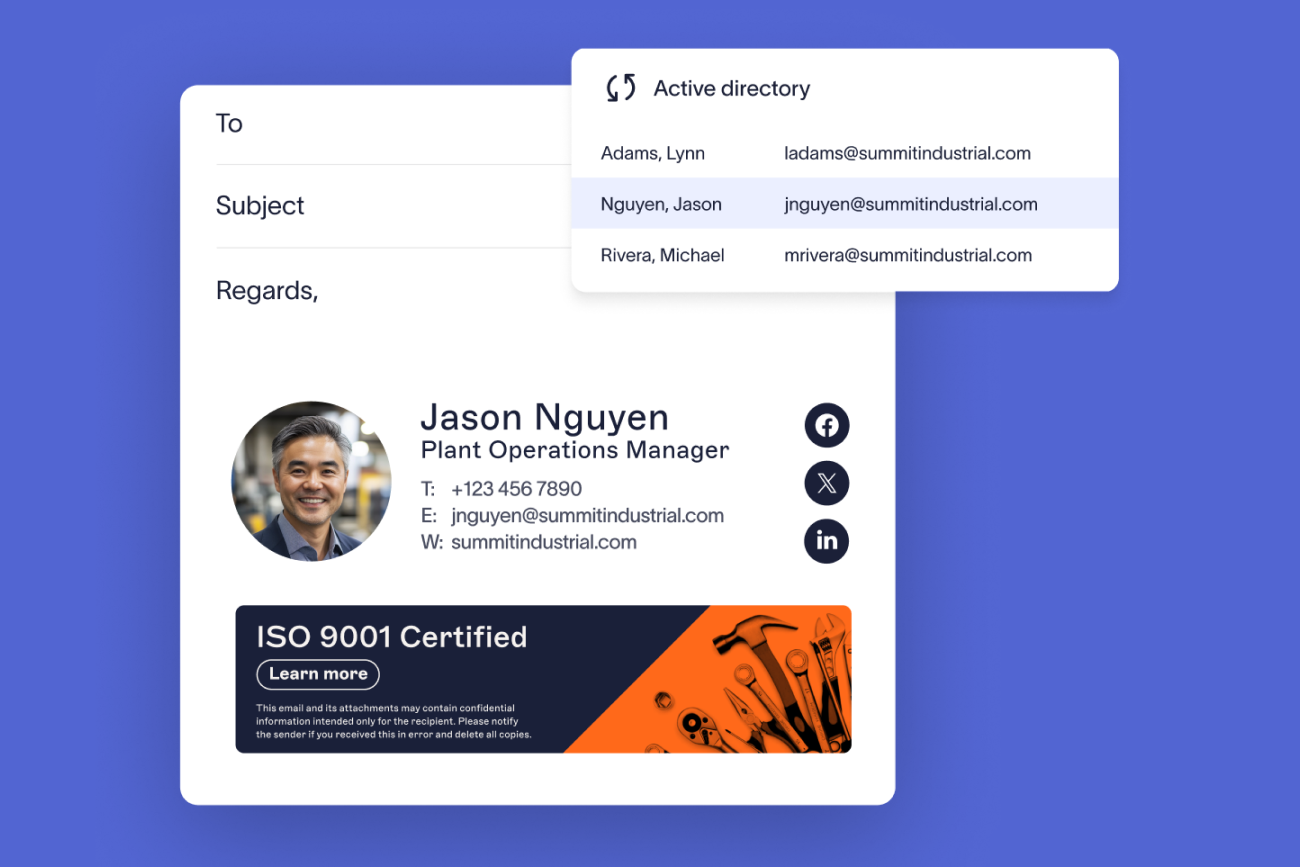
For a manufacturing group, email signature management means applying each email signature at the server, by rule, from directory data. Every plant, legal entity, and acquired brand then sends under its own details and the right notice.
Server-side application covers staff on phones and shop-floor devices with nothing installed. Shared mailboxes aren't covered until each one is added as a sender, and four documented exceptions apply.
A disclaimer is a notice, not a guarantee of compliance. Applied by rule, it shows an auditor the approved text and who receives it, while export-control, defense-contract, and quality-system requirements still need their own arrangements.
34% of organizations manage email signatures with IT-built scripts, according to Exclaimer's State of Business Email 2025.
"Manufacturing organizations run on precision. Processes are optimized, systems are engineered for scale, and controls are designed to ensure consistency across plants, suppliers, and regions. Yet one area of the operation often escapes the same level of discipline: everyday digital communication."

For IT, the missing discipline shows up as work. In Exclaimer's State of Business Email 2025 (Censuswide, April 2025), 35% of 4,009 IT professionals across the UK, US, Germany, and Australia called email signature management one of their top two most time-consuming tasks.
A manufacturing group multiplies that work. Its directory holds the parent company, plants that trade as their own legal entities, and brands bought along the way, and each should send under its own details.
How do you apply email signatures across plants, shifts, and shop-floor mailboxes?
 Server-side application adds the email signature to each message after it leaves the sender's device. A maintenance crew on phones and a shift supervisor on a shared terminal are covered with nothing installed. Exclaimer also offers a client-side Outlook add-in, where senders pick from the email signatures assigned to them (on Outlook mobile the default applies automatically), and a hybrid of the two.
How do shared and shop-floor mailboxes get an email signature?
Manufacturing runs on mailboxes that don't belong to one person: dispatch, maintenance, quality hold, plant reception, and shift handover. In Microsoft 365, shared mailbox accounts are disabled by default, so each one has to be added as a sender and synchronized. Where people send as or on behalf of a shared mailbox, its email signature applies and takes an additional license.
Name the function and the site in the template, not a person, with a monitored contact route in place of a personal number. A shared mailbox that suppliers use for invoices needs the same verification line as procurement.
Tip
In Microsoft 365, a shared mailbox sends without an email signature until it's added as a sender.
For other industries with distributed staff, see the guides for construction companies and utilities.
What should a manufacturing email signature include?
 Name, job title, department, company, direct phone, and logo are the baseline. Manufacturing adds the plant and the legal entity, because a recipient needs to know which site they're dealing with and which entity they're contracting with. In some jurisdictions, business correspondence also needs the registered address and company number.
What changes by role is the notice. A quality manager can cite a certification like ISO 9001 only while that entity holds it, and the reference comes off when scope changes. An engineer on defense contracts needs export-control language a marketing coordinator doesn't, applied by rule instead of by hand. Procurement needs a verification line that tells suppliers how to confirm a change of payment details, identical on every message from the function. Where the group runs several trading entities, name the one the sender signs for.
Keep disclaimers, certification references, and export-control notices as text a recipient can select and copy, because images don't always render.
What compliance requirements apply to manufacturing email signatures?
Requirements depend on the regulation and on what a message is doing. A centrally applied email signature carries the notice or detail the same way every time, and keeps it right when a contract, a certificate, or an entity changes. The management systems, plans, and licenses behind it stay with the business.
How does a centrally applied email signature map to each requirement?
Regulation or standard | What it asks of communications | What a centrally applied email signature does | What it doesn't replace |
|---|---|---|---|
Registered name, place of registration, registered number, and registered office address on business letters and order forms, in electronic form as well as hard copy | Carries each entity's registered details by rule | The company records themselves | |
| ISO 9001 | A documented quality management system, including controlled documented information | Applies one approved format and set of details across the entity, defined centrally | The quality management system, document control, and management review |
CMMC (Cybersecurity Maturity Model Certification) | Protection of Controlled Unclassified Information (CUI) in defense supply chain contracts | Applies approved CUI-related notice text to defined groups automatically | Access controls, system security plans, assessment, and the wider practices in the model |
ITAR (International Traffic in Arms Regulations) | Control of export-related technical data and who may receive it | Applies export-control notice text by rule to the teams and entities that need it | Licensing, technology control plans, screening, and access restriction |
What can a disclaimer evidence, and what can't it?
A disclaimer is a notice, and it doesn't guarantee compliance with the regulation it references. A notice under the International Traffic in Arms Regulations (ITAR) doesn't authorize an export or replace a technology control plan. A Controlled Unclassified Information (CUI) marking doesn't satisfy the Cybersecurity Maturity Model Certification (CMMC) program.
Key takeaway
A notice in an email signature records what you tell recipients. The control behind it still has to exist.
Ed Bodey, Exclaimer's General Counsel, writes in a byline on regulatory scrutiny that auditors look for "confidence that controls are built into systems rather than relying on individual behavior," and that relying on individual behavior is "one of the most common ways organizations get this wrong." Disclaimer text that is defined once, approved, and attached to groups by rule lets an organization show what its standard is and how it's configured to apply. That is evidence about the arrangement, and a reasonable thing to bring to a review.
Full guides: What is an email disclaimer and 25+ disclaimer statement examples and templates
How do you manage email signatures after acquiring another manufacturing business?
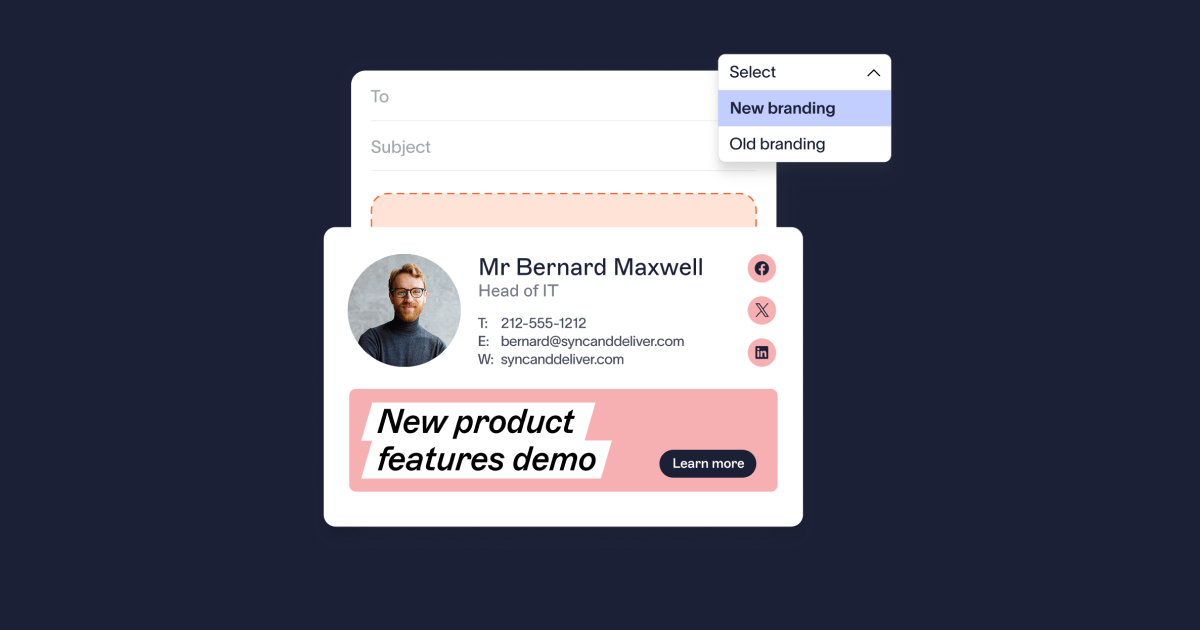
Hold each brand as its own template and assign it by directory attribute, so people pick up the right email signature as soon as their accounts land in the directory. In Exclaimer's State of Business Email 2025, 31% of respondents named mergers and acquisitions as a trigger for email signature updates.
An acquired brand can keep trading under its own name for years, so the group needs each entity to look like itself while it's governed from one place. Acquired staff arrive on their own domains before the directories merge. Until then, assign them a template by whatever separates them, like their email domain, and fix the directory afterwards. Moving a plant onto the group brand is then a change to one rule, and a divestment works the same way in reverse.
The Italian art-materials group F.I.L.A. S.p.A. runs this pattern. It manages 1,400 users with templates organized by subsidiary brand, and it onboarded around 200 users from newly acquired companies without disrupting the ones already there.
Full guides: Multi-brand email signature management and How to manage email signatures during a merger
Can one template serve several legal entities?
Conditional visibility shows or hides individual elements inside one template based on the sender's user data, so a small number of templates per brand can serve several legal entities. Each element takes one condition, and an "or" needs a second element.
WITTENSTEIN SE, an engineering and manufacturing group in Igersheim, Germany, manages email signatures centrally for more than 1,000 users across a multi-company group. Some employees held three or four roles across group companies, and each role needed its own email signature.
How do native Microsoft 365 and Google Workspace tools compare with a managed platform?
Microsoft 365 and Google Workspace can both add text to outbound mail. In Exchange Online, an admin creates a mail flow (transport) rule that adds a disclaimer or signature block. In Google Workspace, the admin uses the Append footer setting in the Admin console.
Microsoft 365 and Google Workspace native | A managed email signature platform | |
|---|---|---|
Different email signature by department, region, or audience | A separate rule for each variation, each with its own conditions and text. Google's footer setting applies by organizational unit | Assigned by Signature Rules from one console |
Formatting | Exchange rules accept HTML, CSS, and images. Google's footer editor doesn't support HTML, and images stored in Google Drive can't be used | Built in a drag-and-drop designer, with no HTML needed |
Keeping details current | Exchange rules can insert sender attributes like title and department from a fixed list of tokens. Google's footer setting takes plain footer text | Synced from Microsoft Entra ID or Google Workspace Directory |
Who can make a change | Whoever holds Exchange admin or Google Workspace admin rights | Delegated by role, so marketing can update a banner without admin rights |
Native tools hold up for a single entity with one disclaimer and a stable structure. A second plant entity, an acquired brand, or a country-specific notice adds rules, and each rule is something an admin maintains by hand.
Full guides: Native Microsoft 365 email signatures versus a managed platform and Native Google Workspace email signatures versus a managed platform
Where do your email and employee data go?
With Exclaimer, each message is processed in transit to apply the correct email signature, then delivered. No email content, subject lines, attachments, or conversation history is stored or accessible to Exclaimer. Processing happens in regional Azure datacenters, so customer data stays local to its region.
According to Exclaimer's security documentation, the platform runs across 14 Azure datacenters in seven geographically separated active-active pairs. They cover the US, Canada, Europe, the UK, Germany, Australia, and the UAE, with 99.99% average availability.
Exclaimer is ISO 27001, ISO 27018, and SOC 2 Type II certified, holds Cyber Essentials and CSA STAR (the Cloud Security Alliance's cloud security assessment), and is compliant with GDPR, HIPAA, and CCPA. Certificates and reports are in its Trust Center.
For plants under different data protection regimes, ask any vendor:
Whether mail leaves Microsoft 365 or Google Workspace to be processed, and if so, where it goes and who operates that infrastructure
Which regions directory data can sit in, and whether that can be set per tenant
Which sub-processors are involved
What should procurement email signatures say about payment details?
A standing verification line, worded identically on every message from procurement and accounts payable, tells suppliers the one route for confirming a change to payment details. Finance teams should confirm payment changes out of band, by calling a number they already hold instead of one supplied in the message, and the line points suppliers to that route.
Public filings show what a wrong payment instruction costs. In August 2024, chemicals manufacturer Orion S.A. filed an 8-K with the US Securities and Exchange Commission. It said an employee was the target of a criminal scheme that resulted in "multiple fraudulently induced outbound wire transfers." The company expected a one-time pre-tax charge of about $60 million if no further funds were recovered. The filing doesn't say how the scheme reached the employee.
Does email signature management stop payment fraud?
No. Prevention belongs to payment controls, out-of-band verification, and the email authentication your security team runs: SPF (Sender Policy Framework), DKIM (DomainKeys Identified Mail), and DMARC (Domain-based Message Authentication, Reporting, and Conformance) on your sending domains.
Email signature management isn't a security control. A consistent house standard does give recipients something to compare a message against. Karl Bagci, Director of IT and Information Security at Exclaimer, puts it this way: "There's real value in consistent branding, because people get used to seeing it, and when they stop seeing it, they know something's wrong and to go and check the other factors, the headers, the sender address."
What's the operational case for centralizing email signature management?
Every plant move, role change, acquisition, and notice update becomes an edit to someone's email signature, and each edit needs an owner. Only 55% of organizations say IT owns email signature management, according to Exclaimer's State of Business Email 2025. The rest split it across HR, marketing, and employees.
The same report also asked how organizations manage email signatures:
Method | Share of organizations |
|---|---|
IT-built script | 34% |
Manual updates by IT | 23% |
Employees update their own | 23% |
Third-party tool | 20% |
With directory sync, Microsoft Entra ID or Google Workspace Directory becomes the source of truth, so a promotion updates a job title without a manual edit. Role-based access lets marketing update a banner or a logo without Exchange admin rights.
What does building in-house cost?
In Exclaimer's Build vs Buy research, a survey of more than 2,000 IT and security decision-makers published in November 2025, 71% of in-house IT builds were eventually abandoned, rising to 83% in manufacturing and finance.
As Exclaimer's Chief Product and Technology Officer, Paul Hammond, puts it:
"Total cost of ownership is, evidently, non-linear. A business that builds three or four non-core systems does not just get three or four times the complexity. The maintenance time, costs, and energy are a permanent tax on engineers, with nearly two thirds of teams burning 10 to 50 hours a month just to keep projects alive."

Full guide: The true cost of manual email signature management
What should manufacturing IT look for in email signature software?
Look first for server-side application, because coverage then doesn't depend on the sender's device, apart from the four exceptions. Then look for rule-based assignment from directory attributes, so a template follows a person when they change plant or role. Beyond those two, check:
Deployment across Microsoft 365, Google Workspace, and Exchange, including hybrid and on-premises, so an unmigrated legacy environment isn't the one gap in coverage
A fallback template for senders when no rule matches
Conditional visibility, so one design can serve several legal entities
How a shared mailbox is set up as a sender, and whether it takes an extra license
Delegated access, so marketing and legal can maintain their own content without IT admin rights
Exclaimer's pricing page sets out which capabilities sit in which plan, so check it before you compare prices.
Do you need a managed platform?
Yes, if you run multiple sites on Microsoft 365 or Google Workspace, staff changes are driven through a directory, disclaimer requirements vary by country or legal entity, or you have acquired brands to keep separate.
Probably not, if you run a single site with one legal entity and one disclaimer. Native settings will do the job.
If the first describes you, see how Exclaimer works in a multi-plant environment, or start a free trial and test it against your own directory.